Chapter 6: Console Configuration
Ethersound Networks
Eclipse User Guide 2.0 281/ 526
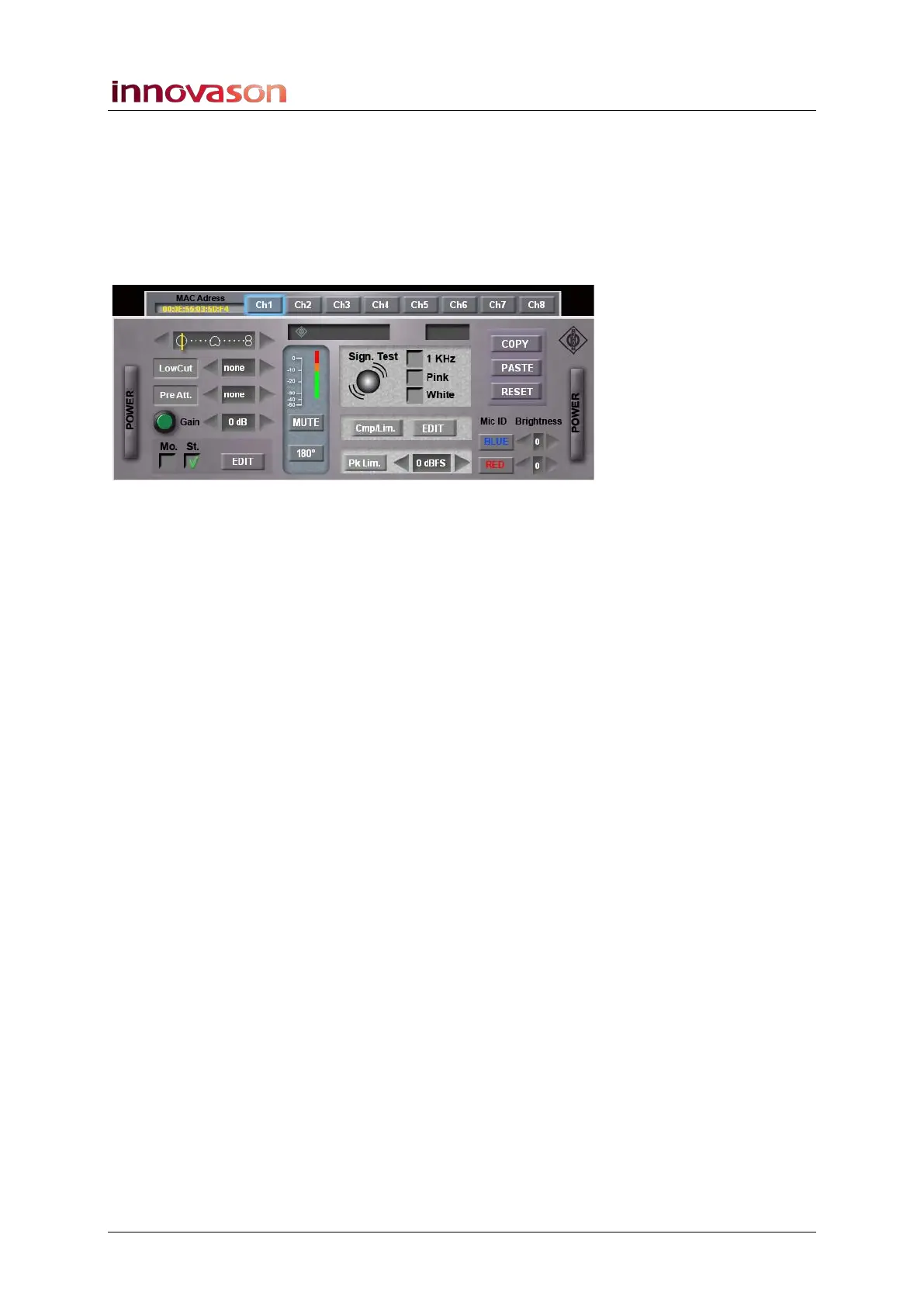
DMI-8
The DMI-8 features 8 AES42 inputs for connection to any
AES42 compatible digital microphone.
The GUI provides control of many parameters including
POWER on/off, input Gain, mono/stereo, directivity pattern,
signal test, etc.:
Input Gain can be controlled from the console front panel, once
the DMI-8 is patched to a Fader strip or Smart Panel controller.
You can also Copy and Paste settings from one channel to
another using the on-screen COPY and PASTE buttons.
Click on RESET to reset the channel to its default parameter
values.



 To Next Page