Chapter 6: Console Configuration
Ethersound Networks
282/ 526 2.0 Eclipse User Guide
Saving and Loading ES Device Parameters
The patching and parameter settings for ES Devices are saved
in a Page. This allows you to recall settings using the Next and
Previous Page buttons, see Chapter 7.
Over Ram
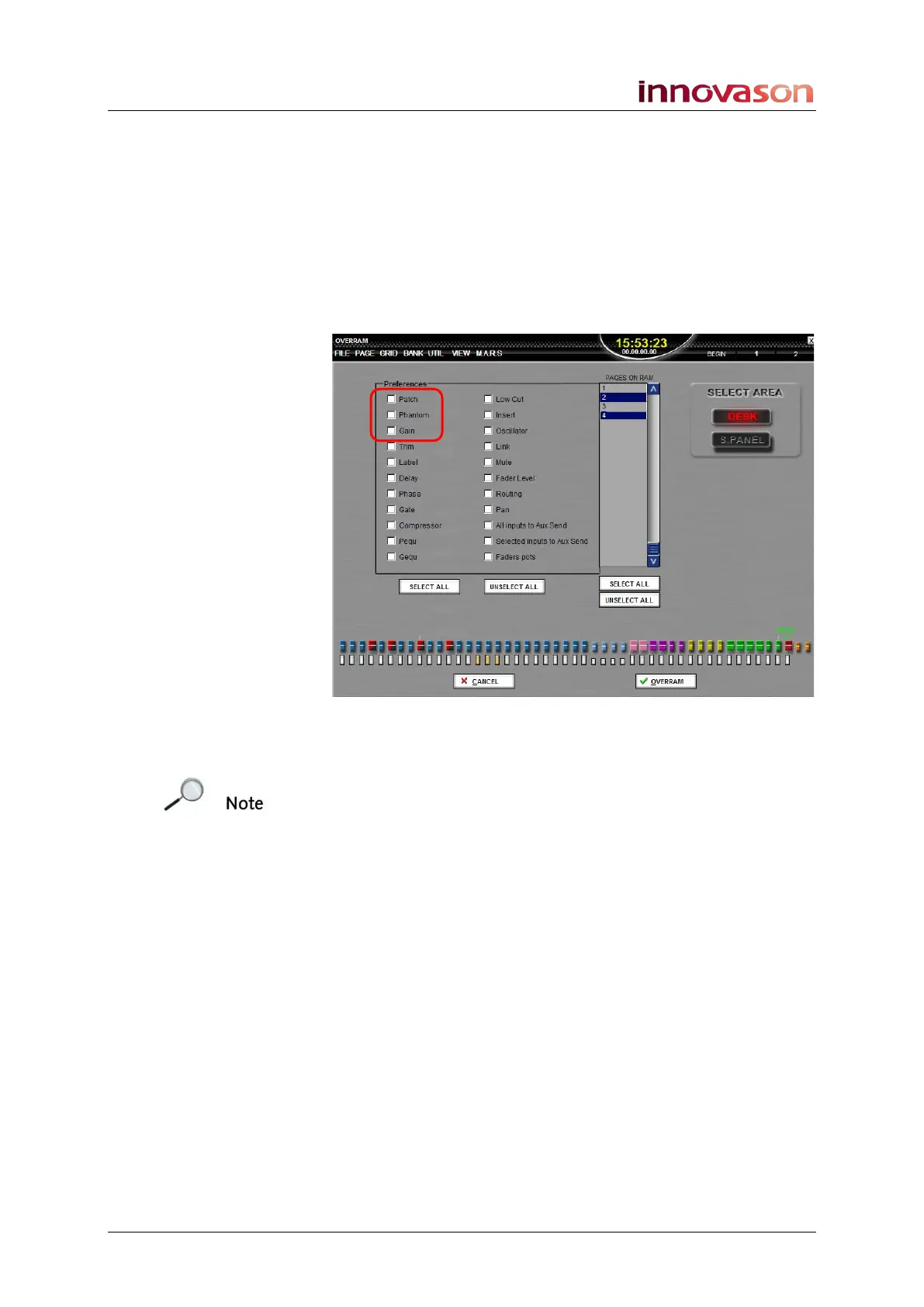
Gain, phantom power and patching can be selected from the
Over Ram display:
This allows you to write ES device parameters from the
selected channel or channels into other Pages in RAM.
Note that only console-controlled parameters, such as gain and
phantom power, can be selected for Over Ram; you cannot
Over Ram GUI-controlled parameters such as the directivity of
the DMI-8.
Offline Setup
An Ethersound device must be online in order to configure its
patching and parameters. If a unit is disconnected, then its last
known parameters are saved when you save.
If you load a File which was saved with an ES device
connected, then the device parameters are recalled but the
device will appear offline.



 To Next Page