Chapter 6: Console Configuration
Internal Effects (the FM-8VB Card)
Eclipse User Guide 2.0 295/ 526
Verifying Your Patching from the Main Mix Display
Before moving on it is a good idea to verify your patching from
the Main Mix display:
1. Select the fader, or Smart Panel controller, assigned to
your Aux by pressing its SEL button.
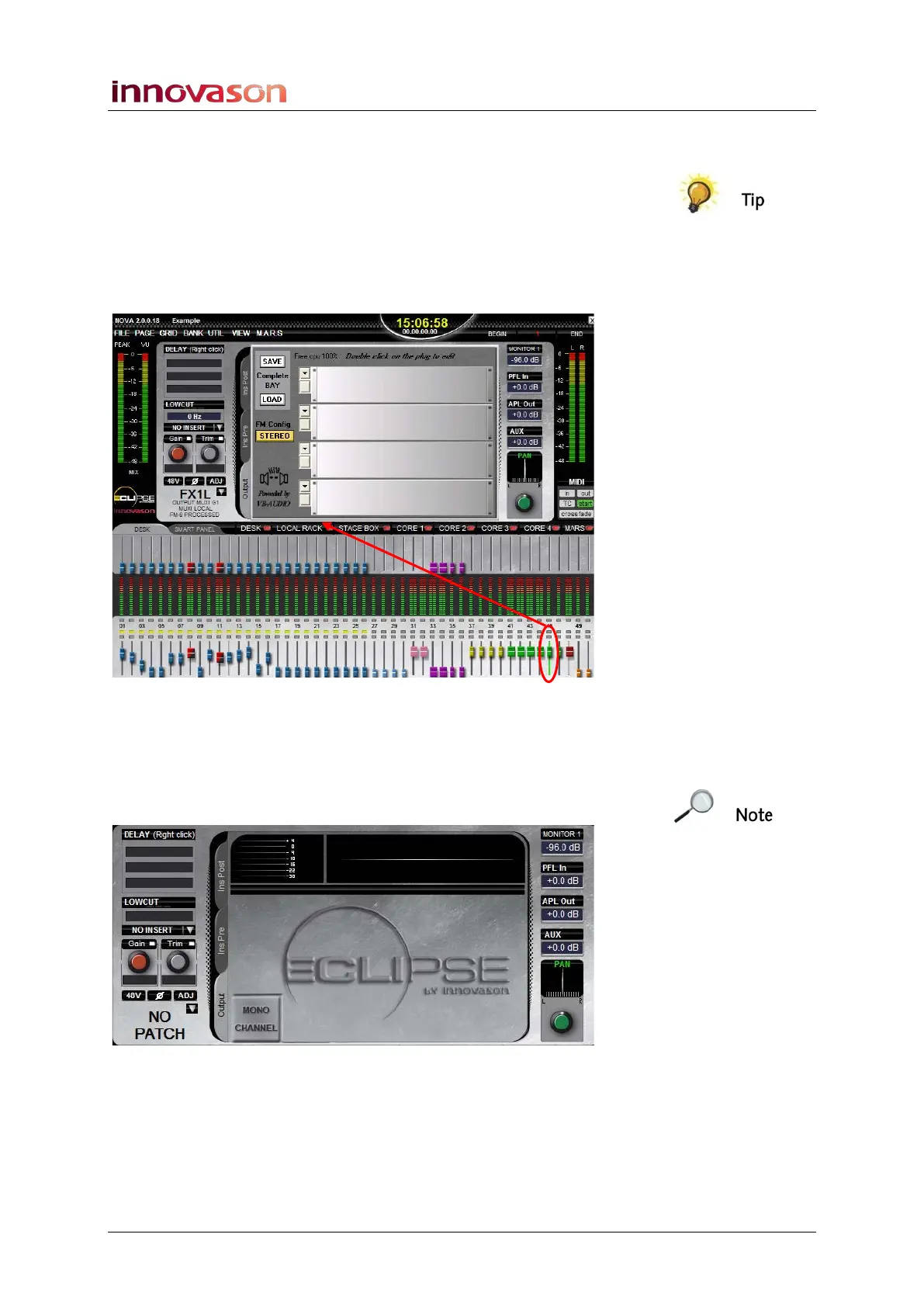
The upper half of the Main Mix updates to show parameters for
the selected channel:
2. Select the Output tab to view the output processing.
If you have patched the aux to the FM8-VB card correctly, then
you will see the racks of the effects bay as shown.
If you do not see the effects racks, then either the aux is not
patched to an FM8-VB card:
Or the aux may be patched to multiple destinations. To check:
3. Press the SEL button on the Aux fader (or Smart Panel
Controller) to step through the processing for each
output.



 To Next Page