Chapter 6: Console Configuration
Internal Effects (the FM-8VB Card)
296/ 526 2.0 Eclipse User Guide
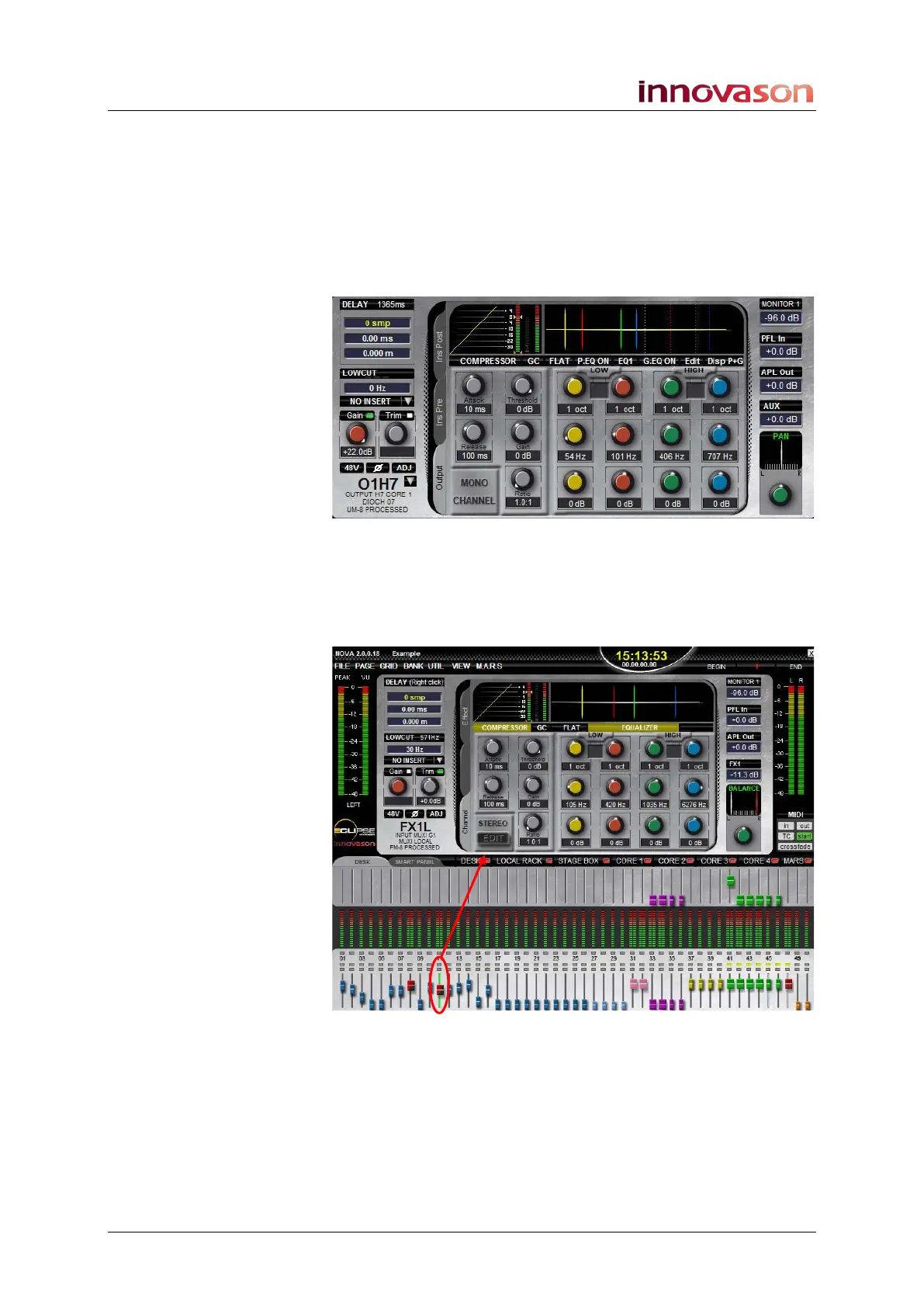
Our aux is patched to three outputs and therefore we can cycle
through three different displays:
• FX1L – as shown above.
• FX1R – the right output to the FM8 card. Provides
access to the same stereo effects bay as FX1L.
• OutputH7 – the output of a UM-8PO card which has
Compressor, EQ, etc.:
You can check your effects return patching in a similar manner:
4. Select the fader, or Smart Panel controller, assigned to
your effects return channel by pressing its SEL button.
The Main Mix updates – in our example, the input named FX1L:
5. With the Channel tab selected, you can view and
control the input channel signal processing –
compressor, gate, parametric EQ.



 To Next Page