Chapter 7: Reset and Automation
File Management
Eclipse User Guide 2.0 345/ 526
Loading a File
Loading a File loads a set of stored Pages from hard disk to
RAM, and resets the console to whichever Page was current
when the File was last saved.
Warning
When you load an unknown file you may load settings which
cause audio to pass through the console. Therefore, make sure
any amplifiers, headphones, etc. are turned off or at a safe
operating level before you load.
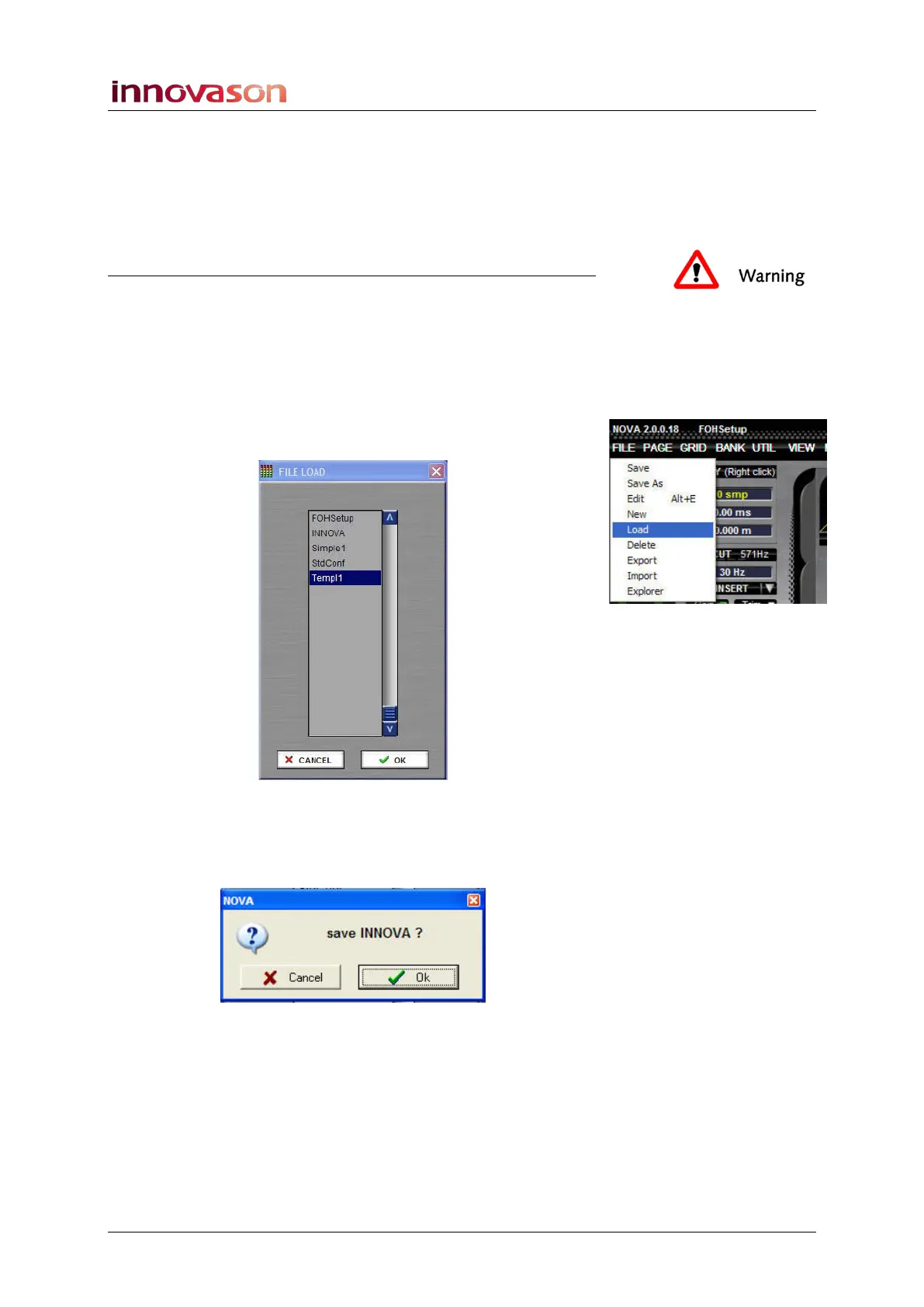
To load a file:
1. Using the trackball select “FILE -> Load” from the main
menus.
2. Select the File you wish to load – e.g. Templ1.
3. Confirm by pressing OK.
The following dialogue box appears:
This is asking if you wish to save the current PAGE (in our
example, INNOVA) before loading the File.
When you load a File, any Pages in RAM are replaced.
Therefore, you will be asked if you wish to save each of these
Pages before the load takes place.
4. If you have nothing new to save, press CANCEL.



 To Next Page