Chapter 7: Reset and Automation
Page Management
Eclipse User Guide 2.0 361/ 526
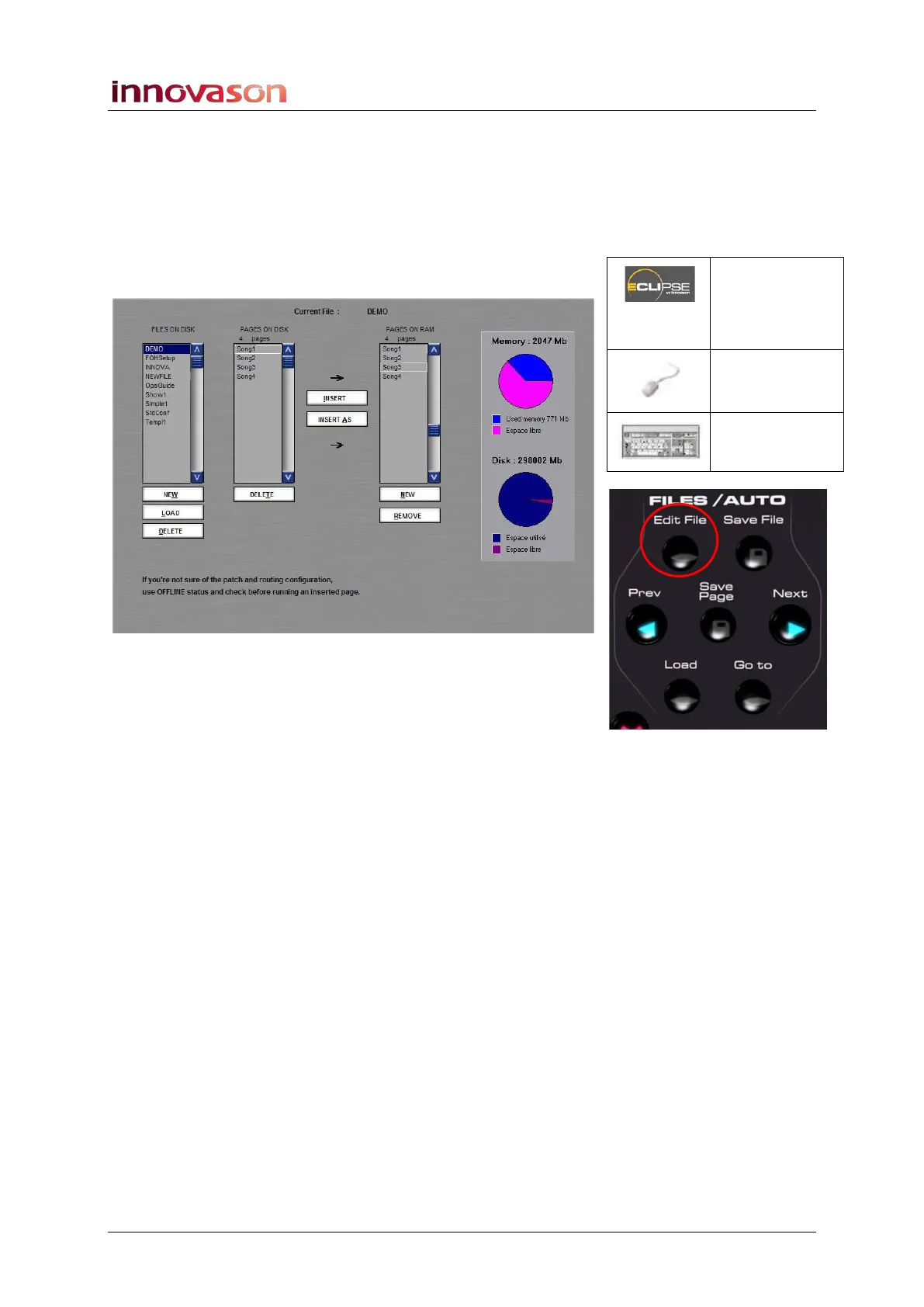
The Edit Display
The EDIT display provides a complete overview of all Files and
Pages on disk and in memory, and is a great way to change the
Page order for a sequence:
1. Select the EDIT display by pressing the Edit File button
on the FILES/AUTO panel.
The main part of display consists of three indexed columns.
From here you can create New Files and Pages, change the
Page order in RAM, Insert Pages from different Files, etc. On
the right of the display you can view the Memory (RAM) and
Disk (hard disk) usage.
FILES ON DISK
This column lists all the Files saved on the Nova hard disk.
1. Select a File, and the middle column updates to show
the Pages contained in the selected File (e.g. DEMO).
The screen buttons below FILES ON DISK allow you to:
• Create a NEW file – identical to “File -> New”.
• LOAD all Pages from the File into RAM - identical to
“File -> Load”.
• DELETE the selected File - identical to “File -> Delete”.
PAGES ON DISK
This column lists all the Pages contained in the selected file
(e.g. DEMO) on hard disk.
• The DELETE button will delete a Page from the File,
and therefore from the hard disk.
Edit File
(FILES /
AUTO)
“FILE ->
Edit”
[ALT] + [E]



 To Next Page