Chapter 7: Reset and Automation
Page Management
362/ 526 2.0 Eclipse User Guide
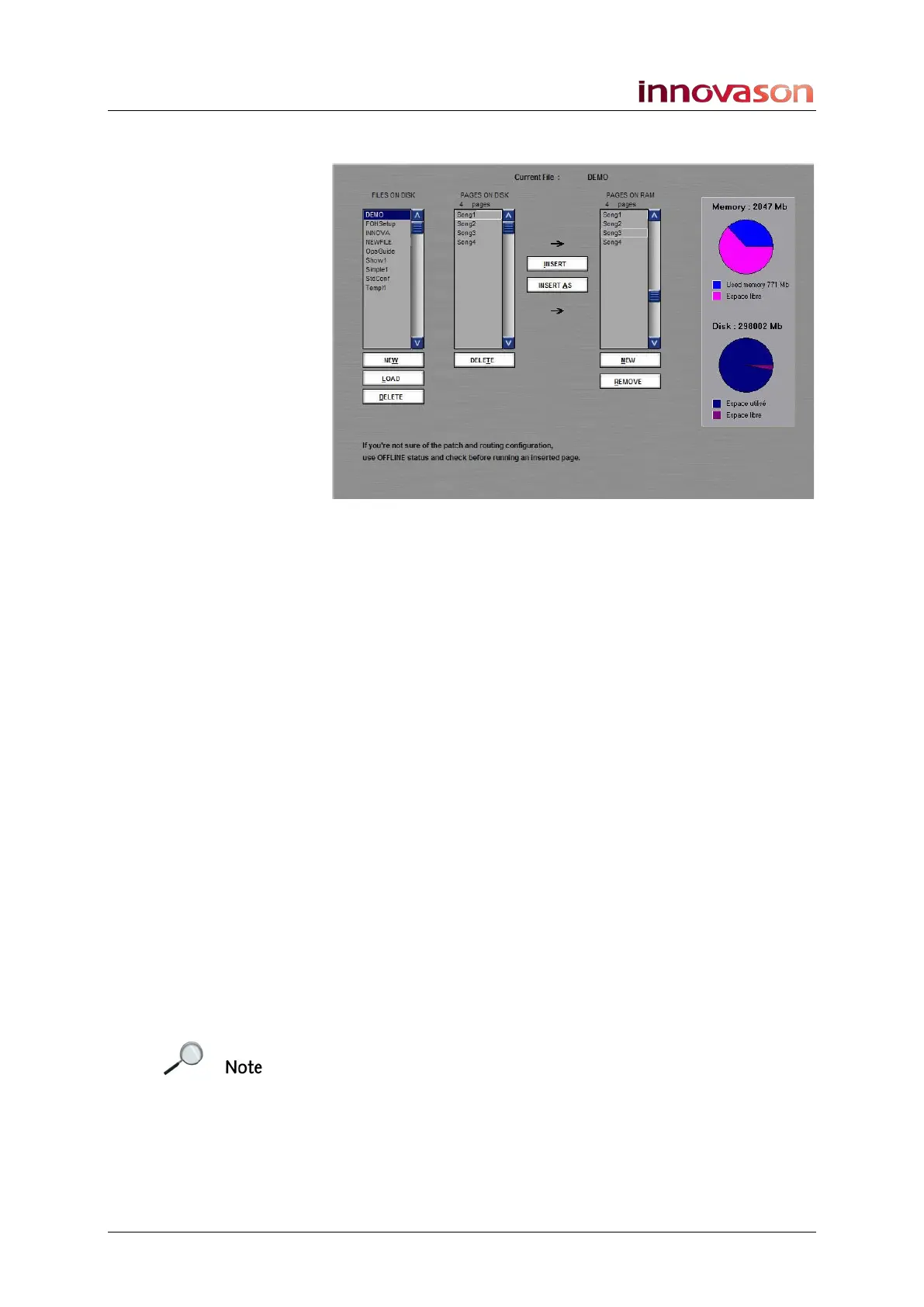
PAGES ON RAM
This column lists all the Pages being edited in RAM – this is
your sequence.
It is these Pages which will be played out using the Next and
Prev buttons on the FILES/AUTO panel, and automated from
the Play List window, see Page 364.
The screen buttons below PAGES ON RAM allow you to:
• Insert a NEW blank Page below the selected Page.
• REMOVE – removes the selected Page from RAM. Note
that the Page is not removed from the File on hard disk,
and can be re-inserted later using the INSERT buttons
described below.
The screen buttons to the left of PAGES ON RAM allow you to:
• INSERT – inserts a Page from the ON DISK column to
the ON RAM list. You can use this function to insert a
Page from a different File, or insert multiple copies of the
same Page.
• INSERT AS – as above, this button inserts a Page from
disk to the RAM sequence, but allows you to rename the
Page. Use this option when you wish to duplicate a
Page so that you can make changes and save it back to
a File.
Note that a Page does not store the Personal Console Builder
configuration. Therefore, if you insert a Page from a File with a
different Fader/Smart Panel configuration, some elements may
not load. Only elements which are consistent with the current
PCB configuration can be recalled from an inserted Page.
Note that you can write a new channel setting into the Pages in
RAM using the Over Ram function, see Page 399.



 To Next Page