Chapter 7: Reset and Automation
Processing Libraries
Eclipse User Guide 2.0 383/ 526
Bank -> Load single
To load settings from a processing library back to a channel:
1. Press SEL on the channel you wish to load to.
2. Select “Bank -> Load single” or use the following
shortcut:
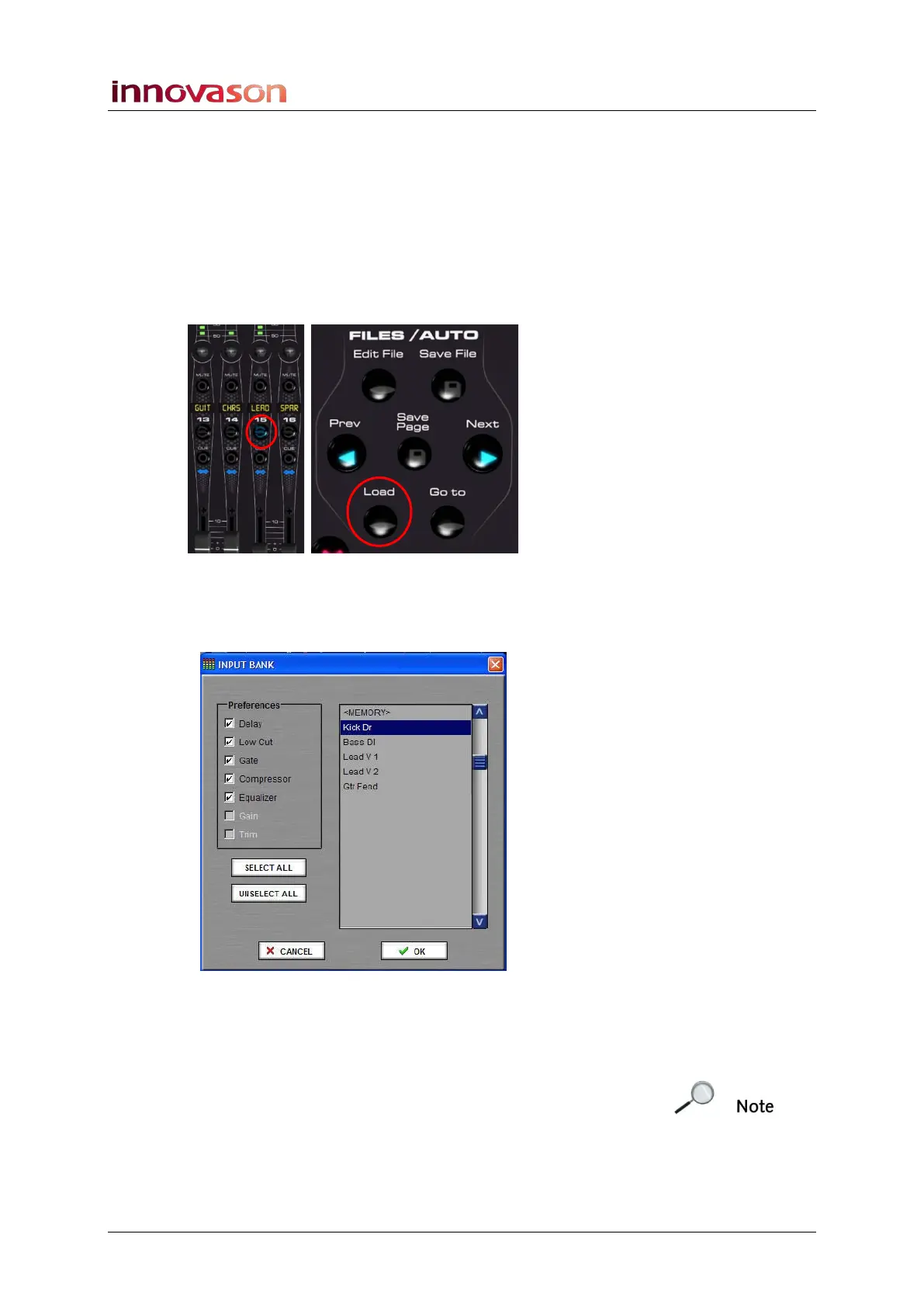
• Press and hold the SEL button on the channel. Then
press Load on the FILES/AUTO panel:
A switch on the User Defined panel can also be assigned to this
function, see Page 322.
The following pop-up appears:
3. Select the library file you wish to load – in our example,
Kick Dr.
4. Under Preferences tick the settings you wish to load.
Note that you can only load input channel libraries to inputs,
and output channel libraries to outputs.
5. Then press OK.
The ticked parameters are loaded from the library file to the
selected channel.



 To Next Page