Chapter 10: M.A.R.S.
Playing Back the Demo Project
Eclipse User Guide 2.0 449/ 526
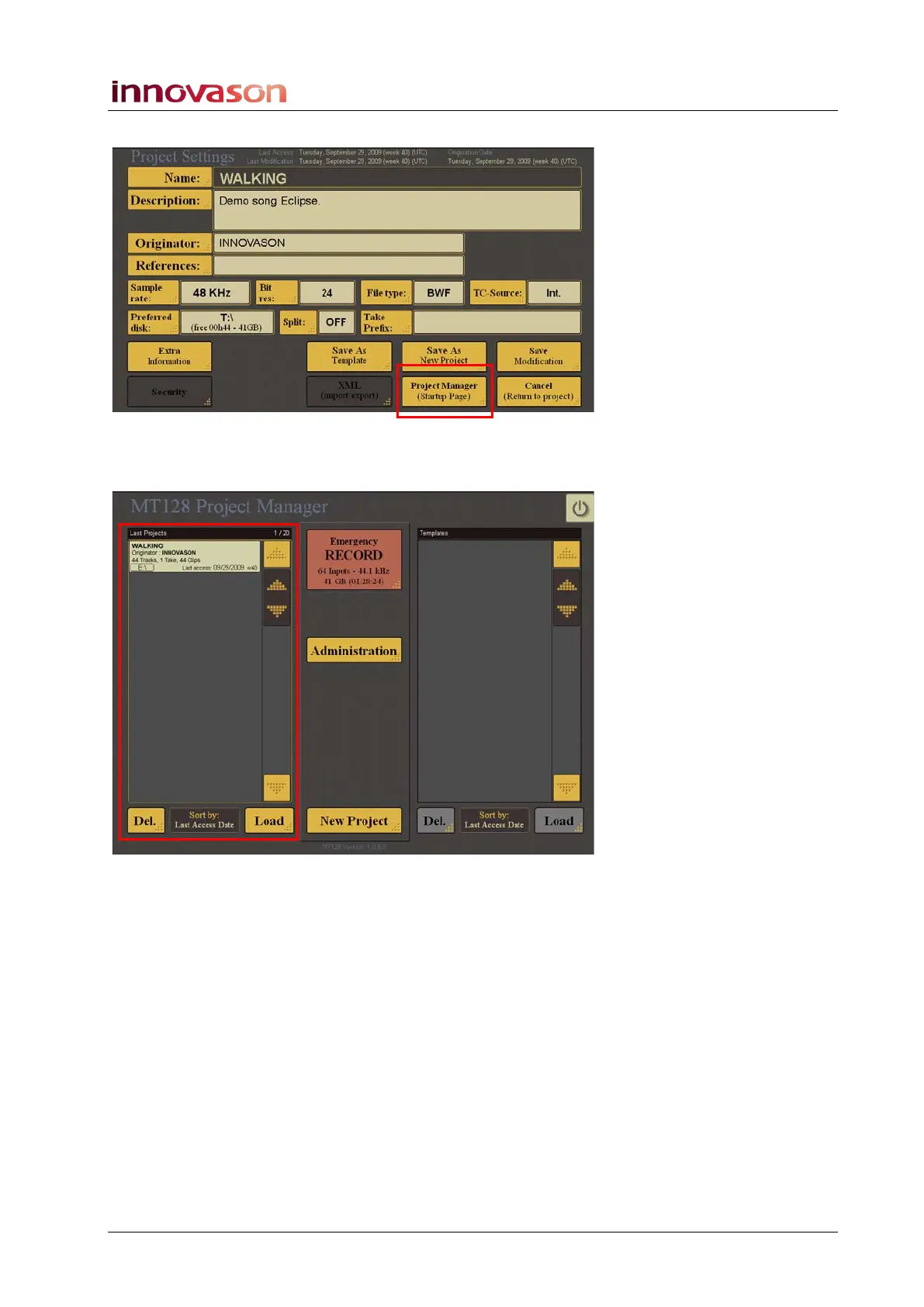
This opens the Project Settings page:
3. Select the Project Manager (Startup Page) button.
The MT128 Project Manager opens.
4. Select the project you wish to load from the Last Projects
list on the left – e.g. “Walking”.
5. Then select Load.
The Project Settings for “Walking” opens:



 To Next Page