Chapter 10: M.A.R.S.
Playing Back the Demo Project
450/ 526 2.0 Eclipse User Guide
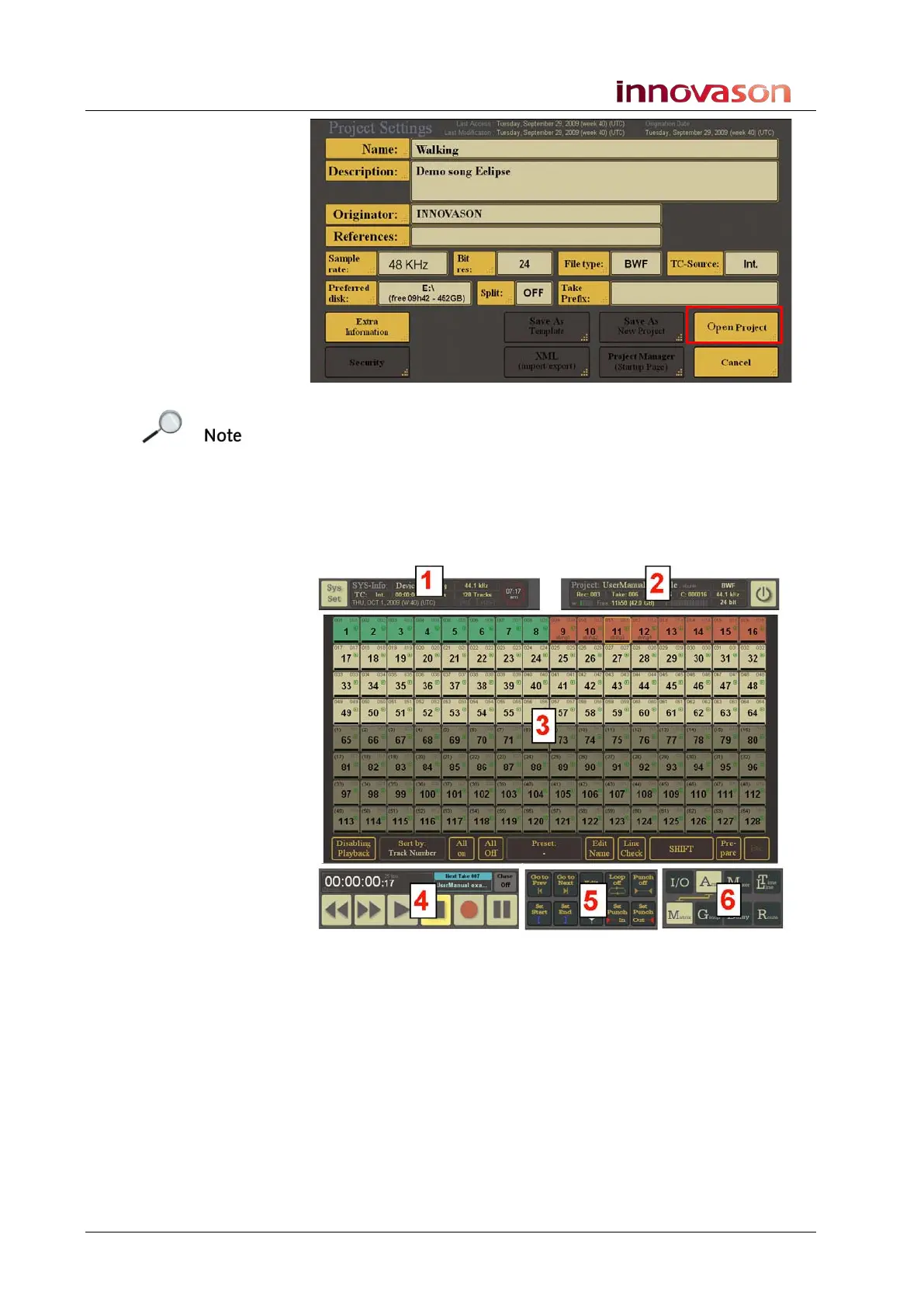
This page provides more information about the selected project –
for example, the sample rate, bit rate, file type, etc.
Note that you at this stage, you have not loaded any audio!
6. Select the Open Project button to open the project.
The details of the project are checked, the audio files are loaded
and the current project window opens:
If the project has loaded correctly:
• In the SYS-Info area (1), you should see Device:
Running. This indicates that M.A.R.S. is ready.
• In the Project info area (2), you should see the name of the
loaded project – e.g. Walking.
• The M.A.R.S. touch-screen transport controls (4) should be
lit to show that they are now active.
Note that the main part of the display (3) varies depending on the
Page selection (6). For more details see Page 487.



 To Next Page