Chapter 10: M.A.R.S.
Transport Control
Eclipse User Guide 2.0 461/ 526
Setting a Loop
You can set the playback to loop, or cycle, between two cue
points.
Note that you must use cue memories to set the start and end
timecodes for the loop, so first store the start and end timecode
values into two empty memories. It is a good idea to reserve a
bank of cues (e.g. Bank E) for this purpose. This way you can
easily return to any previous loop.
You can prepare the loop while in Stop or in Play:
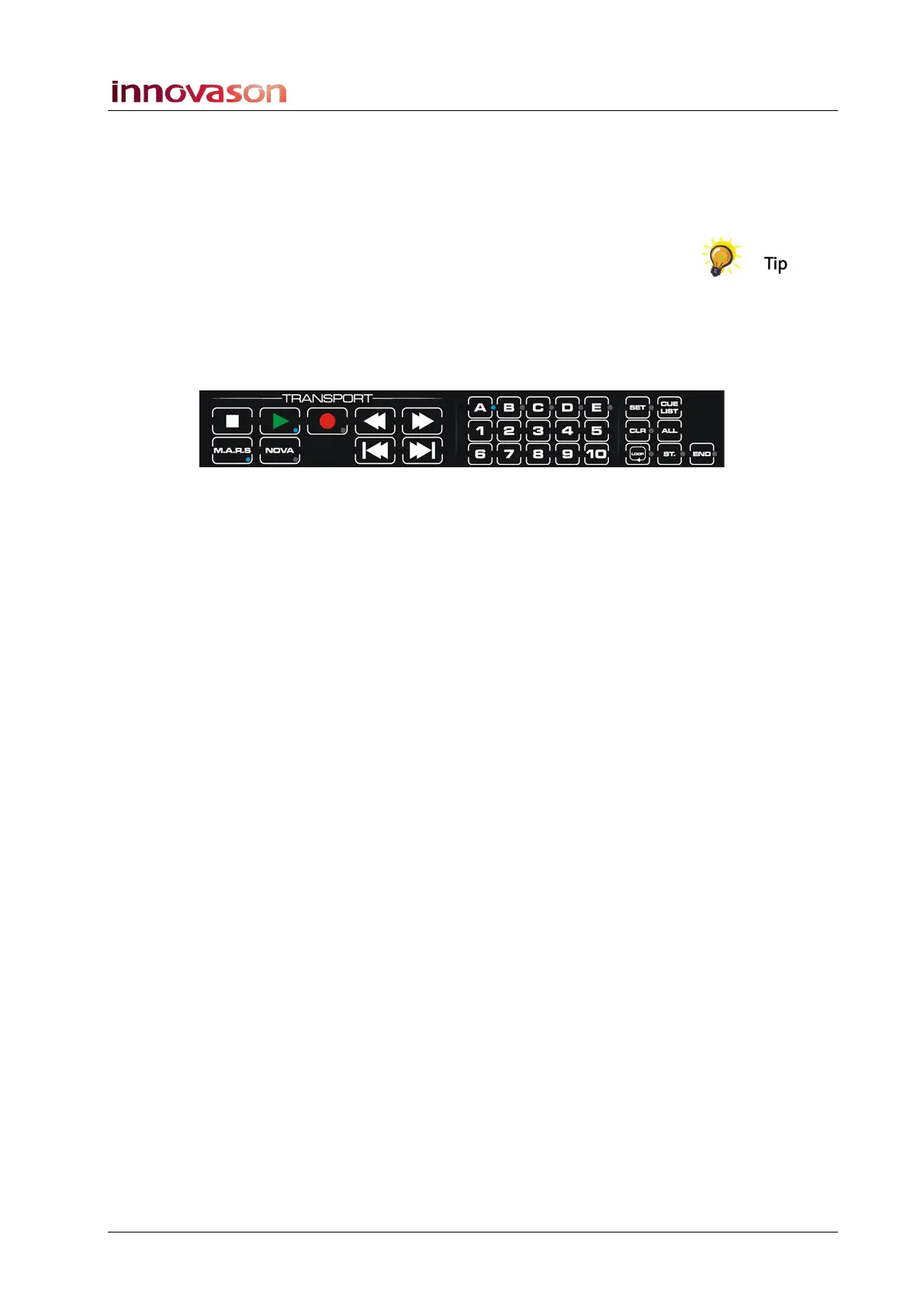
1. Press the ST. button on the TRANSPORT panel:
The button LED flashes (yellow).
2. Select the cue memory for the start of the loop – e.g. press
E and 1.
A confirmation pop-up appears temporarily on the Nova display
showing that the loop start has been set, and the ST. button
cancels.
3. Next press the END button on the TRANSPORT panel.
The button LED flashes (yellow).
4. And, select the cue memory for the end of the loop – e.g.
press E and 2.
A confirmation pop-up appears showing that the loop end has
been set, and the END button cancels.
5. Now locate to the start of the loop.
6. Select the LOOP button.
When active, the LOOP button lights in blue.
7. Press Play.
The system will now loop continuously between the start and end
timecodes until you stop, deselect the LOOP button, or locate to a
timecode value after the loop end timecode.



 To Next Page