Chapter 10: M.A.R.S.
Transport Control
460/ 526 2.0 Eclipse User Guide
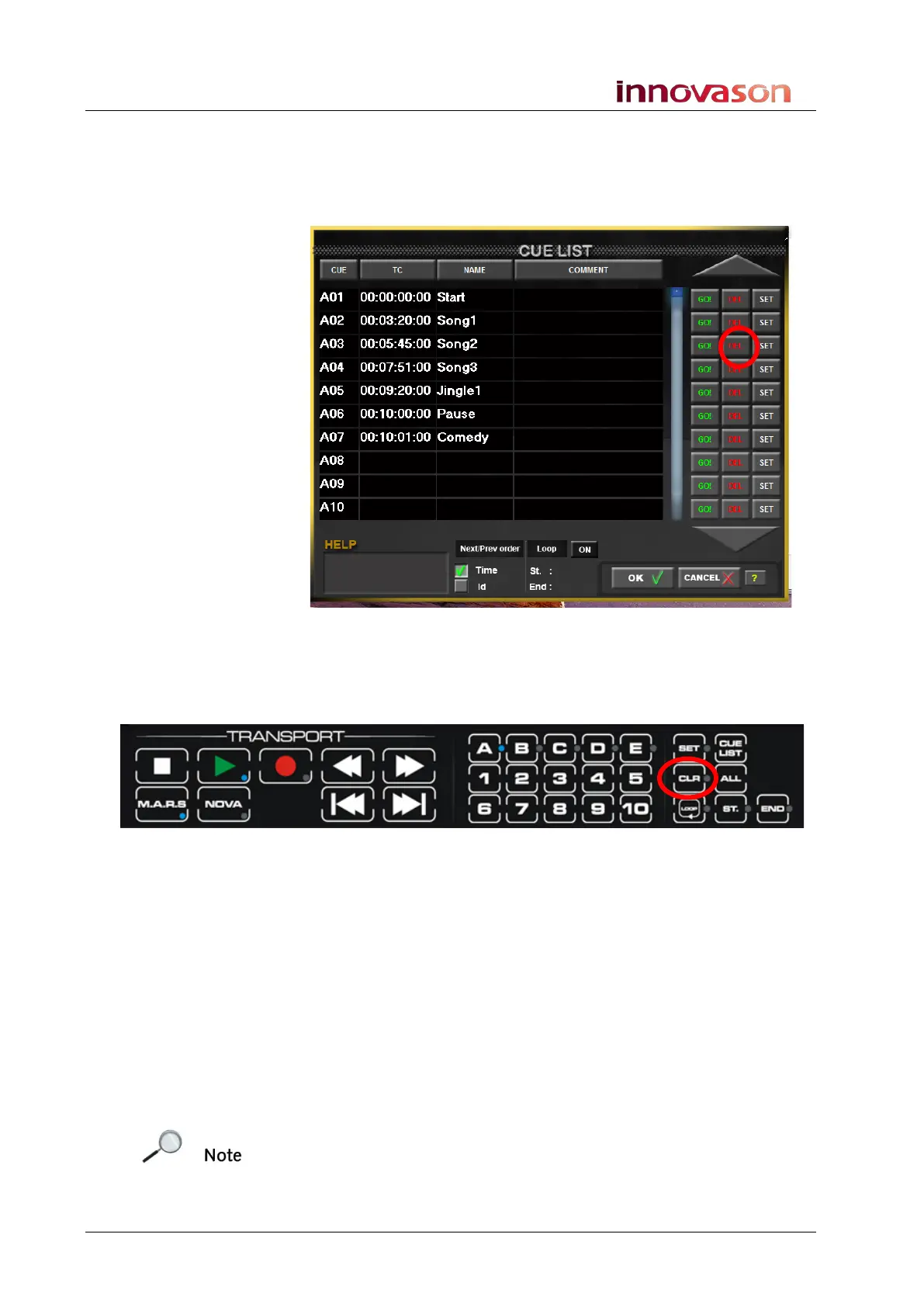
Clearing Cues
With the CUE LIST window open:
1. Touch the on-screen DEL button to clear the cue memory:
2. Select OK to confirm.
Alternatively:
3. Press the CLR button on the TRANSPORT panel:
The button LED flashes (red).
4. Select the bank and the cue number you wish to clear –
e.g. press A and 1:
5. Select OK to confirm.
Clearing All Cues
To clear all cue memories:
1. Press and hold the ALL button and then press CLR on the
TRANSPORT panel.
A confirmation pop-up appears on the Nova display asking if you
wish to clear all cues.
Note that this will clear all 50 cue memories, and there is no undo,
so make sure you are absolutely sure before confirming!
2. Select OK to confirm.



 To Next Page