Chapter 10: M.A.R.S.
Recording
466/ 526 2.0 Eclipse User Guide
Your First Recording
To record to M.A.R.S., there are 3 basic operations you need to
perform:
1. Create a new Project in M.A.R.S..
2. Arm the tracks you wish to record.
3. Start recording!
Note that once you have created a Project within M.A.R.S.,
everything you do is constantly saved by the system. Therefore,
there is never any need to Save. When you load back a Project, it
will always come back exactly as you last left it.
Creating a New Project
1. Press the M.A.R.S. button on the TRANSPORT panel to
switch the touch-screen to the M.A.R.S. control computer.
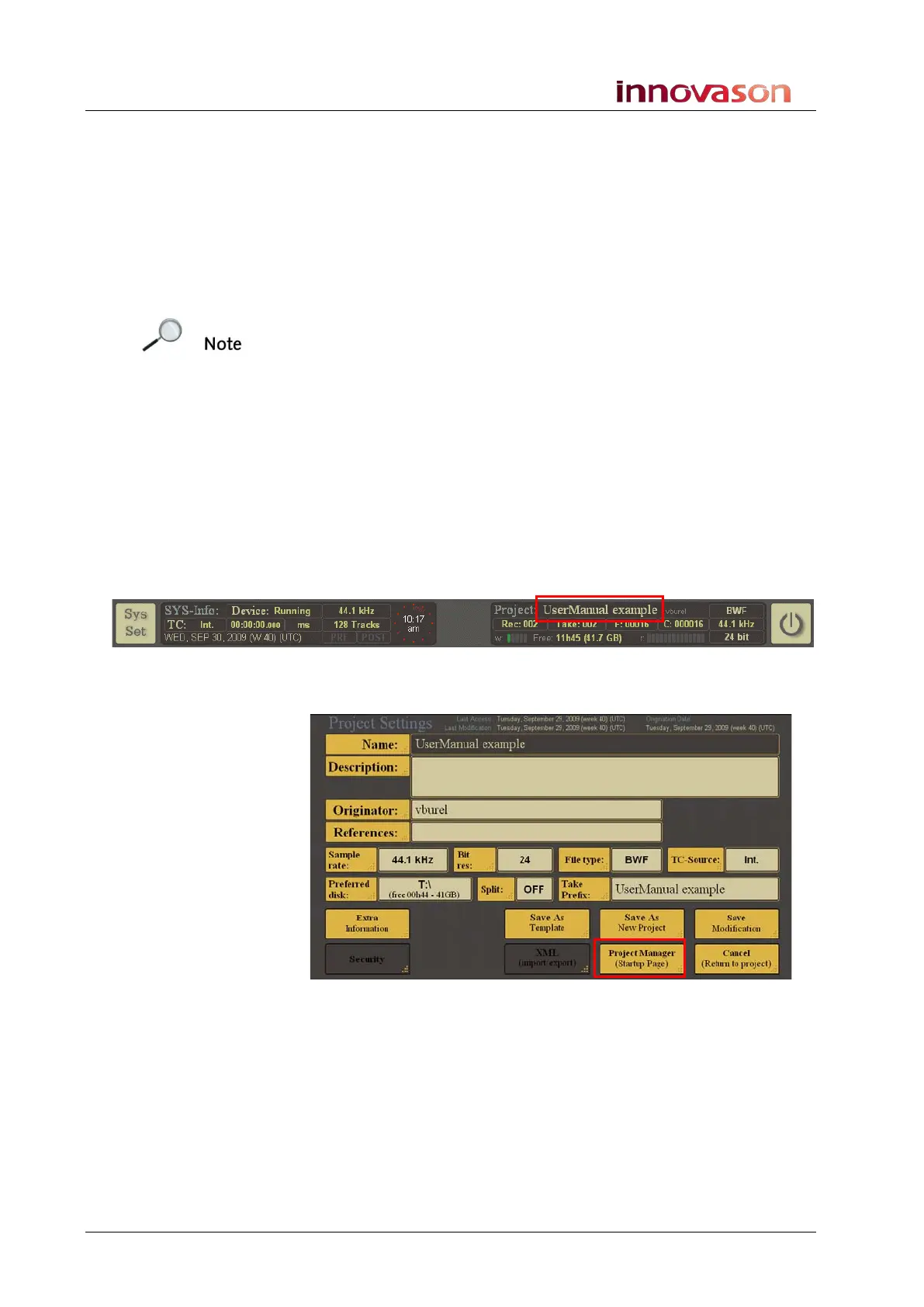
Open the MT128 Project Manager window as follows:
2. Select the current Project name from the bar running
across the top of the display – in our example, touch or
click on UserManual example:
This opens the Project Settings window for the current project.
3. Then select Project Manager (Startup Page):
The MT128 Project Manager window opens:



 To Next Page