Chapter 10: M.A.R.S.
Recording
Eclipse User Guide 2.0 467/ 526
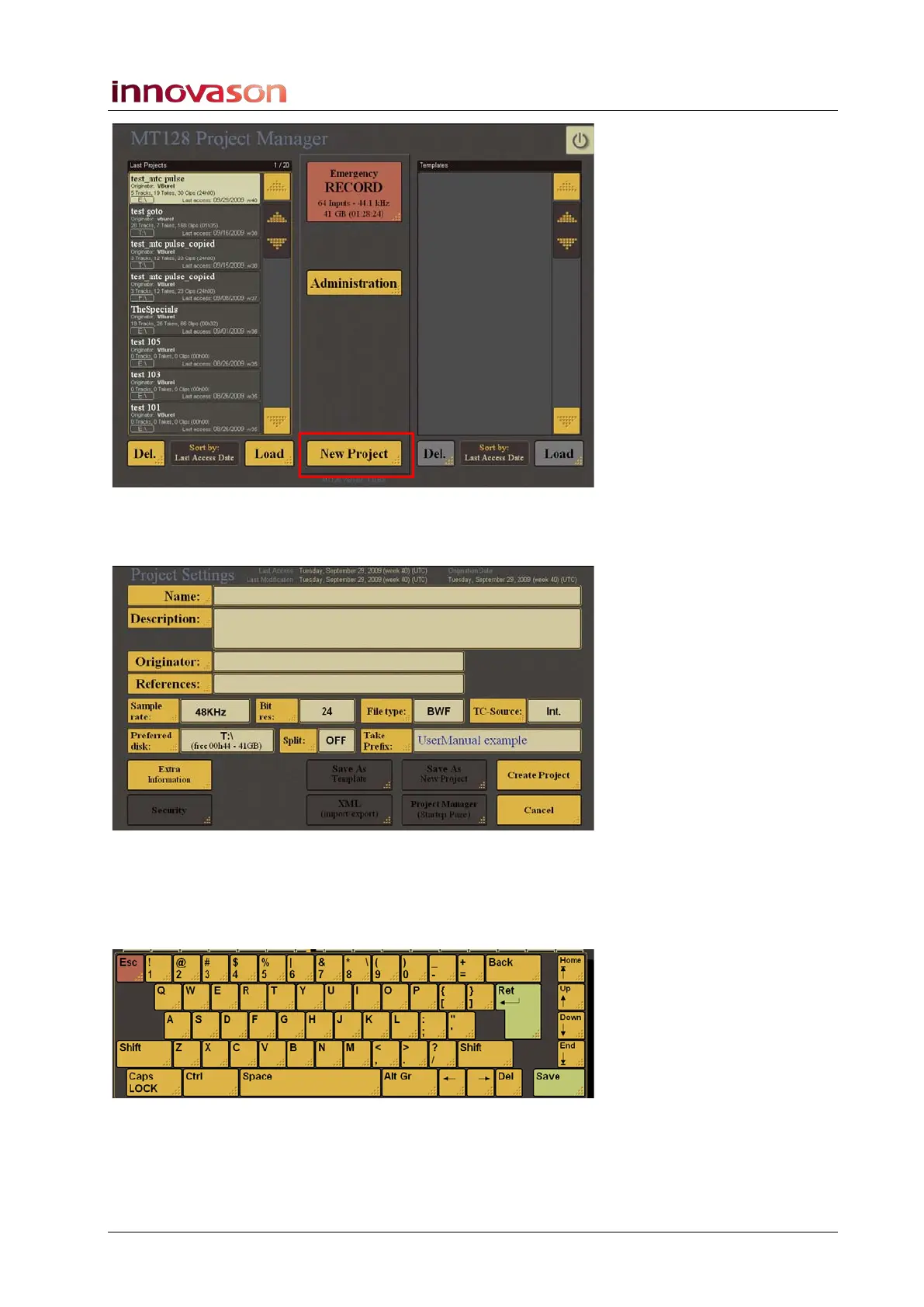
4. Select New Project from the bottom of the display.
A new Project Settings window opens:
5. Touch or click on the empty field beside Name: to enter a
name for the M.A.R.S. Project.
Whenever you need to enter text within M.A.R.S., an on-screen
keyboard appears:
• Touch the on-screen buttons to type in a name, followed by
Save to enter the data.



 To Next Page