Chapter 10: M.A.R.S.
Recording
468/ 526 2.0 Eclipse User Guide
• Alternatively, once the on-screen keyboard is open, you
can type a name using the console keyboard; press [Enter]
to confirm the data.
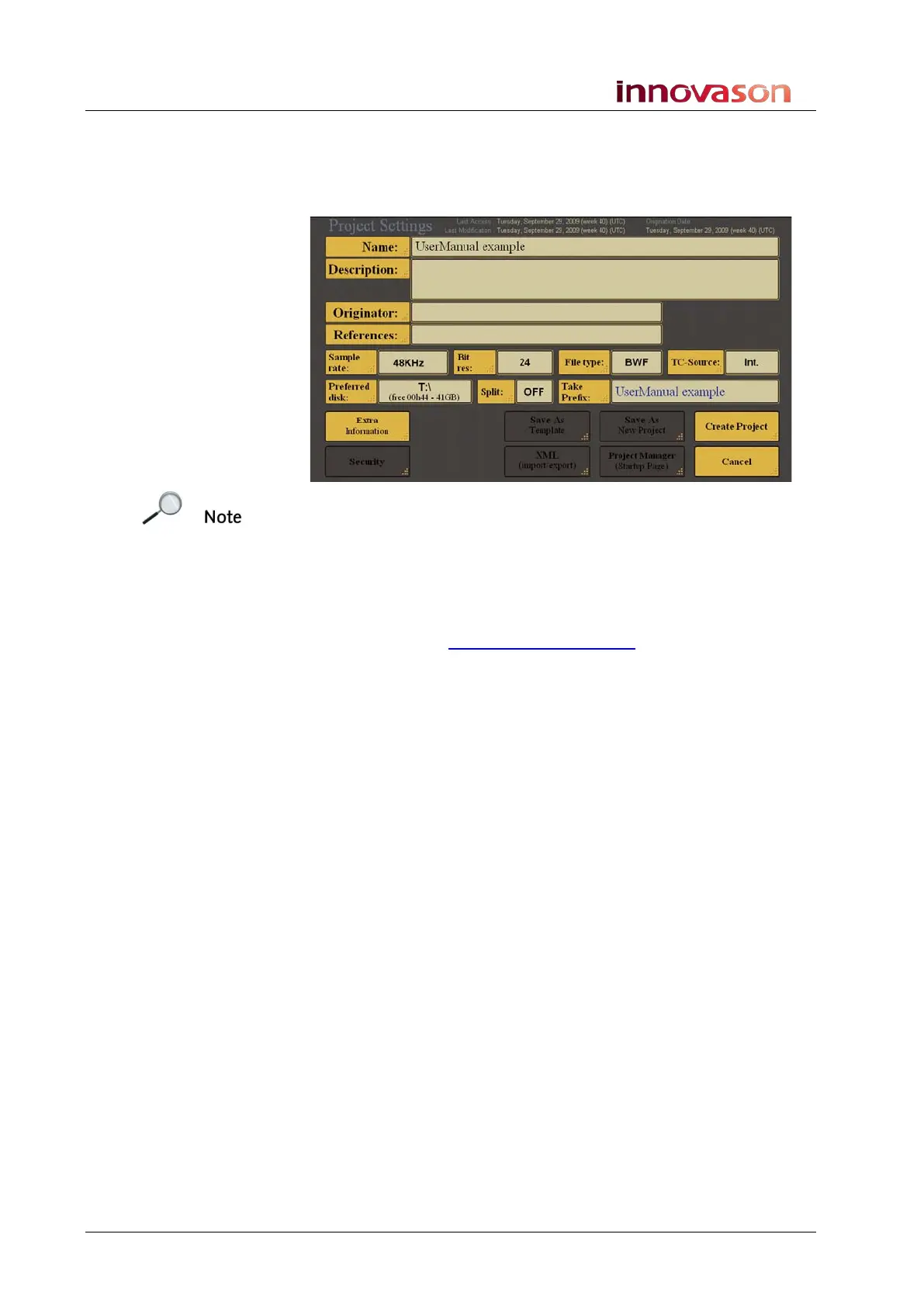
In our example, we have entered UserManual example:
Note that you must enter a name before you can create a new
project.
All other fields are optional or can be left at their defaults. We are
only going to describe the fields which are most useful for
M.A.R.S. users. For full details on all the parameters within the
Project Settings window, please refer to the MT128
documentation at
http://www.vb-audio.com
Useful fields or settings which you may are:
• Description: touch to enter a text description for the
project.
• File type: touch to select a file type from:
o WAV – ideal for Windows-based audio applications.
o BWF – Broadcast Wave File (default)
o AIF – ideal for MAC-based audio applications.
• TC-Source: touch to select a timecode reference. There
are several options, but the useful ones for M.A.R.S. users
are:
o Int. – internal timecode (default)
o LTCi – Linear timecode from an external input.
Follow the instructions on Page 479 to select the
LTC input.
o MTC1 – MIDI timecode from the MIDI input on the
rear of the console. Follow the instructions on Page
479 to enable the MIDI timecode port.
Note that the Preferred disk field (which should always be set to
disk E:/) shows the amount of free recording time, assuming you
were to record continuously on all 64 tracks..



 To Next Page