Chapter 2: Installation
System Connections
50/ 526 2.0 Eclipse User Guide
The Computers and Touch-Screen
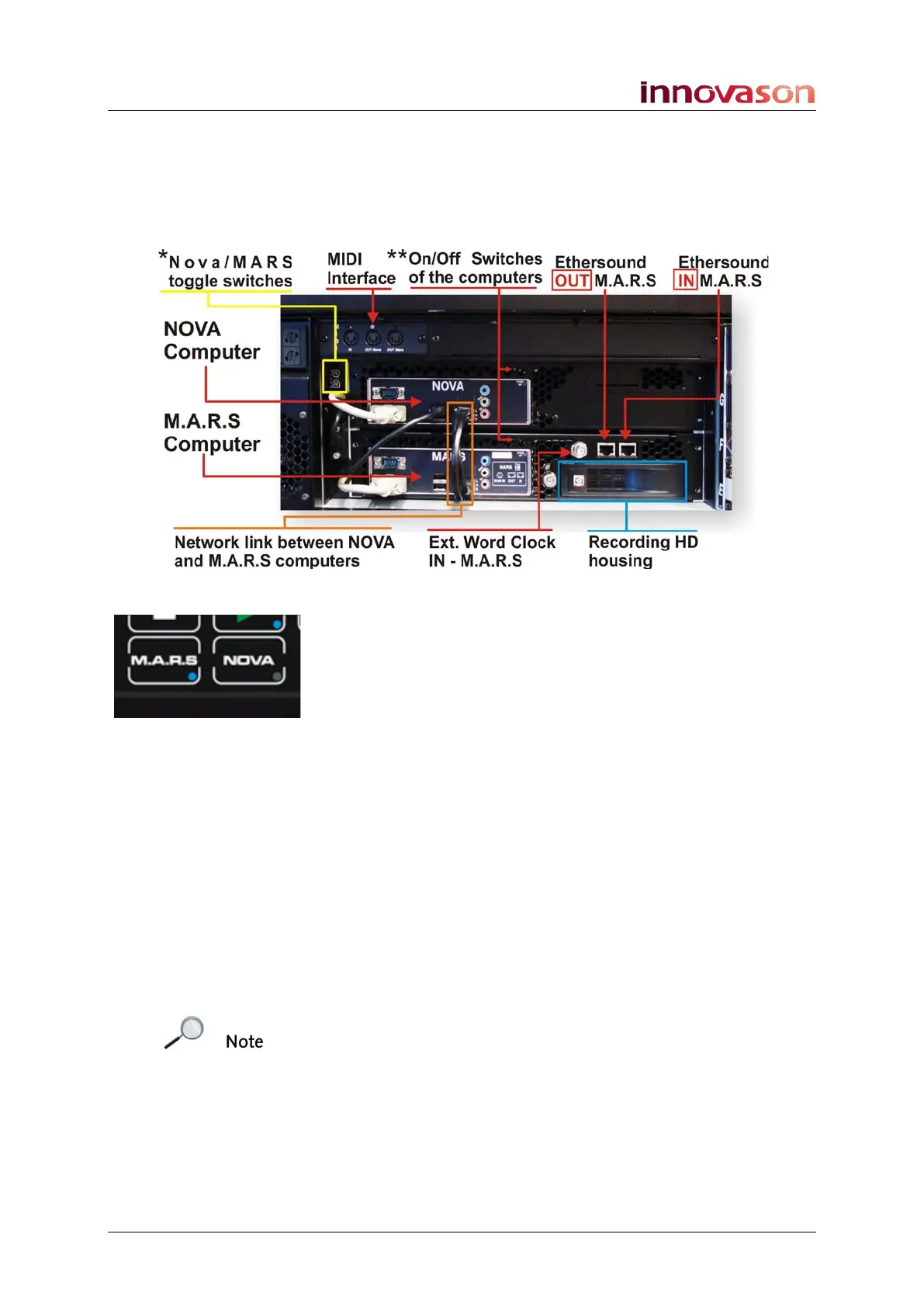
At the rear of the console are the two control computers which
run the Nova mix management and M.A.R.S hard disk recorder
software:
The Network link, Ext. Word Clock and SVGA connections
should be left in place. They provide communication and
synchronisation for M.A.R.S., and allow the touch-screen to be
switched using the NOVA and M.A.R.S. buttons on the
TRANSPORT panel.
A handbook for the built-in touch-screen is supplied with the
console. This provides instructions for modifying the brightness,
colour and other settings of the screen.
The MIDI Interface (MIDI IN, OUT and THRU) supports any
MIDI compatible device conforming to the MIDI standard. See
Chapter 7 for details on using MIDI with the console’s Play List,
and Page 322 for details on sending MIDI program changes
from the USER DEFINED panel.
* The Nova/MARS toggle switches can be used to force the
KVM (Keyboard, Video, Mouse) interface into a specified
position.
** The ON/OFF switches can be used to reboot one computer
without disturbing the other. (You can also restart each
computer from the console keyboard, see Page 500.)
Note that M.A.R.S. can be used as a backup for the Nova
computer in the unlikely event of a failure. See Chapter 11 for
details.



 To Next Page