Chapter 10: M.A.R.S.
Project Management in M.A.R.S.
494/ 526 2.0 Eclipse User Guide
If the files you wish to import are not named alphabetically, then
you cannot use this method as the track order will not match the
original recording. Instead:
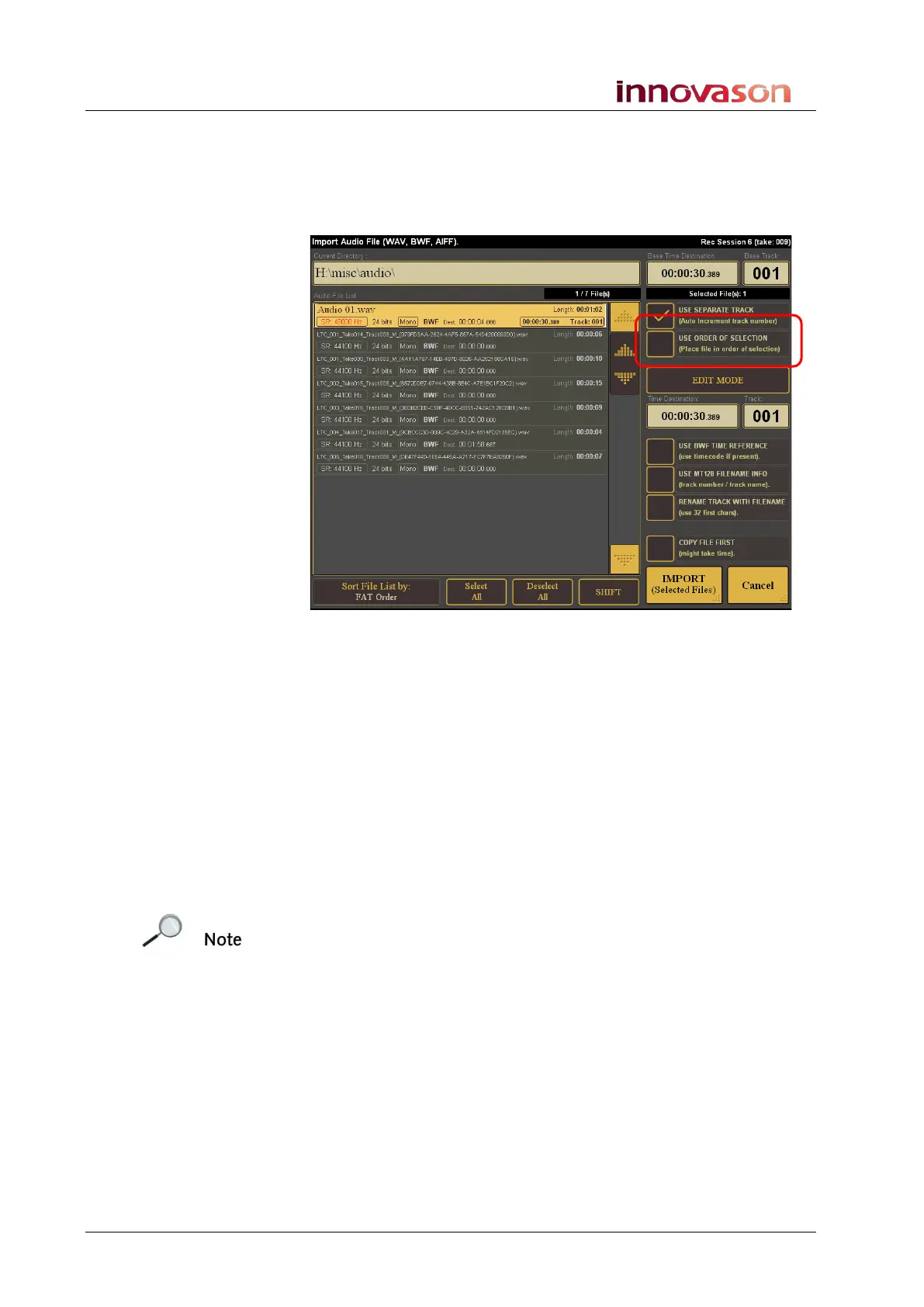
1. Select the USE ORDER OF SELECTION option on the
right of the window:
2. Now select each audio file in the order in which you wish to
import them – i.e. touch the audio file for track 1, then the
file for track 2 and so on.
Notice that each time you make a selection, the Track counter
updates to keep a running total of your selections.
Using this method, files can be imported to tracks in any order.
3. When you have selected all the files you wish to import, tick
the COPY FILE FIRST option.
4. And select IMPORT (Selected Files).
The audio files are imported to M.A.R.S. tracks in the selected
order.
Note that if you do not select the COPY FILE FIRST option, then
the media files are imported to the Project, but are not copied into
the current project’s media folder. This has the advantage of
saving disk space. However, it does mean that only one version of
the audio files remains on the M.A.R.S. hard disk; these files are
now referenced as virtual files from the current project.



 To Next Page