DACS-W Operation Manual 5 NORMAL OPERATIONS & FUNCTIONS
5-5
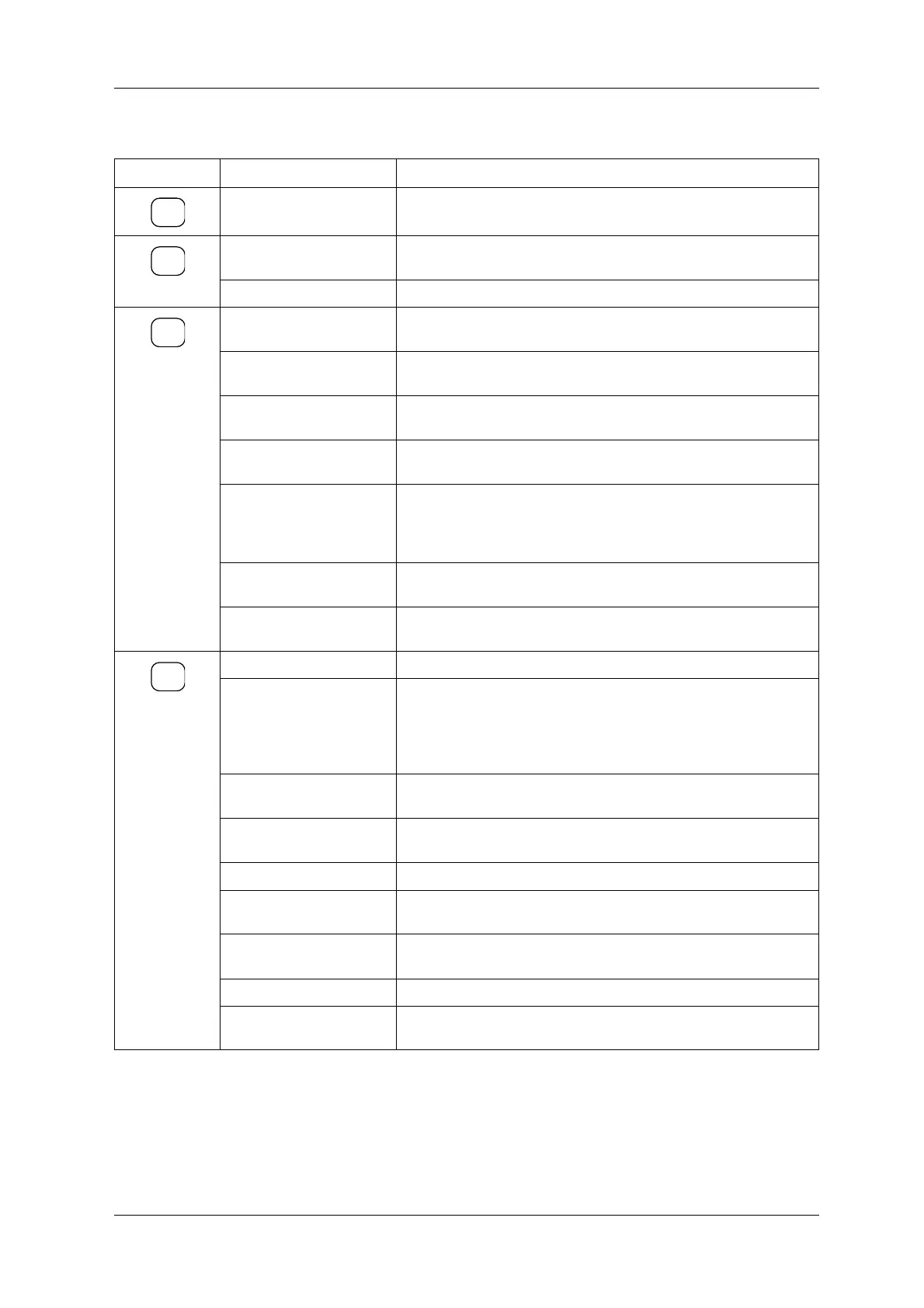
Table 5-2 Operator Level Function
Key Display Function
Zero Adjustment Executes zero adjustment. [See "5.5.1 Zero Adjustment"]
Preset (Call Up the Preset
Number)
Sets preset No. [See "5.5.2 Preset Setting"]
Access Level Change For changing access level. [See "5.4 Access Level Change"]
[See 5.5.4]
Pause/Bar Graph Displays preset during production pause, displays weight values as bar
graph during production.
Weight Value Zoom During production or pause, displays weight value in enlarged numeral,
reference weight and pack count.
Total Count Zoom During production or pause, displays pack count in enlarged numeral,
reference weight and weight value.
Actual Speed Zoom During production or pause, displays passed count in ten second intervals.
Updated each 10 sec.
Histogram During production or pause, weigh data histogram and current totals are
shown. When adding Batch Analysis, (See "5.6.2 Statistics and Print
Setting") the current Batch Analysis are shown. When not adding Batch
Analysis, the current totals are shown.
X-Bar Chart During production or pause, average weight value data for every 10 weigh
operations is displayed via an X-axis graph.
Last 27 Weight Data The last 27 weights are displayed simultaneously. Non-proper items are
indicated with an asterisk.
Current Batch Total Prints out the total for the current batch. [See "5.5.5.2 Printer"]
Current Log Total Prints out the total for the current product item. Current log shows data
from the time the current preset was selected or the last Clear All Totals
was executed.
Note: If this item is set to [0], no Current Log Total will be printed. [See
"5.5.5.2 Printer"]
All Lot Totals Prints out all lot totals from the time the last Clear All Totals was executed.
[See "5.5.5.2 Printer"
Pack Weight Log Prints out the product weight check results in sequence. Used to produce
a hard copy record of weighing results. [See "5.5.5.2 Printer"]
Preset Description Prints out a list of preset descriptions. [See "5.5.5.2 Printer"]
Paper Pass Advances paper one blank line forward. Used when replacing paper roll or
to leave a space between totaling items. [See "5.5.5.2 Printer"]
End Print Job Interrupts the current printing command. Used to terminate dump log
printout, etc. [See "5.5.5.2 Printer"]
Clear Batch Totals Clears batch totals. [See "5.5.5.1 Clear Batch Totals and Clear All Totals"]
Clear All Totals Clears totals data for all preset items. [See "5.5.5.1 Clear Batch Totals and
Clear All Totals "]
→0←
SET
UP
INFO
PRINT



 To Next Page