Field Option Description
Device Display only Available for To device: R
S232. The device
currently configured for the RS232 interface.
Output file Editable field The name of the file to which the data is
exported.
11.4 Exporting Data in DXF Format
Data can be exported to a DXF file in a data storage device or the internal
memor
y.
Do not remove the data storage device while exporting the data.
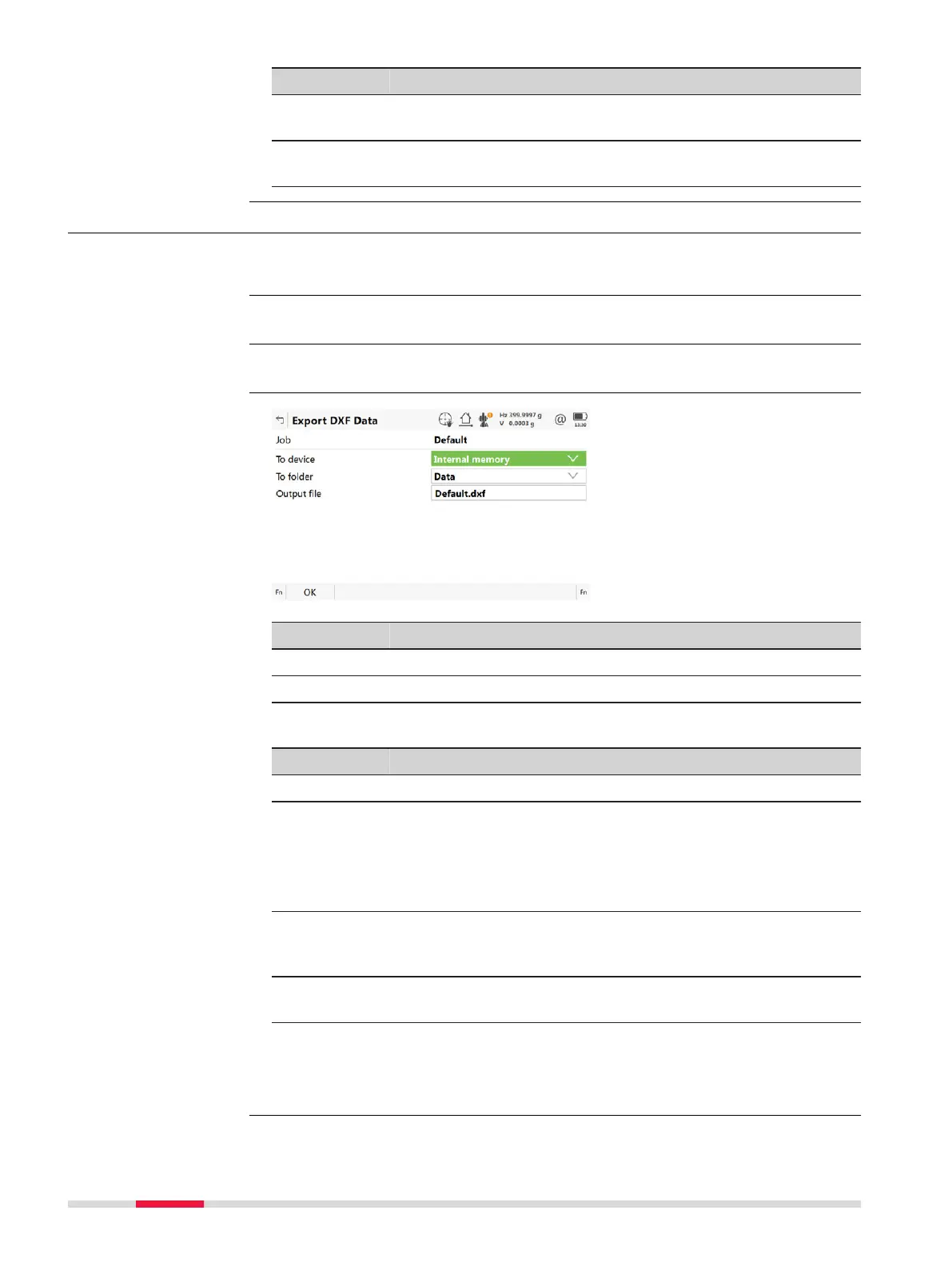
From the job menu select Expo
rt data\DXF.
Key Description
OK To accept the settings.
Fn Settings T
o define what is exported.
Description of fields
Field Option Description
Job Selectable list To select the job to export.
To device Selectable list Available for To f
older: Data. Defines which
data storage device the data is exported to.
Display only Available for To folder: Same as job. Dis-
plays the data storage device of the selected
Job.
To folder Selectable list Defines if the data is exported to the \DATA
directory or to the folder where the selected
job is located.
Output file Editable field The name of the file to which the data is
exported.
Next step
Fn Sett
ings goes to Settings, Objects to be exported page.
General
☞
Access
Export DXF Data
136 Job Menu - Export data













 To Next Page