23 Settings - GS Sensor
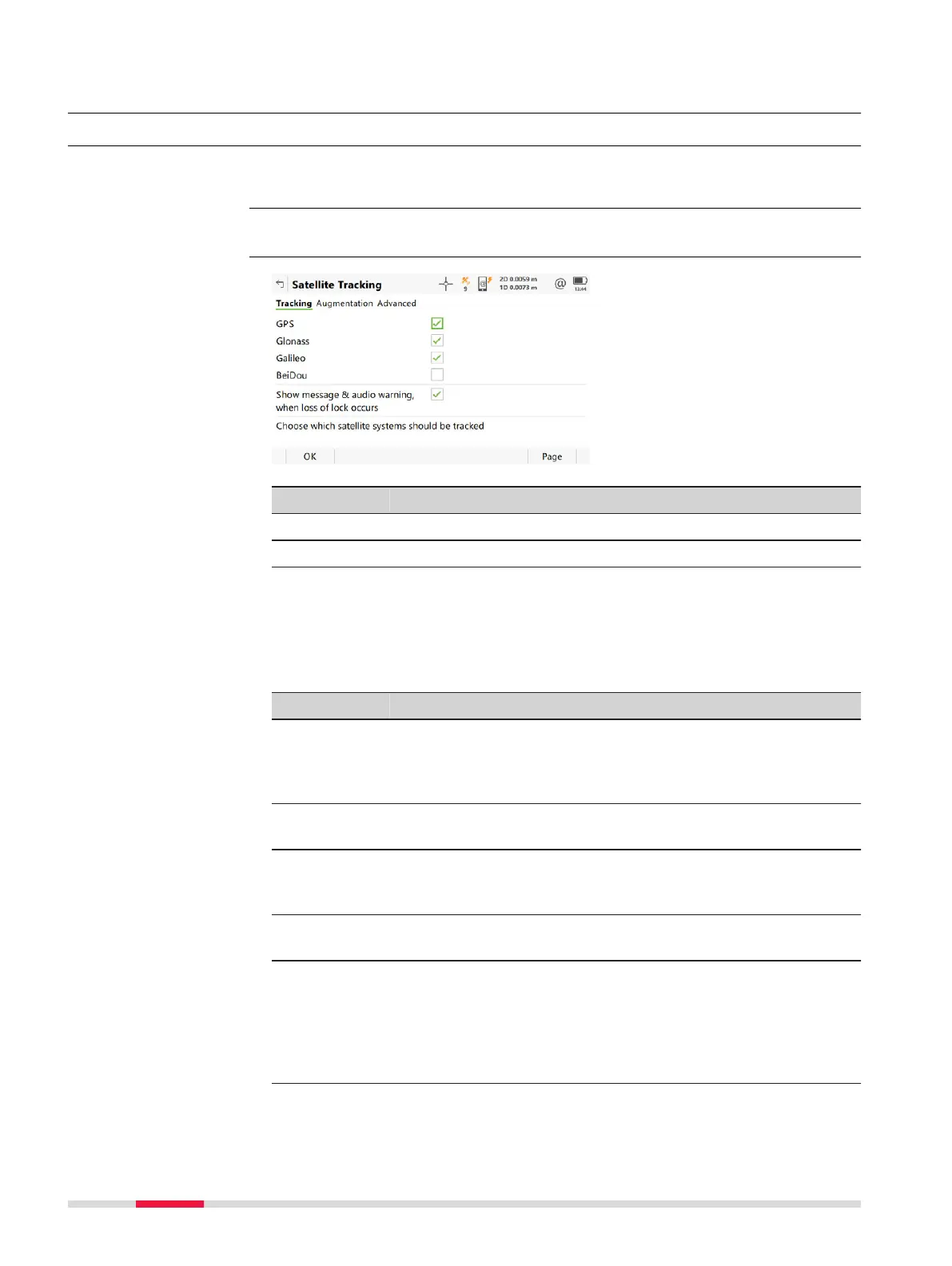
23.1 Satellite tracking
The settings on this panel define which satellite system, satellites and satellite
signals the instr
ument uses.
Select Leica Cap
tivate - Home: Settings\GS Sensor\Satellite tracking.
Key Description
OK To accept changes.
Page To change to another page on this panel.
Description of fields
•
An
y o
f the GNSS can only be disabled, if at least one other GNSS in ena-
bled.
•
At least one GNSS must be enabled.
•
GPS can never be disabled on the base station.
Field Option Description
GPS Check box Defines if the instrument accepts the GPS L1,
L2 and L5 signals when tracking sa
tellites.
For L2 and L5 the multi-frequency licence is
required.
Glonass Check box Defines if the instrument accepts GLONASS
L1 and L2 signals when tracking satellites.
Galileo Check box Defines if the instrument accepts Galileo E1,
E5a, E5b and AltBOC signals when tracking
satellites.
BeiDou Check box Defines if the instrument accepts BeiDou B1
and B2 signals when tracking satellites.
Show mes-
sage &
audio warn-
ing, when
loss of lock
occurs
Check box Activates an acoustic warning signal and a
message given by the instrument when the
position is lost.
Description
Access
Satellite Tracking,
Global page
280 Se
ttings - GS Sensor













 To Next Page