Key Description
New To create a cross section assignment.
Edit To edit a cross section assignment.
Delete To delete a cross section assignment.
Check To check the cross section assignments.
Fn Settings T
o configure the app. Refer to "44.3 Configuring Alignment
Editor".
44.9.2 Creating/Editing a Cross Section Assignment
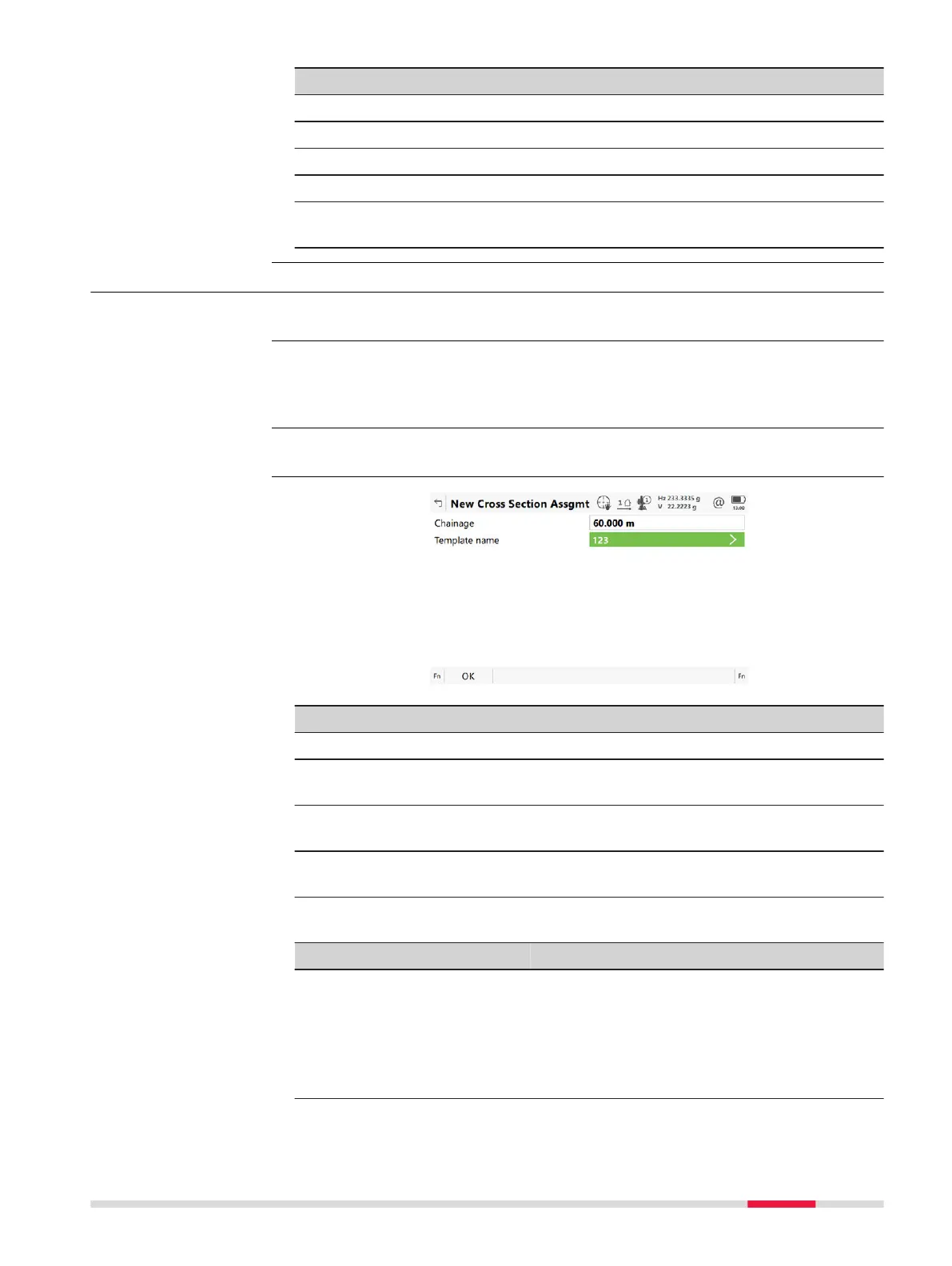
In Cross Section Assignments press New or Edit.
Creating and editing a cross section assignment are similar processes. For sim-
plicity, o
nly the creation of a cross section assignment is explained and differ-
ences are clearly outlined.
Assigned cross section templates must contain the same number of vertices.
Key Description
OK To accept the panel entries and continue.
Start chng To take the start chainage of the vertical alignment for
Chainage.
End chng To take the end chainage of the vertical alignment for Chain-
age.
Fn Settings T
o configure the app. Refer to "44.3 Configuring Alignment
Editor".
Description of fields
Field Option Description
Chainage Editable field The chainage to which the cross section tem-
plat
e is assigned to.
Type in or edit the value for Chainage. Alter-
natively press Start chng or End chng to
apply the start or end chainage of the verti-
cal alignment.
Access
☞
☞
New Cross Section
Assgmt
R
oads - Alignment Editor 735













 To Next Page