Metadata Description
Out of limit Available for measured coordinate triplets with Auto or
Yes
in the Use metadata if When a point is stored with same
point ID as existing point: Check the average. Indicates
an exceeding of the limits.
Next step
Sto
re stores the changes.
7.4 Line Management
7.4.1 Overview
A line consists of points and can be created/edited. The individual points are
measur
ed within any app. All points can be used except auxiliary points. Points
can be simultaneously assigned to one or more lines.
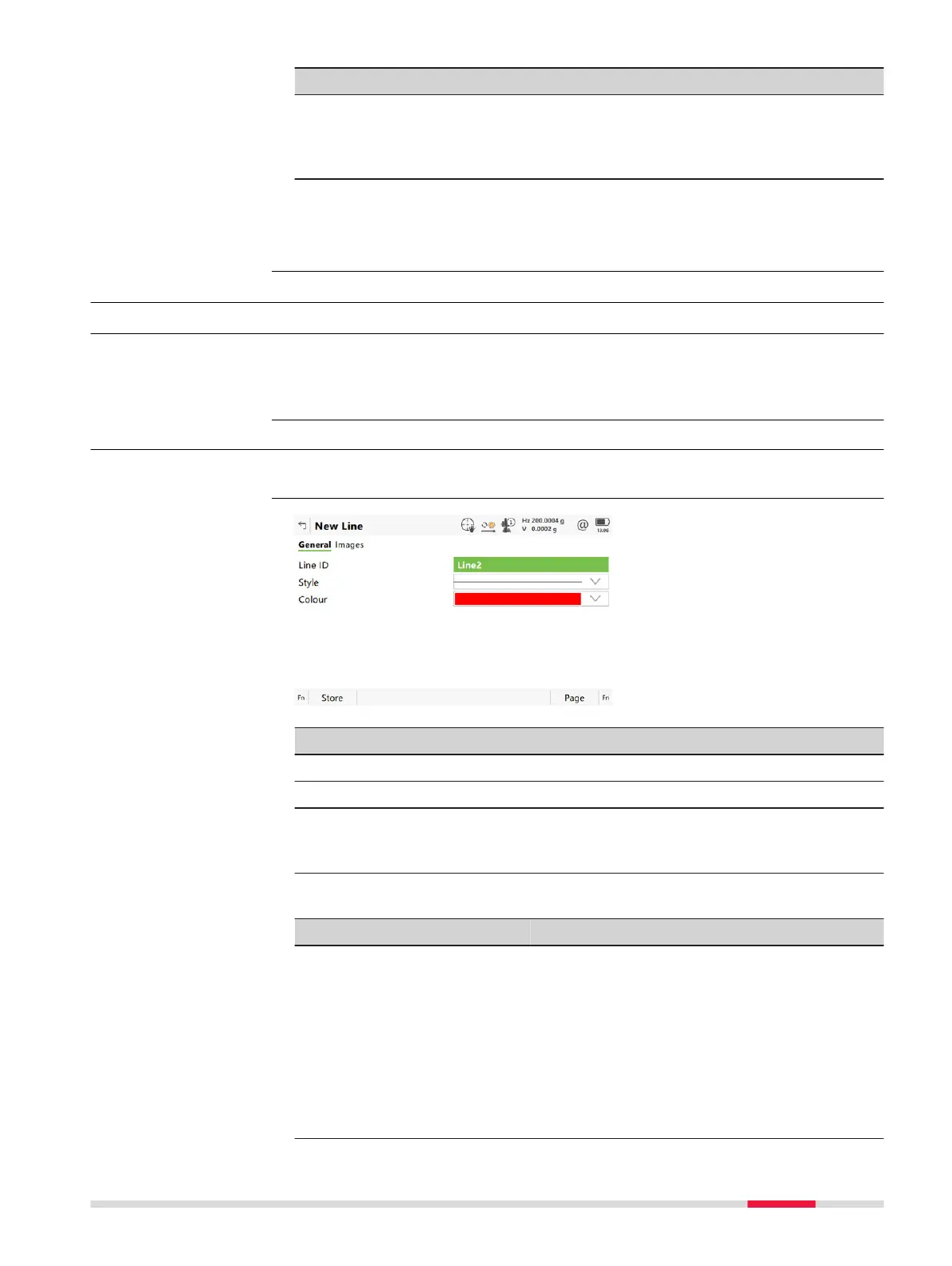
7.4.2 Creating a New Line
In Job name
, Lines page, press New.
Key Description
Store To store the new line entered and all associated information.
Page To change to another page on this panel.
Fn Indiv ID
o
r
Fn Run
For an individual name independent of the ID template or to
change back to the next ID from the configured ID template.
Description of fields
Field Option Description
Line ID Editable field The name of the new line. The configured ID
templa
te for lines is used. The ID can be
changed in the following ways:
•
To s
tart a new sequence of line IDs, type
over the line ID.
•
For an individual name independent of
the ID template Fn Indiv ID. Fn Run
changes back to the next ID from the
configured ID template.
Description
Access
New Line,
Gen
eral page
Job Menu - View & edit data 91













 To Next Page