If a design job has been selected, a point from the design job can be selected.
When staking ou
t/checking an individual point, the selected point is set in rela-
tion to the alignment and all line relevant values are calculated and displayed.
The Stake chainage and Offset of the Stake panel are calculated based on
the c
oordinates of the selected point.
☞
If the chosen point has no height the design height is used. If the
point has a height it is possible to use that one or continue working
with the design height.
46.4.5 Second point of super-elevation
This menu function is only available for check.
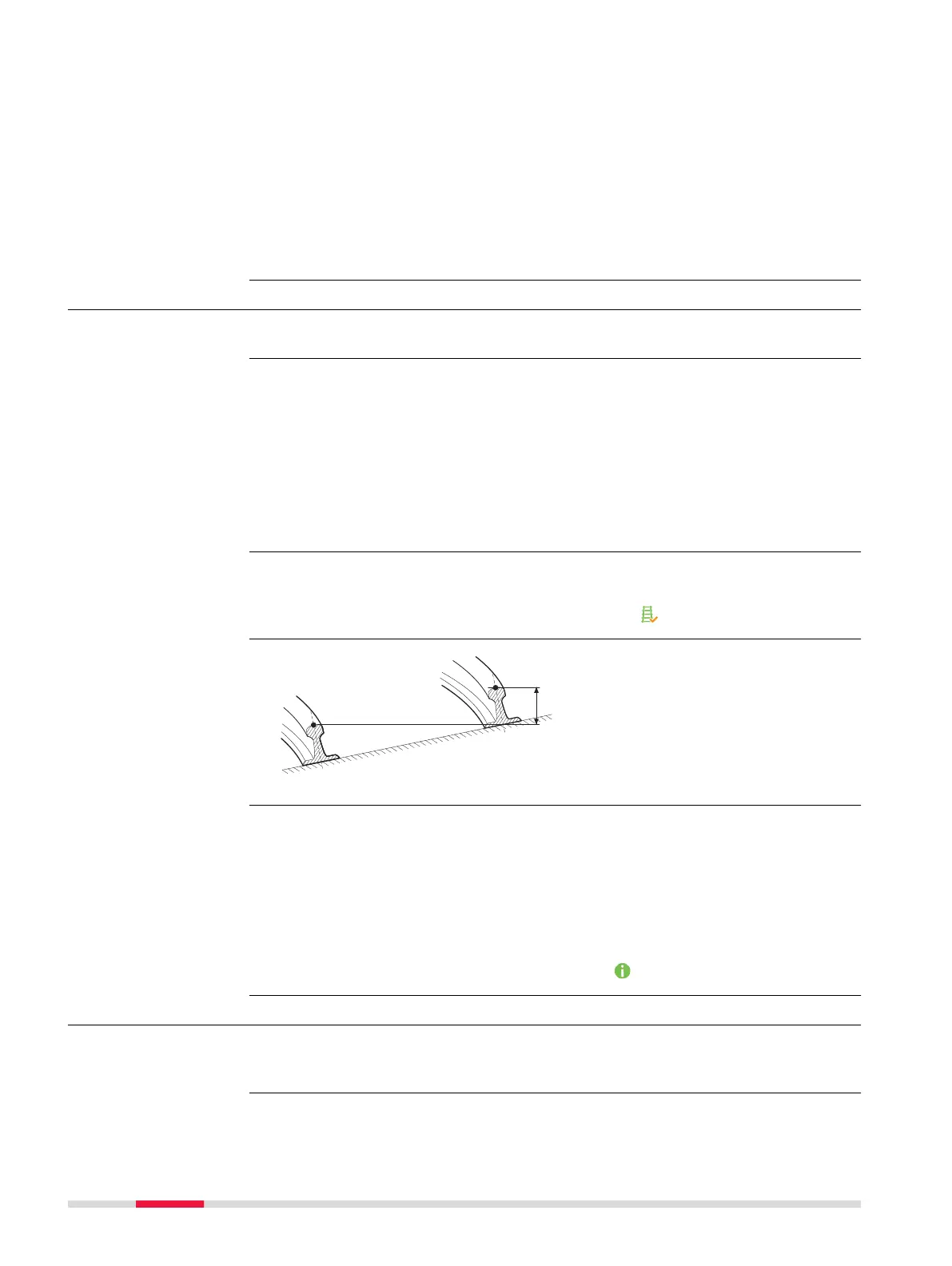
To determine the current cant of two rails.
In o
r
der to calculate the current cant, it is necessary to measure two points,
one on each rail. A mechanical device can be used to measure these points if
necessary.
Additionally, the current cant can be calculated by first measuring any two
points (example, the track centreline and lower rail) and then using the super-
elevation base. The calculation is dependent upon the superelevation base.
When Second p
oint of super-elevation is active, the Current super-eleva-
tion is used for the calculation of the cant difference, not the measured cant
value from a cant device as seen in Check Track,
page.
a Left rail
b Rig
ht rail
c first point
d Second point of cant
e Current cant
Measuring the first point
The f
irst point can be measured directly from the Check Track panel.
Measuring the second point
The s
econd point is measured after accessing the Second point of super-ele-
vation in the toolbox. Once the second point has been measured, the value
Current super-elevation is displayed on the
page.
46.4.6 COGO Rail
The functionality of COGO Rail is identical with COGO Road. Refer to "45.4.6
COGO R
oad - Alignment info".
Availability
Description
☞
Diagram
Procedure
☞
810 Roads - Rail













 To Next Page