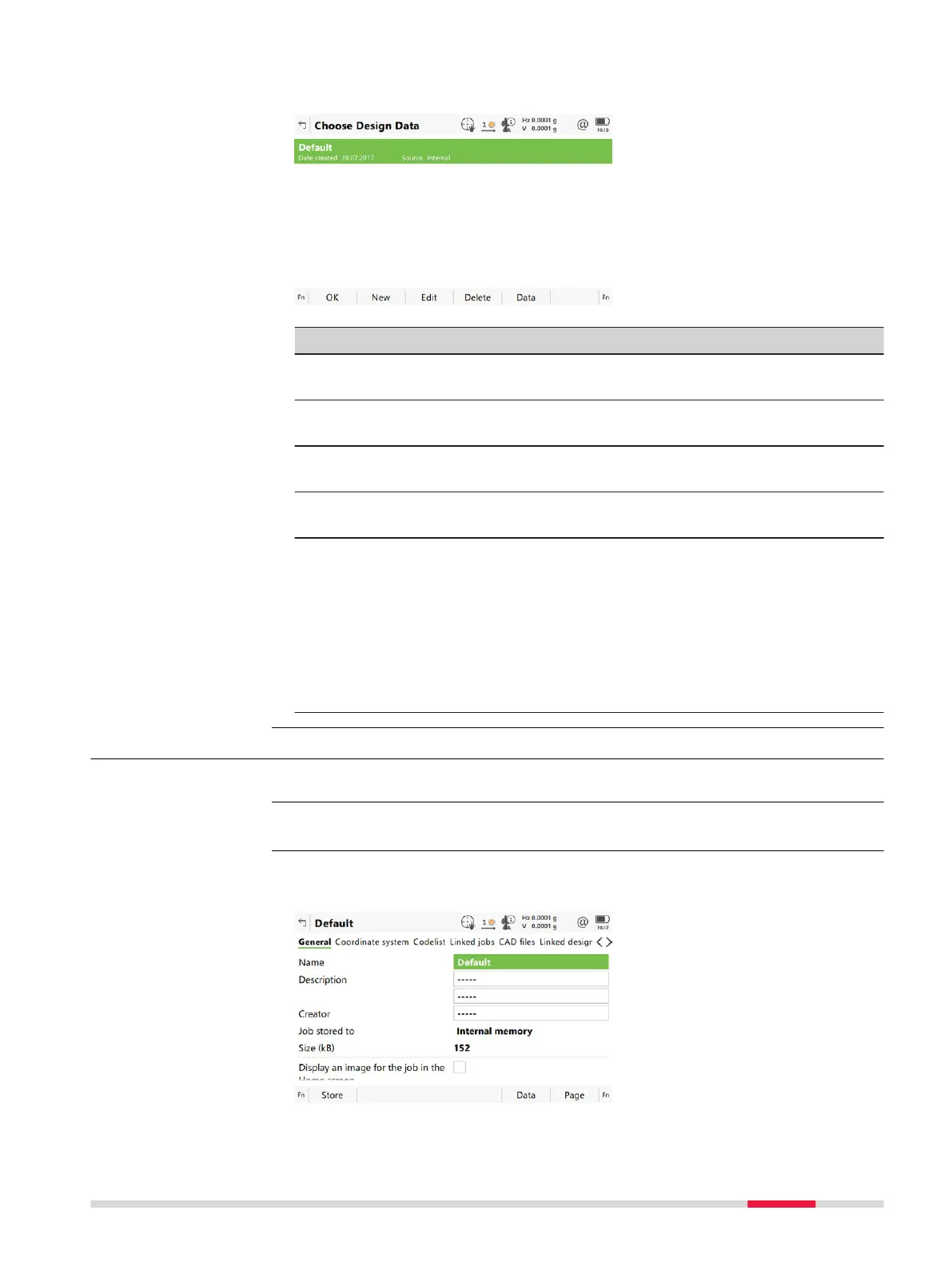
Listed are all jobs stored on the data storage device or in the internal memory
depending o
n the device.
Key Description
OK To select the highlighted job and to return to the panel from
where this panel was ac
cessed.
New Available for design jobs. To create a job. Refer to "6.2 Creat-
ing a New Job".
Edit Available for design, Road, Rail and Tunnel jobs. To edit the
highlighted job. Refer to "6.4 Editing a Job".
Delete To delete the highlighted job, including all map files from
attached CAD files.
Data Available for design, Road, Rail and Tunnel jobs. To view, edit
and delete points, lines, images and scans stored with the
job. Points, lines, images and scans are shown on separate
pages. Selected sort and filter settings apply.
☞
For Road, Rail or Tunnel jobs, review of the align-
ment design data, and edit the start chainage or
centreline. A review of all design elements as well
as a 3D viewer is available.
6.4 Editing a Job
In the Job Prop
erties:, the settings for a job can be viewed and changed.
From the job menu, select View & edit job prop
erties.
The fields on this page are identical with the fields in New Job
, General. Refer
to "6.2 Creating a New Job".
Choose Design Data,
DTM,
Roa
d Design,
Rail Design,
Tunnel Design
Description
Access
Job properties,
Gen
eral page
Job Menu - Jobs 65













 To Next Page