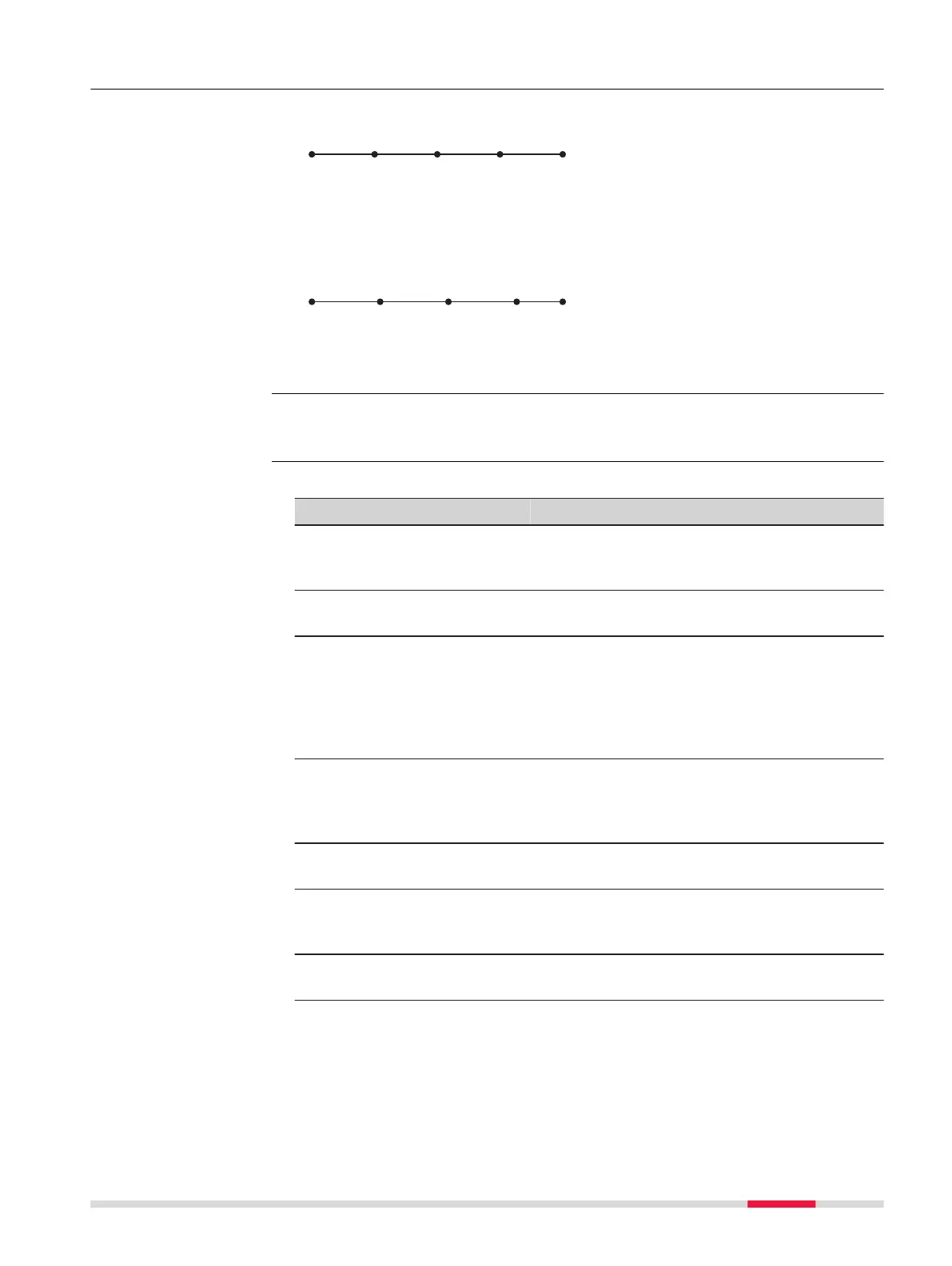
38.7.5 Segment a Line
Line divided by Me
thod: Number
of segments
P0 Start point
P1 End point
d Equally spaced segments
result from dividing a line by a
certain number of points.
d1 d1 d1 d2
P0 P1
SYS13_003
Line divided by Me
thodSegment
length
P0 Start point
P1 End point
d1 Segment length
d2 Remaining segment
For a description of the Crea
te Line, Input page, refer to "38.7.3 Calculate
Line Offset Point and Calculate Line Base Point".
Description of fields
Field Option Description
Method Selectable list How the line is divided. Depending on the
selec
tion, the following fields are editable or
display only fields.
Line length Display only Calculated line length between the selected
Start point and End point.
Number of
segments
Editable field
or display
only
For Method: Number of segments type in
the number of segments for the line. For
Method: Segment length this field indi-
cates the calculated number of segments.
This method can result in a remaining seg-
ment.
Segment
length
Editable field
or display
only
For Method: Number of segments this
field is the calculated length of each seg-
ment. For Method: Segment length type in
the required segment length.
Last seg-
ment
Display only Available for Method: Segment length. The
length of the remaining segment.
Starting
point ID
Editable field The point ID to be assigned to the first new
point on the line. The selected point ID tem-
plates from ID Templates are not applied.
Point ID
increment
Editable field Is incremented numerically for the second,
third, and so on, point on the line.
Next step
Calcula
te calculates the coordinates of the new points. The heights are com-
puted along the line assuming a linear slope between Start point and End
point.
Diagram
☞
Define Line Segmen-
ta
tion
COGO 503













 To Next Page