Field Option Description
Preferred
ne
twork
type
Automatic Available for LTE capable phones.
Uses any available network type from the
GSM to the LTE network.
Other options force the LTE phone modem to
use only the specified network type.
Check box Available for digital cellular phone devices
unless they are in data mode. When this box
is checked, the currently selected network
provider is displayed and the Search key is
available.
Press Search for a list of all available net-
works and to select a specific network.
Next step
Page
changes to another page on this panel.
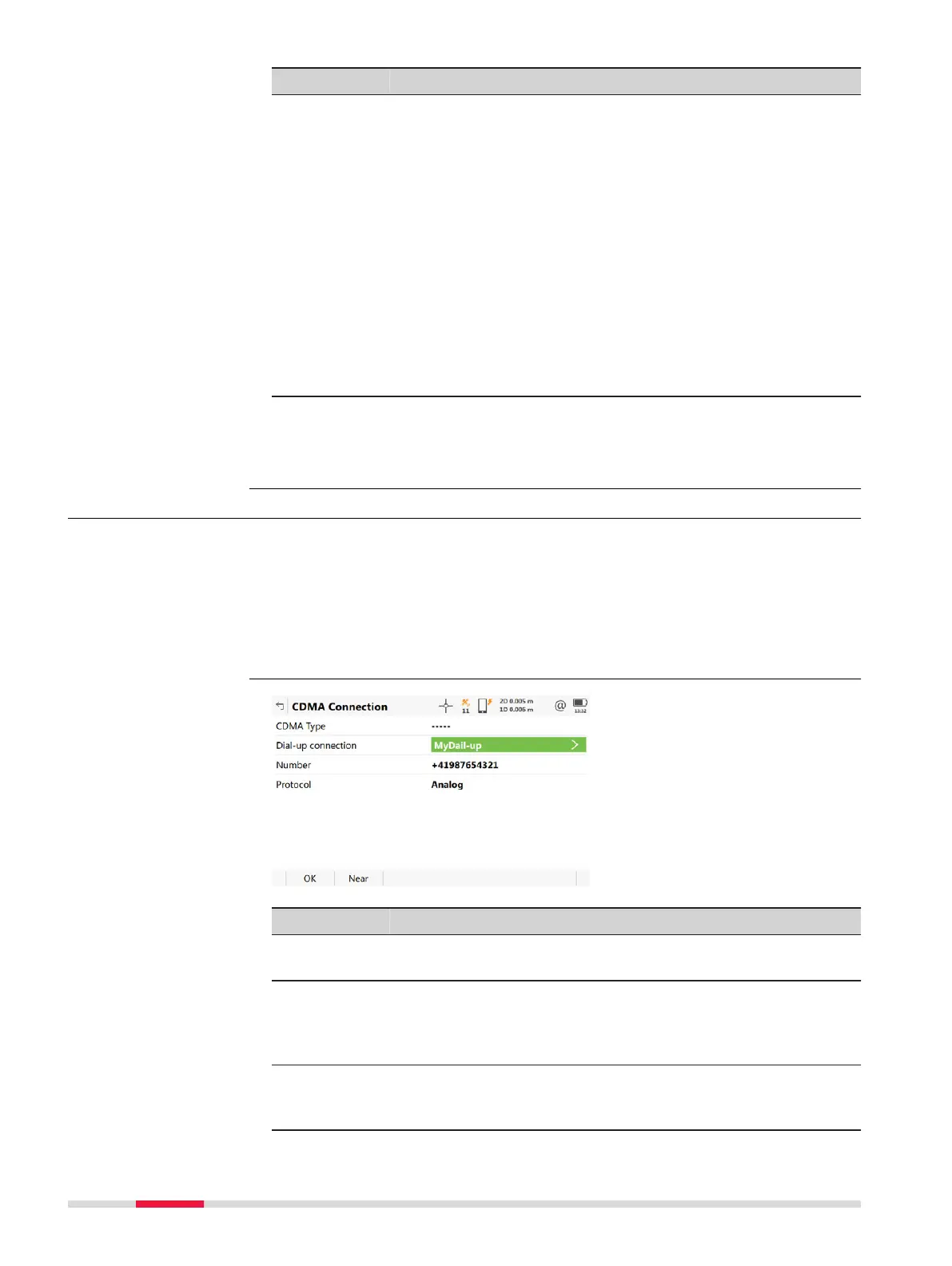
19.1.3 Configuring a CDMA Connection
For RTK rover and TS:
•
In Conn
ec
tion Settings, highlight a connection which has a digital cellular
phone of CDMA technology attached. Control.
For RTK base:
•
In Base Connec
tion Settings, highlight a connection which has a digital
cellular phone of CDMA technology attached. Control.
Key Description
OK To accept changes and return to the panel from where this
panel was acc
essed.
Near To find the nearest base station with a digital cellular phone
of CDMA technology. Available when base stations to dial are
already created in Dial-up Connection List. Coordinates of
these stations must be known.
Fn Info To provide information about the CDMA device being used,
such as the manufacturer, the model and the electronic serial
number.
Access
CDMA Connection
222 Connections - All other connections,
Control Key













 To Next Page