Next step
Page
changes to the user definable
page. Refer to "41.3 Configuring Meas-
ure t
o line/Stake to line" for information on all available items.
Displayed is in 3D viewer
•
the hor
izontal distance or chainage along the line from the start point to
the reference point.
•
the perpendicular offset from the line measured from the reference point
to the measured point.
•
the cut/fill value.
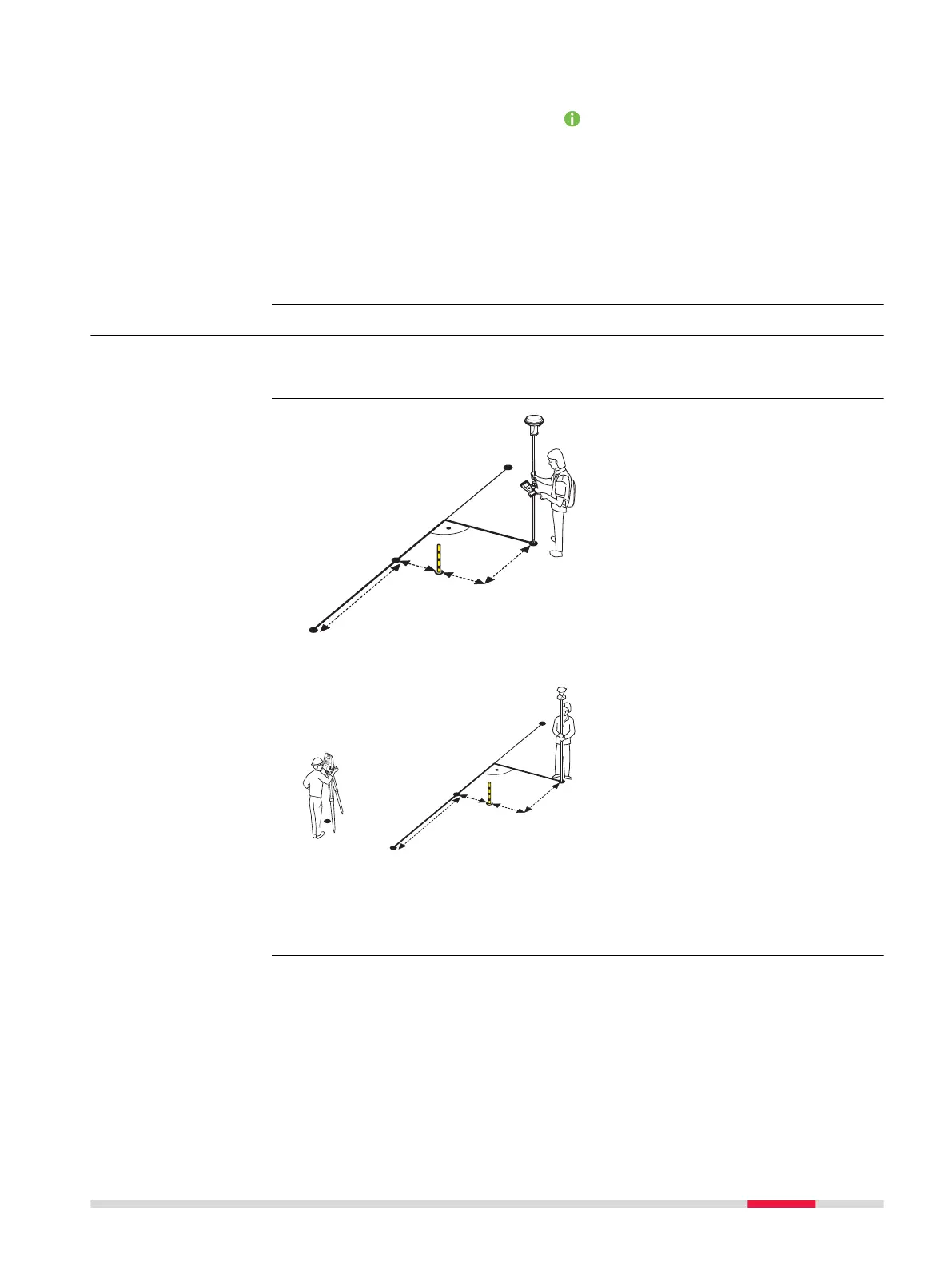
41.6 Staking to a Line
Allows for the position of a point to be defined relative to a line and then
stak
ed.
004099_002
P0
P1
P2
d2
d1
P3
d3
d4
d5
d6
For GS:
P0 Start point
P1 End p
oint
P2 Design point
P3 Reference point
d1 Line offset
d2 Distance along line
d3 Defined line distance
d4 Defined offset
d5 Difference in offset
d6 Difference in distance
along line
004098_002
P1
P2
d2
d1
P0
d3
d4
d5
d6
P3
P4
For TS:
P0 Instrument setup
P1 S
tart point
P2 End point
P3 Design point
P4 Reference point
d1 Line offset
d2 Distance along line
d3 Defined line distance
d4 Defined offset
d5 Difference in offset
d6 Difference in distance
along line
Description
Stake to line - hori-
zon
tal measurements
Measure to line/Stake to line 587













 To Next Page