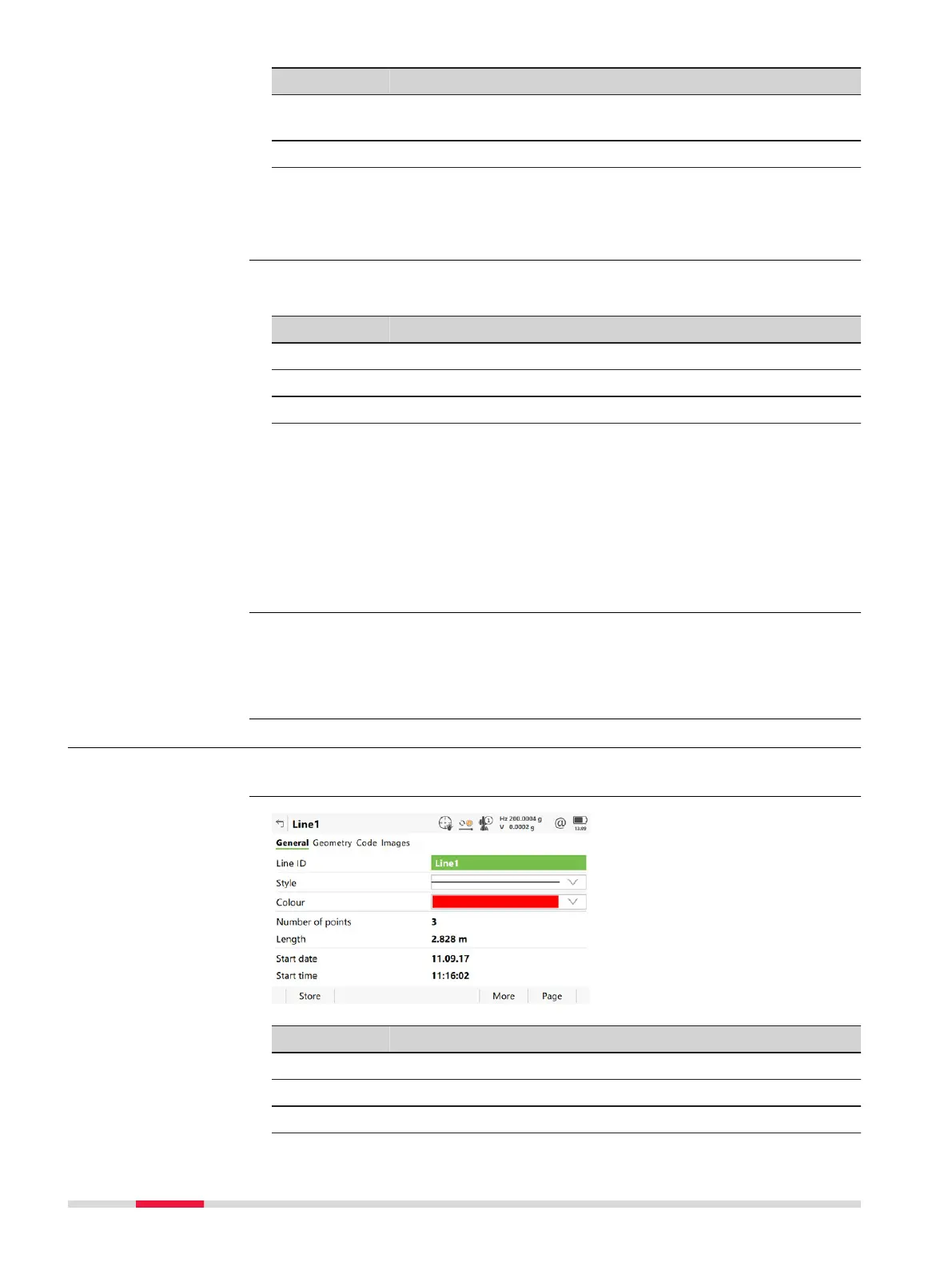
Field Option Description
Style Selectable list The line style in which lines are represented
in 3D viewer
and Infinity.
Colour Selectable list A colour in which the line is displayed.
Next step
Page
changes to the Geometry page.
Images are displayed as thumbnail images in a list, together with the image
name. At
tach one or more images to the line.
Key Description
Store To store the changes and update the line.
New To take an image.
Page To change to another page on this panel.
Description of metadata
Inf
ormation about the image size and the time and the date of when the
image was stored.
Next step
Page
changes to another page on this panel.
To create lines with certain codes use quick coding. The job codelist must con-
tain quick co
des for lines. By typing the quick code a new line is created and
immediately stored with that line code and attributes. For the line ID, the line
ID template as defined in ID Templates is used.
7.4.3 Editing a Line
In Job name
, Lines page, press Edit.
Key Description
Store To store the changes.
More To display End t
ime and End date.
Page To change to another page on this panel.
New Line,
Images page
Creating lines most
efficien
tly
Access
Lin
e ID,
Gen
eral page
92 Job Menu - View & edit data













 To Next Page