3. Select Leica Cap
tivate - Home: Setup. Define the setup. Return to
the Leica Captivate - Home.
4. Select Leica Captivate - Home: Measure. Measure a point.
5. Tap
in the 3D viewer, to switch to the camera view.
Tap to take an image on demand.
6. The image is only displayed, not stored yet.
7. To draw on the image, tap .
8. To store the image, press Sto
re.
9. Decide how to link the image:
•
With the last measured point
•
With any point or line
•
No link at all
•
Cancel
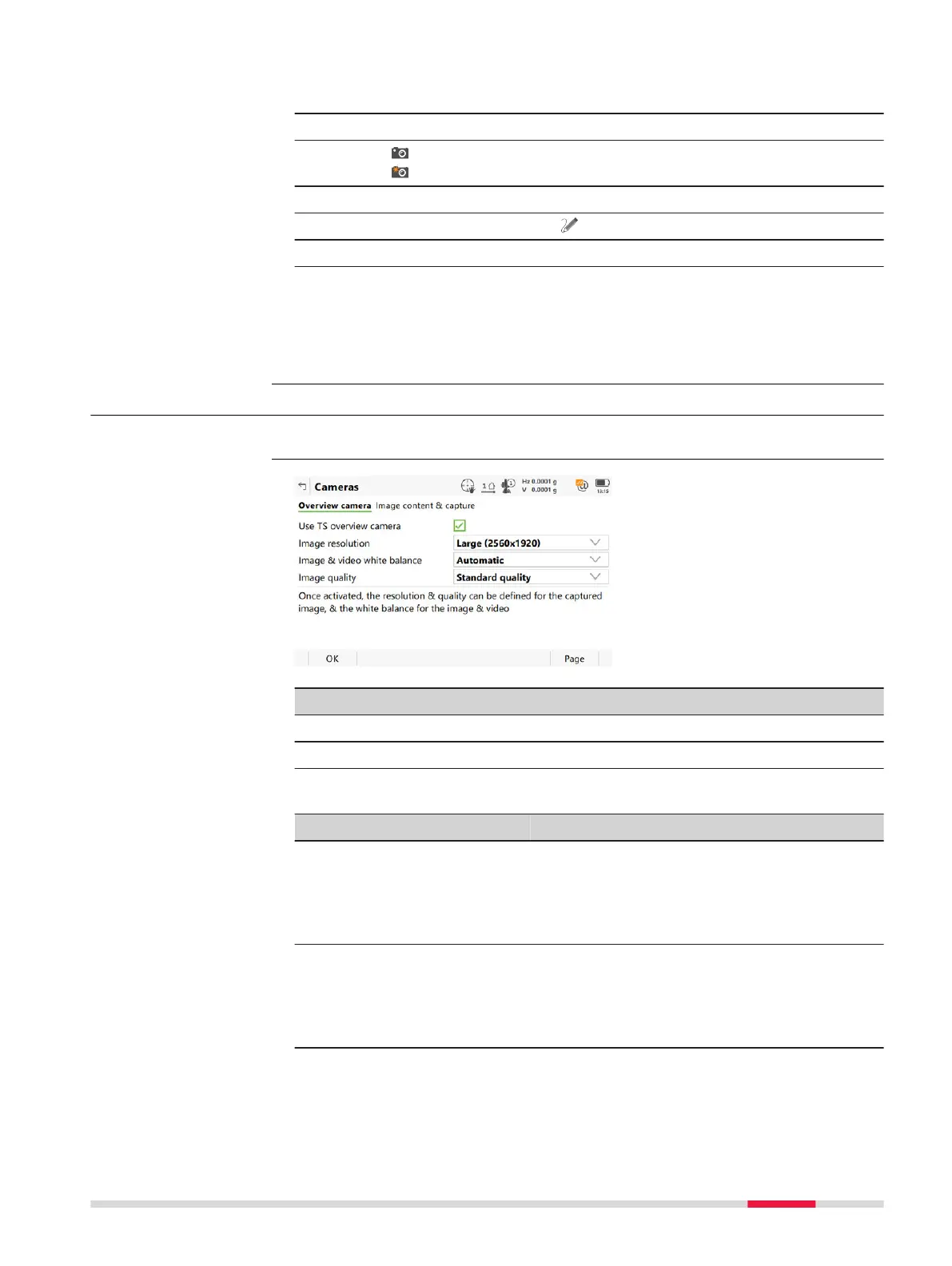
32.2 Camera Settings
Select Leica Cap
tivate - Home: Settings\TS instrument\Cameras.
Key Description
OK To accept changes and return to Leica Cap
tivate - Home.
Page To change to another page on this panel.
Description of fields
Field Option Description
Use TS over-
view cam
era
Check box Available for TS16 I/MS60/TS60 I. The over-
view camera can be physically switched on
and off.
When this box is checked, the camera is
switched on.
Use TS over-
view & tele-
scope cam-
eras
Check box Available for MS60/TS60 I. The overview AND
the telescope camera can be physically
switched on and off.
When this box is checked, the cameras are
switched on.
Access
Cameras,
Overview c
amera/
Telescope camera (for
TS60) page
Camera & Imaging 375













 To Next Page