Key Description
Store To store the result.
Result 1 or
R
esult 2
To view the first and second result.
Stake To access the Stakeout app and stake out the calculated
COGO point.
Page To change to another page on this panel.
Fn Coord To view other coordinate types.
Fn Ell Ht and
Fn Height
To change between the ellipsoidal and the orthometric
height. Available for local coordinates.
Fn Tools Refer to "37 Apps - The Toolbox".
Description of fields
Field Option Description
Point ID Editable field The identifier for the COGO point depending
on the p
oint ID template configured for GS
points / TS points in ID Templates. The
point ID can be changed.
Easting and
Northing
Display only The calculated coordinates.
Height Editable field The height of the first point used in the
COGO calculation is suggested. A height
value to be stored with the calculated point
can be typed in.
Next step
On the Code
page, type in a code if desired.
On the 3D viewer page, an arrow points from the first known points to the
calculated COGO point.
Store stores the result.
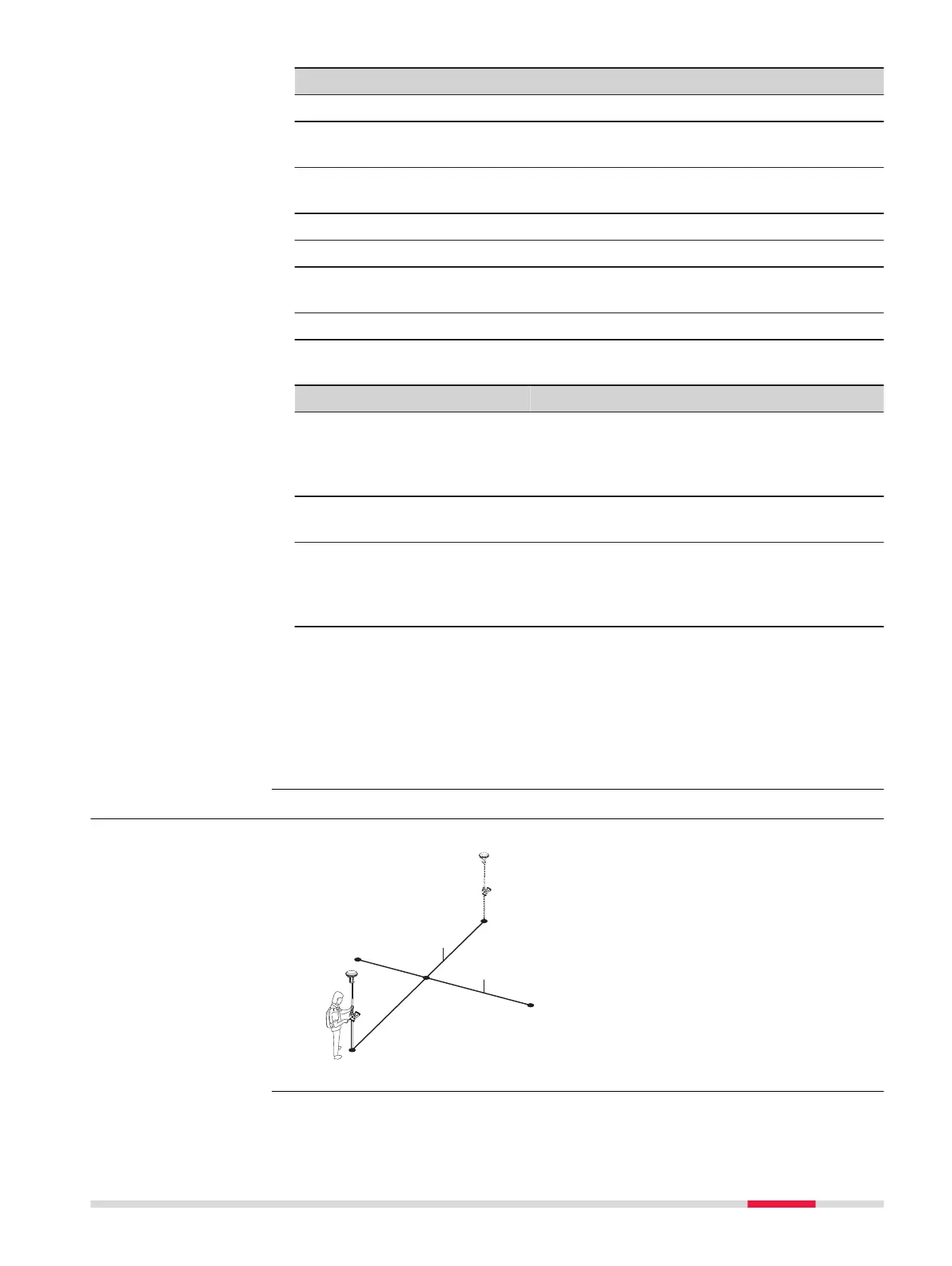
38.6.5 Intersection with Four Points
Known
P0 First known point
P1
Sec
ond known point
P2 Third known point
P3 Fourth known point
a Line from P0 to P1
b Line from P2 to P3
Unknown
P4 COGO point
Diagram
COGO 489













 To Next Page