Refer to "42.9 Grid Scan on Surface - TS" for defining the grid scan area, defin-
ing the scan s
ettings as well as starting and ending grid scanning.
59.4.3 Create a New Surface from Previously Stored Points
Select Create a new surface from points already stored in the job in Vol-
um
e Calculations.
☞
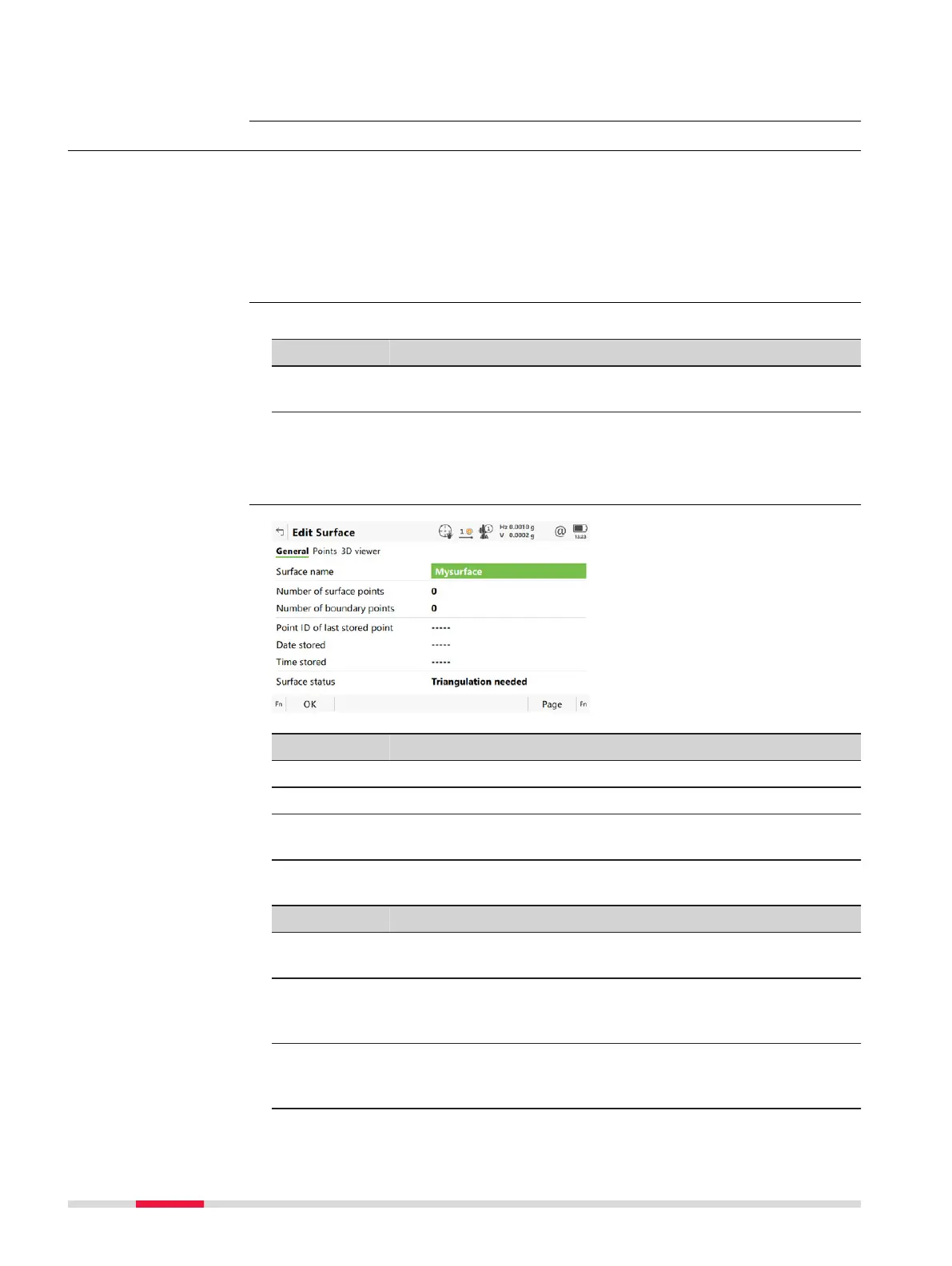
When accessing the Edit Surface panel after selecting Create a new
surface from points already stored in the job the Points page is
active. Any other time this panel is accessed the General page is
active.
Description of fields
Field Option Description
Surface
name
E
ditable field The name/number of the new surface.
Next step
OK to ac
cess Edit Surface after points being added.
Key Description
OK To accept all settings and continue with the next panel.
Page To change to another page on this panel.
Fn Settings T
o configure the app. Refer to "59.3 Configuring Volumes &
Surfaces".
Description of fields
Field Option Description
Surface
name
Selec
table list Name of the surface to be triangulated.
Number of
surface
points
Display only Number of points inside the surface.
Number of
boundary
points
Display only Number of boundary points of the surface.
Grid scan points to
surfa
ce
Access
New Surface
Edit Surface,
Gen
eral page
970 Volumes & Surfaces













 To Next Page