Field Option Description
Information Editable field Additional information that must be stored
with the eleva
tion.
Only the entered Information which also has
an entered elevation is stored to the point
being stored.
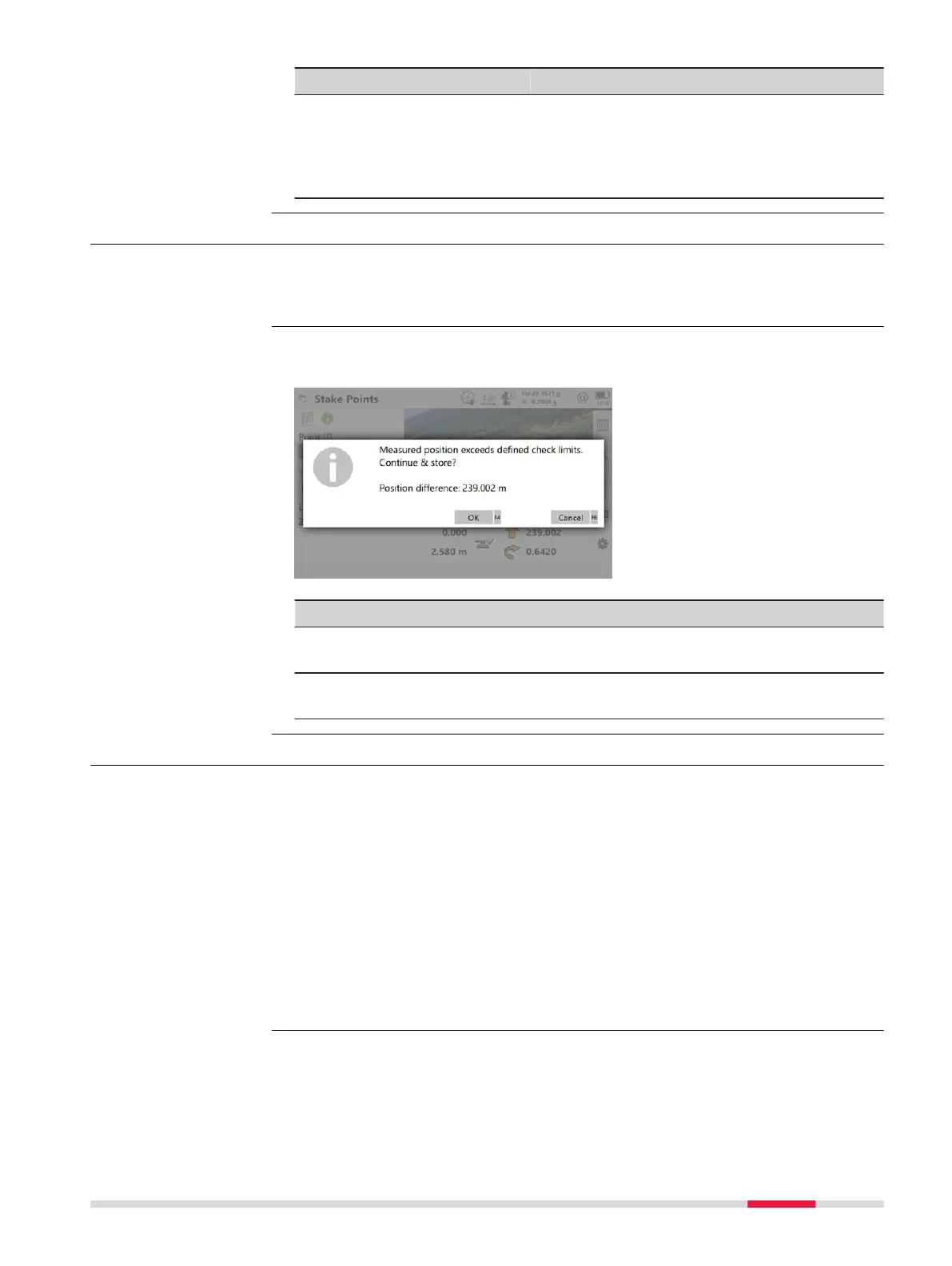
51.5 Stakeout Difference Limit Exceeded
If configured a check is made on the horizontal and/or vertical coordinate dis-
tance f
rom the staked point to the point to be staked. Refer to "51.3 Configur-
ing Stakeout" for information on configuring the check and the limits.
If either of the configured difference limits are exceeded, a warning is dis-
play
ed automatically when the point is stored.
Key Description
Cancel To return to the St
ake Points panel without storing the
point. Staking out of the same point continues.
OK To accept the coordinate differences, store the point infor-
mation and return to the Stake Points panel.
51.6 Staking Out a DTM or Points & DTM
A Digital Terrain Model can be staked alone or together with points. The
heig
hts of the current positions are compared against the heights of a selected
DTM job. The height differences are calculated and displayed.
Staking a DTM can be used for
•
staking ou
t where the DTM represents the surface to be staked.
•
quality control purposes where the DTM represents the final project sur-
face.
DTM jobs are created in Infinity or imported from a file or created in the Vol-
um
e calc app. DTM jobs are stored in the \DBX directory on the active data
storage device.
Description
Access
Description
Stakeout 907













 To Next Page