5.6 Icon Pop-Up Bubble: Satellite Tracking
5.6.1 Bubble Icons
Icon Description
Satellite tracking Information related to the tracked satellites. Refer to
"5.6.2 Satellite tra
cking".
Data logging Information related to the logging of raw observa-
tions. Refer to "5.6.3 Data logging".
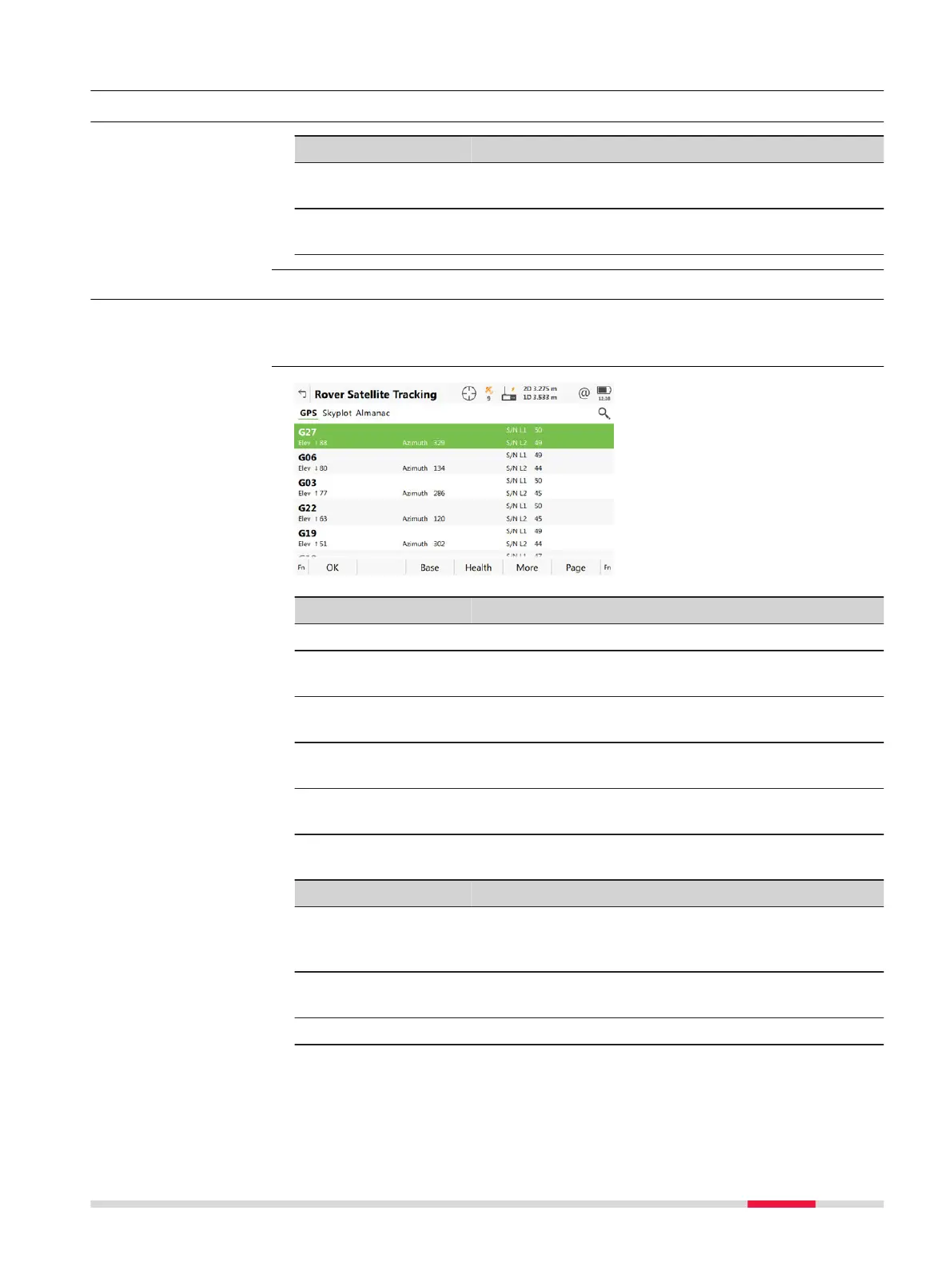
5.6.2 Satellite tracking
This panel shows information related to the tracked satellites ordered by the
eleva
tion angle.
Key Description
OK To return to the Leica Cap
tivate - Home menu.
Base / Rover To change between the SNR values of rover and
base.
Health To view the numbers of satellites categorised in
good, bad and unavailable.
More To display information about the SNR values for sat-
ellites.
Page To change to another page on this panel. The Gali-
leo page is unavailable with GS08plus.
Description of metadata
Metadata Description
- The Pseudo Random Noise number (GPS), the Slot
number (GLONASS), the Space Vehicle number (Gali-
leo, BeiDou) or the name (Terrastar) of the satellites.
Elev The elevation angle in degrees. The arrows indicate if
the satellite is rising or falling.
Azimuth The azimuth of the satellite.
Bubble icons
Description
Rover Satellite Track-
ing,
GPS/G
lonass/Galileo/
BeiDou/Augmentation
page
Icon Pop-up Bubbles 37













 To Next Page