4. OK to return to the Leica Captivate - Home.
34.2 Using the NTRIP Service with a Real-Time Rover
Select Leica Cap
tivate - Home: Settings\Connections\All other connec-
tions.
On the GS connections page highlight RTK rover.
Press Edit.
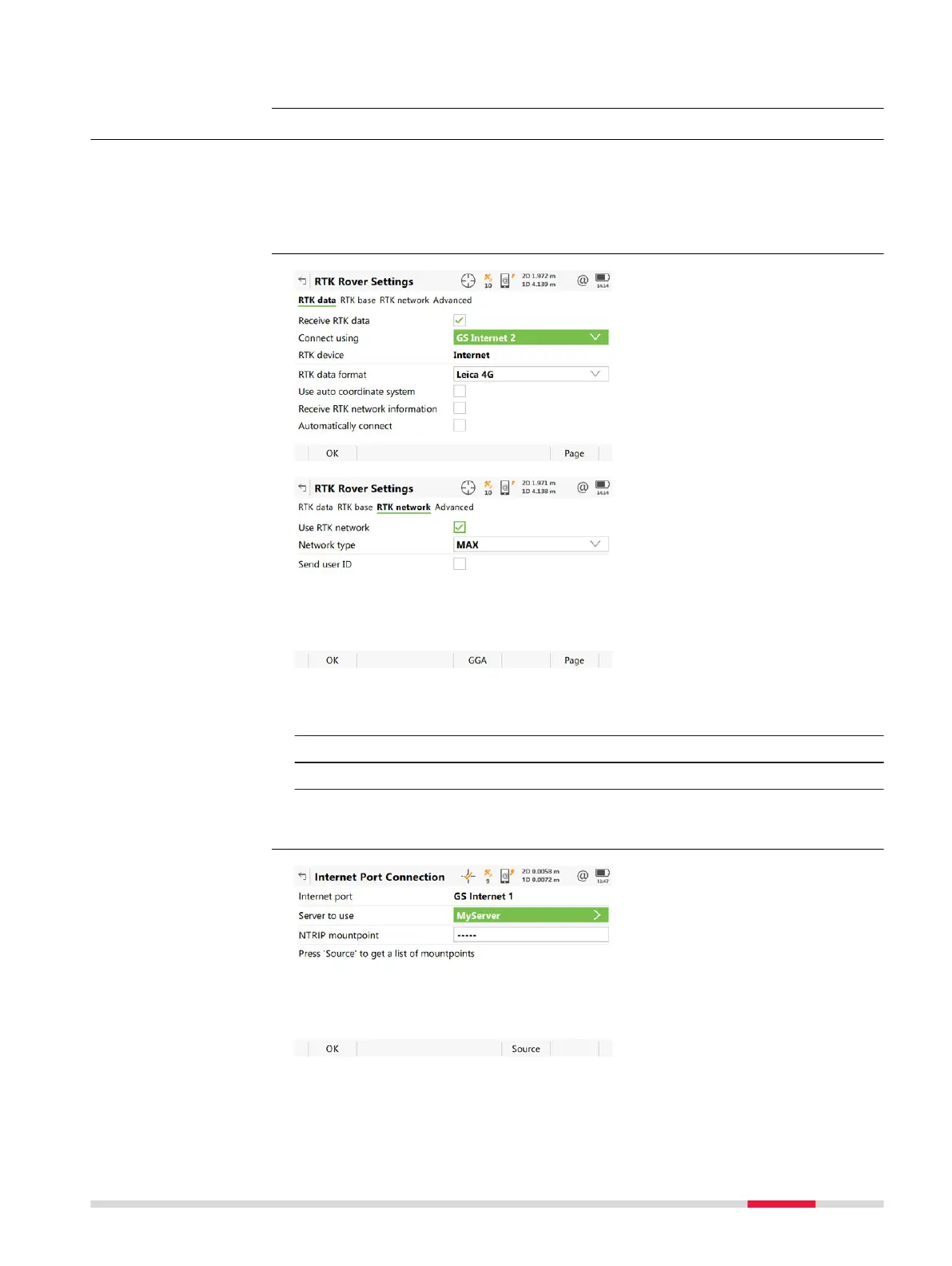
1. On the General page, make sure that an Internet port is selected for
Conn
ect using.
2. On the RTK network page, enable Use RTK network.
3. Press OK to return to Connection Settings, GS connections page.
4. Press Control to access Internet Port Connection. Continue with
the next paragraph.
Select the Internet
inter
face
Settings for the RTK
rover
Selec
t the server to
be accessed in th
e
Internet
NTRIP via Internet 403













 To Next Page