51 Stakeout
51.1 Overview
The Stakeout app is used to place marks in the field at predetermined points.
The
se predetermined points are the points to be staked. The points to be
staked can
•
be uploaded t
o a job on the instrument using Infinity.
•
exist in a job on the instrument.
•
be uploaded from an ASCII file to a job on the instrument. Use Import
data\ASCII from the job menu.
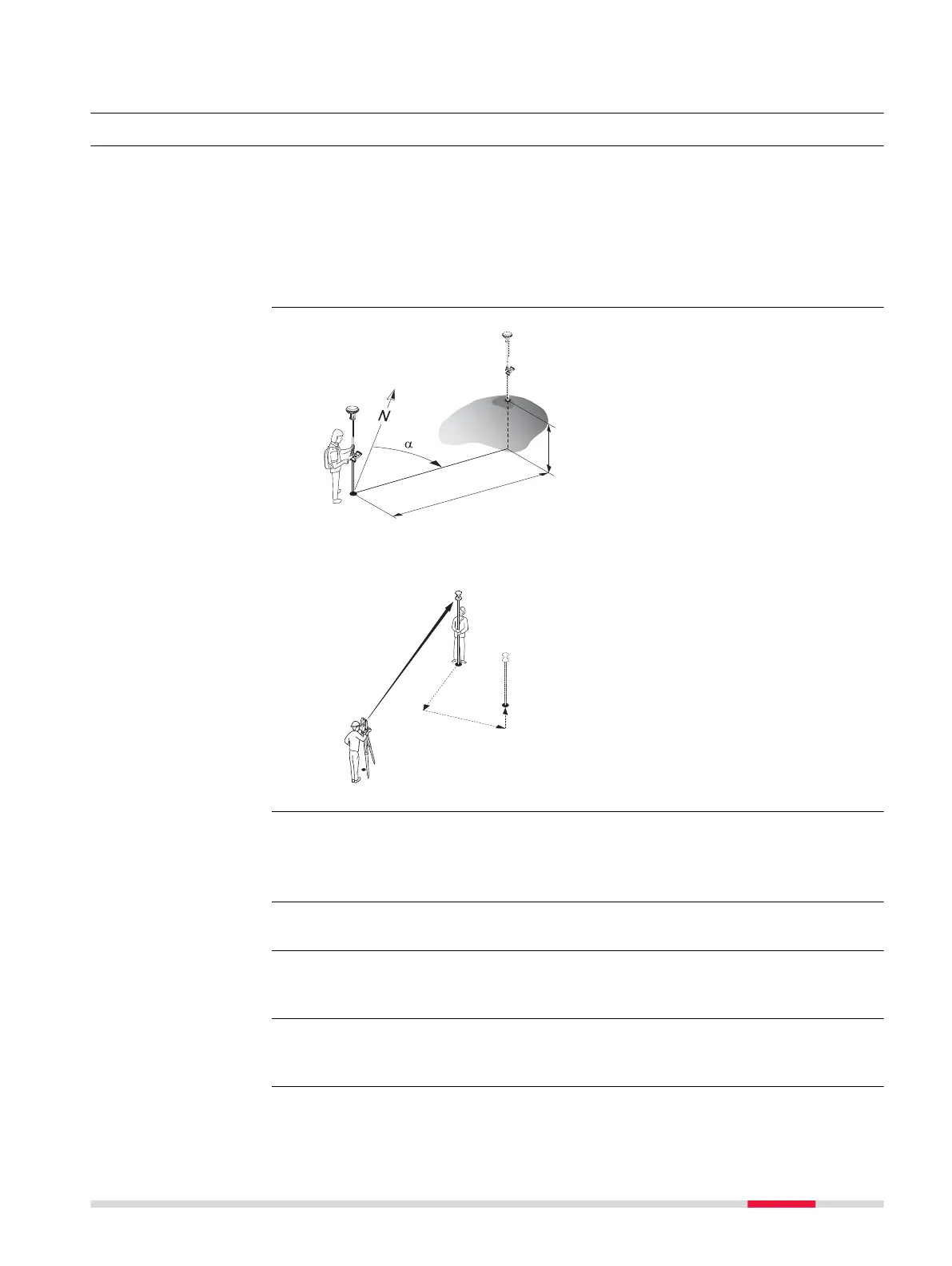
GS:
P0 Current position
P1
P
oint to be staked
d1 Stakeout distance
d2 Height difference between
current position and point to
be staked
α
Stakeout direction
TS:
P0 Setup
P1 Cur
rent position
P2 Point to be staked
d1 Stakeout element
d2 Stakeout element
d3 Stakeout element
Points can be staked using different modes:
•
Polar mode.
•
Orthogonal mode.
Staking out is possible for RTK rover and TS.
The points to be staked must exist in a job on the active memory device or can
be typ
ed in.
Linked jobs will overwrite the points and lines from the global design job selec-
ted in
Design Data.
Description
Diagram
Stakeout modes
☞
☞
Linked jobs and global
da
t
a
Stakeout 893













 To Next Page