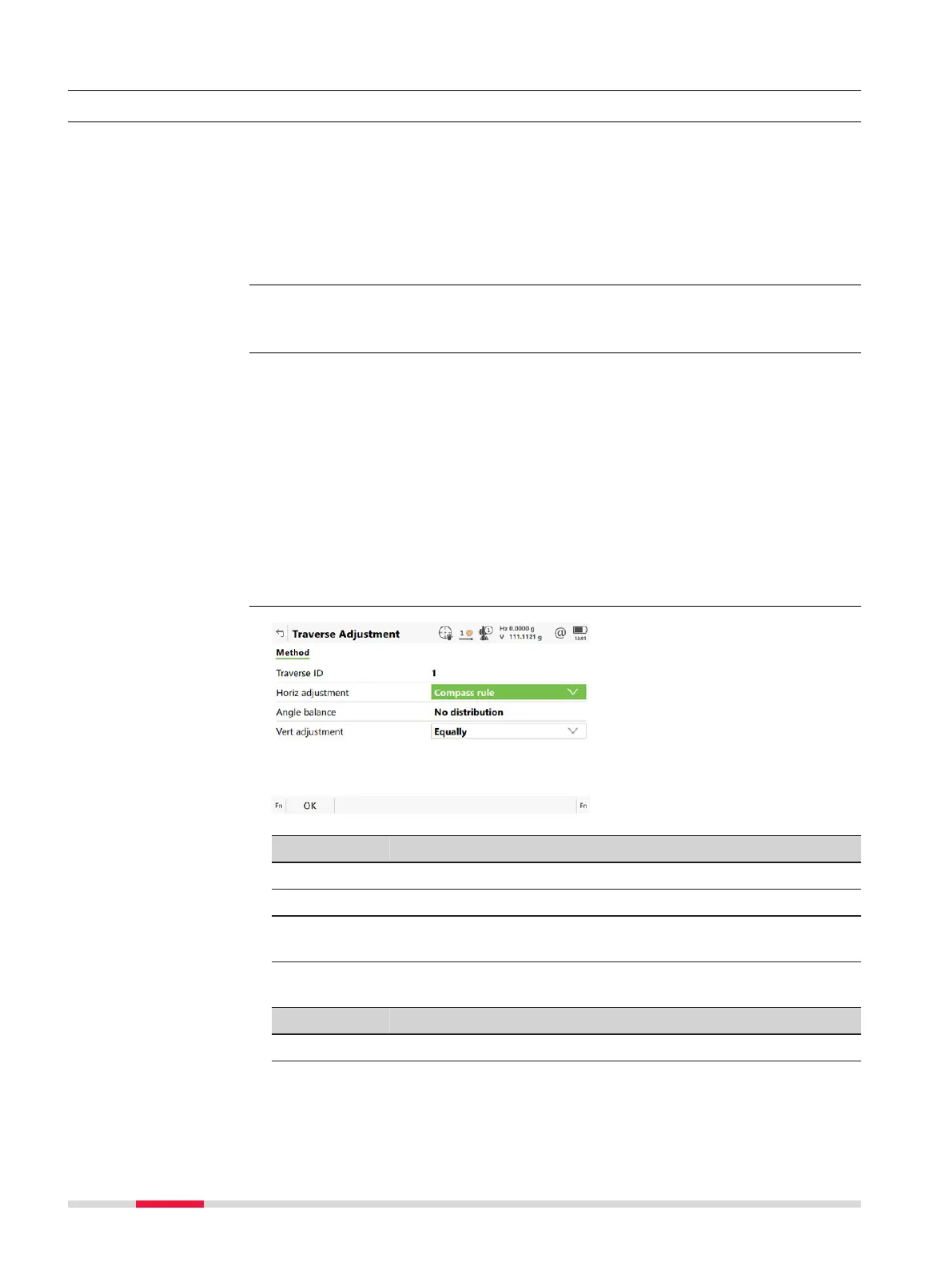
58.10 Traverse Adjustment
58.10.1 Accessing Traverse Adjustment
•
A trav
erse adjustment can be performed on three components: 2D posi-
tions, angles and elevations.
•
Various adjustment methods are available for selection. Once the adjust-
ment is performed, the results can be reviewed. Adjusted points are stored
into a new job, and a report can be generated.
•
If the message panel appears which requires that the app must be activa-
ted using a licence key then refer to "29.3 Load licence keys".
Survey points have to be measured while Traverse is running to be part of the
adjustmen
t calculations.
The traverse adjustment option can be reached in different ways based on spe-
cific c
onditions.
Upon completing the observations onto the closing point, Adjust to access
Traverse Adjustment.
OR
After the measurements are done on the closing line for angular closure,
Adjust to access Traverse Adjustment.
OR
When the traverse is closed: Result in Traverse Data, then Adjust in Tra-
verse Results to access Traverse Adjustment.
Key Description
OK To calculate the result.
Page To change to another page on this panel.
Fn Settings T
o configure the Traverse app. Refer to "58.6 Configuring
Traverse".
Description of fields
Field Option Description
Traverse ID Display only The ID of the traverse.
Horiz
ad
justment
Compass
rule
Suitable for surveys, where angles and dis-
tances were measured with equal precision.
Description
☞
Access
Traverse Adjustment,
Me
thod page
962 Traverse













 To Next Page