a
b
P1
P3
P4
P5
P2
P5’
P4’
P3’P2’
SYS13_006
Scale
a Height
b Eas
ting
P1 Rotation point, can be held
fixed, all other points are
then scaled from here
P2 Known point
P2’ Scaled point
P3 Known point
P3’ Scaled point
P4 Known point
P4’ Scaled point
P5 Known point
P5’ Scaled point
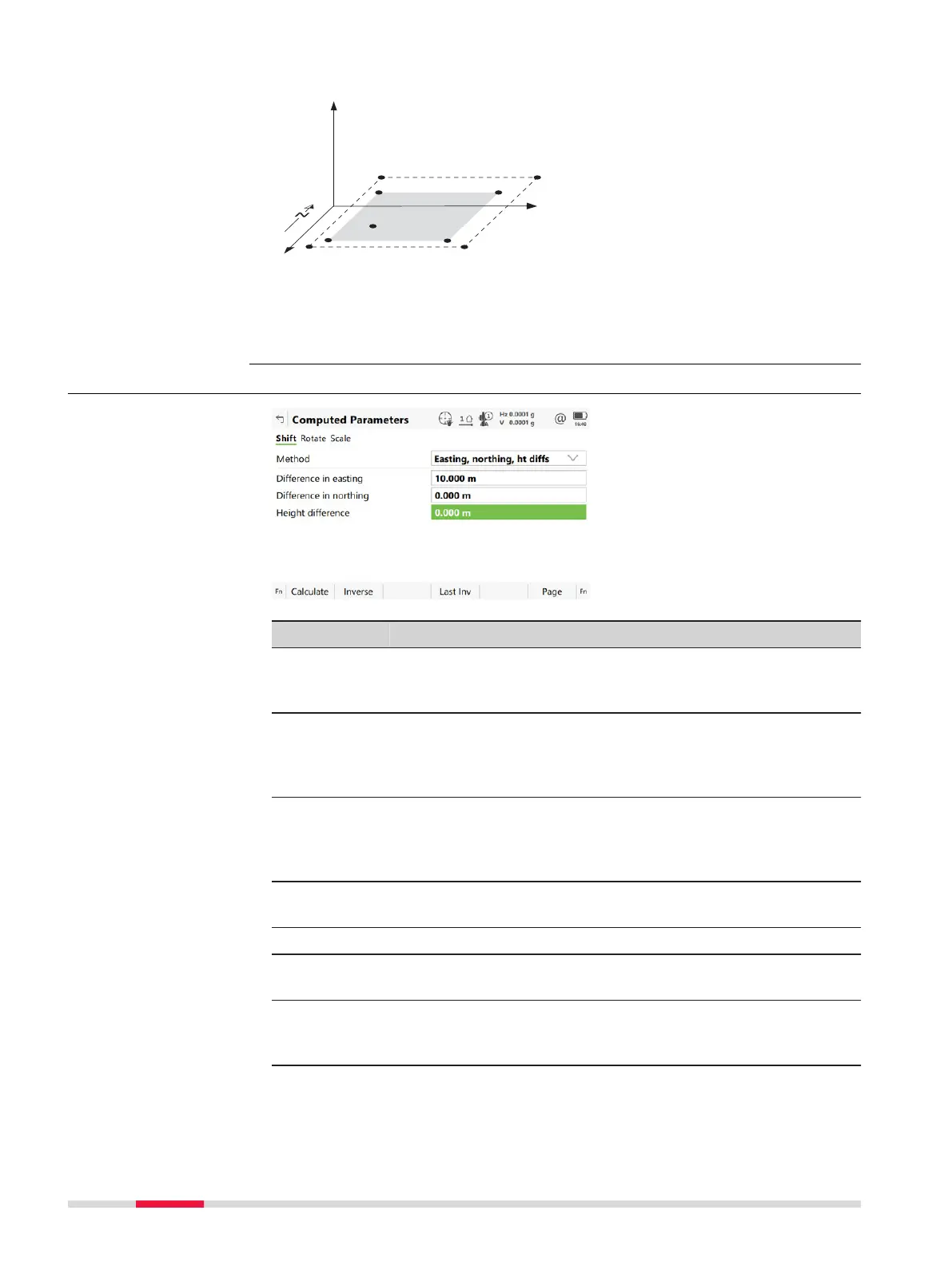
38.8.2 Manually Entered
Key Description
Calculate To perform the shift, rotation and scale calculation and to
co
ntinue with the subsequent panel. Calculated COGO points
are not yet stored.
Inverse To calculate the amount of shift in Easting, Northing and
height from two existing points. Available if Azimuth, Hori-
zontal distance, Difference in easting, Difference in
northing or Height difference is highlighted.
Last Inv To select the value for the shift from previous COGO inverse
calculations. Available if Azimuth, Horizontal distance,
Difference in easting, Difference in northing or Height
difference is highlighted.
Meas app To measure a point manually for the COGO calculation. Avail-
able for Method: Use 2 points if From or To is highlighted.
Page To change to another page on this panel.
Fn Settings To configure the COGO app. Refer to "38.3 Configuring
COGO".
Fn Modify To modify the values manually. Available if Azimuth, Hori-
zontal distance, Difference in easting, Difference in
northing or Height difference is highlighted.
Computed Parame-
ters,
Shift page
508 COG
O













 To Next Page