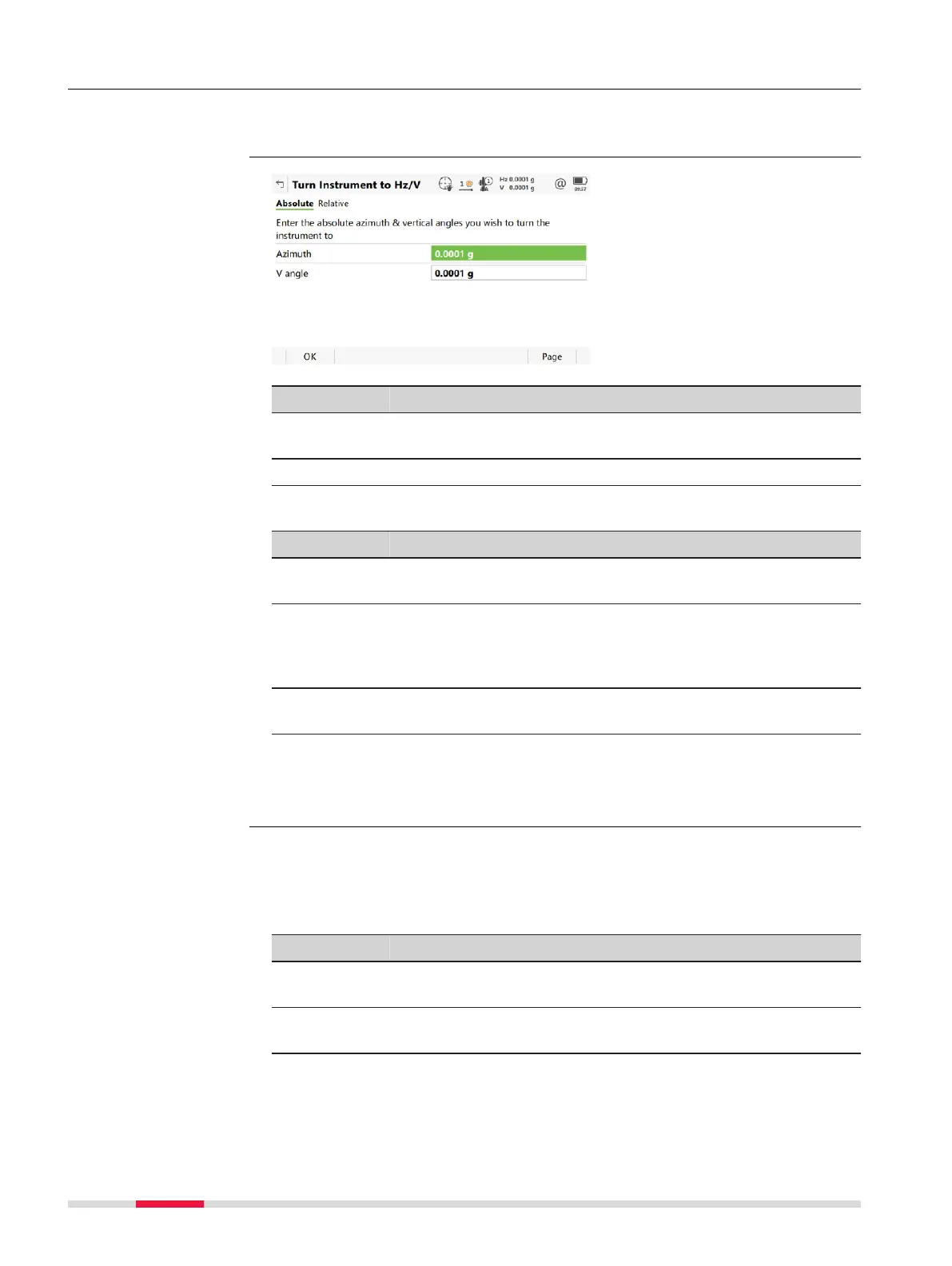
5.4.3 Turn to Hz/V
This panel is used when the instrument is controlled remotely and when the
tele
scope must be turned to a certain direction.
Key Description
OK To return to Leica Cap
tivate - Home menu. The instrument
turns to the prism.
Page To change to another page on this panel.
Description of fields
Field Option Description
Azimuth Editable field Oriented horizontal direction for the instru-
ment t
o turn to.
Angle right Editable field Horizontal angle from the backsight point for
the instrument to turn to. Available when Hz
angle display: North azimuth is set in
Regional, Angle page.
V angle Editable field Vertical direction for the instrument to turn
to.
Next step
Page
changes to the Relative page.
The values are added to the current telescope position to calculate the new
dir
ec
tion for the telescope to turn to.
Description of fields
Field Option Description
Difference
in Hz angle
Editable field Angular difference for the horizontal angle to
tur
n t
o.
Difference
in V angle
Editable field Angular difference for the vertical angle to
turn to.
Next step
Pr
e
ss OK. The instrument turns to the prism.
Description
Turn Instrument to
Hz/V,
Absolute page
Turn Instrument to
Hz/V,
Relative page
32 Icon Pop-up Bubbles













 To Next Page