Field Option Description
Measure all
poin
ts in
two faces
Check box To take a measurement in Face I and Face II.
The point stored is an average of the two
measurements. When an instrument is fitted
with auto aiming, the point is automatically
measured in both faces. The resulting point
is stored and the instrument is returned to
the first face.
Next step
Page
changes to the Report sheet page. Refer to "36 Apps - General".
51.4 Staking Out
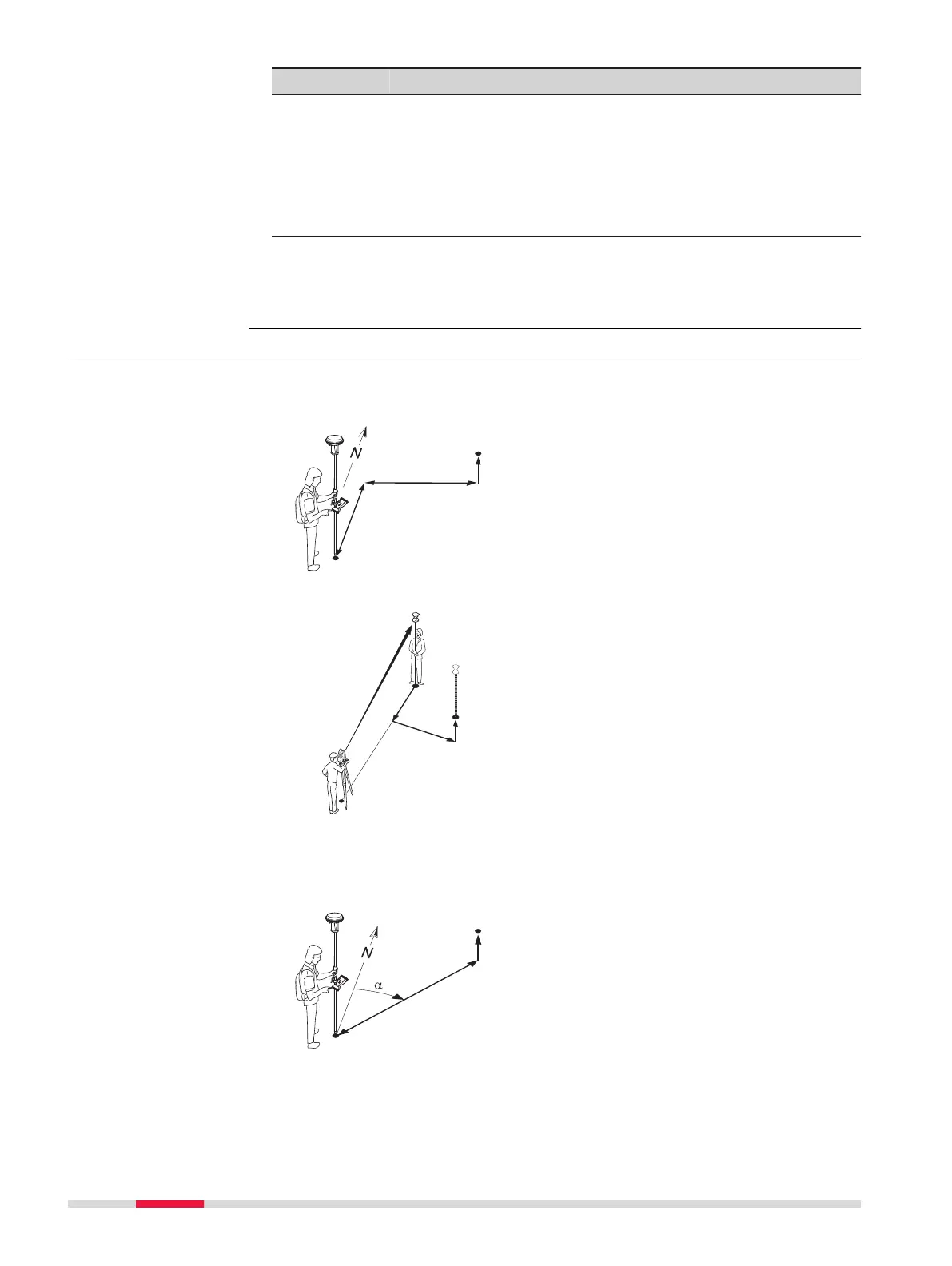
This diagram shows an example for Navig
ational arrow types: In/out, left/
right.
For GS:
P0 Current position
P1 P
oint to be staked
d1 Forwards or backwards
d2 Right or left
d3 Fill or cut
For TS:
P0 Setup
P1 Cur
rent position
P2 Point to be staked
d1 Forward or backwards
d2 Right or left
d3 Cut or fill
This diagram shows an example Navig
ational arrow types: Direction & dis-
tance.
For GS and TS:
P0 Current position
P1 P
oint to be staked
d1 Distance
d2 Cut or fill
α
Direction
Diagram
902 Stakeout













 To Next Page