Options Description
Exit app To end the Sets of Angles program.
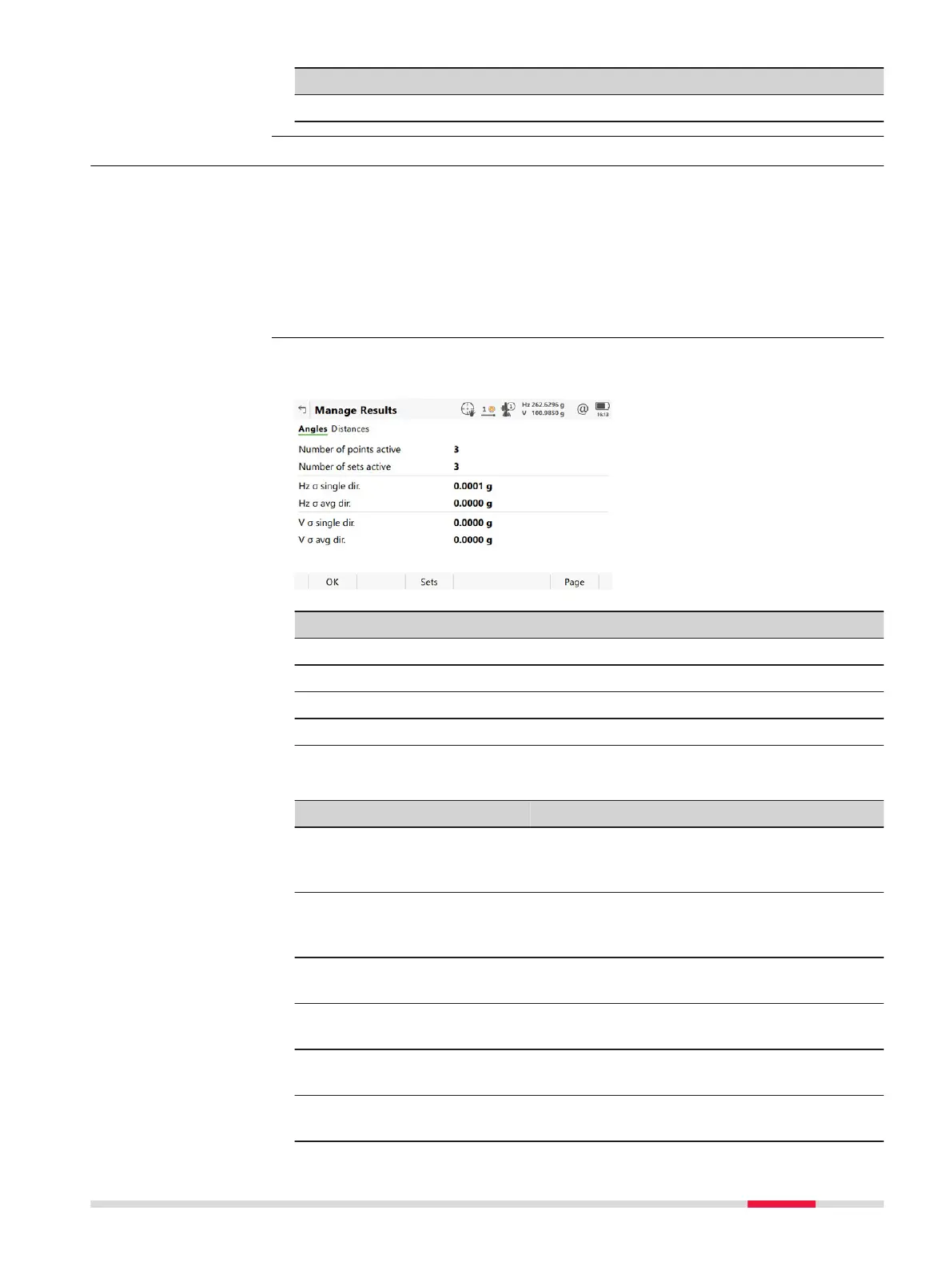
49.2.6 Managing Results
For two and more sets measured with angles and distances in two faces, cal-
culatio
ns for angles and distances can be done.
For sets measured in one face, the standard deviation and average values can
be viewed.
If o
nly one set or point is measured, only some of the values are displayed.
If points are measured with method A'B'C'D', the p
oin
ts results are limited
and only standard deviation and average values are shown.
Key Description
OK To return to the previous panel.
Sets To view angle/distance results.
Use To activate/deactivate sets.
Page To change to another page on this panel.
Description of fields
Field Option Description
Number of
poin
ts
active
Display only Number of active points which are set to Yes
for the Select metadata in the Select
Points to be Added panel.
Number of
sets active
Display only Number of active sets which are set to Yes
for the Select metadata in the Angle
Results/Distance Results panel.
Hz σ single
dir.
Display only Standard deviation of the single horizontal
direction.
Hz σ avg dir. Display only Standard deviation of the average horizontal
direction.
V σ single
dir.
Display only Standard deviation of a single vertical direc-
tion.
V σ avg dir. Display only Standard deviation of the average vertical
direction.
Description
Manage Results
Sets of Angles - TS 863













 To Next Page