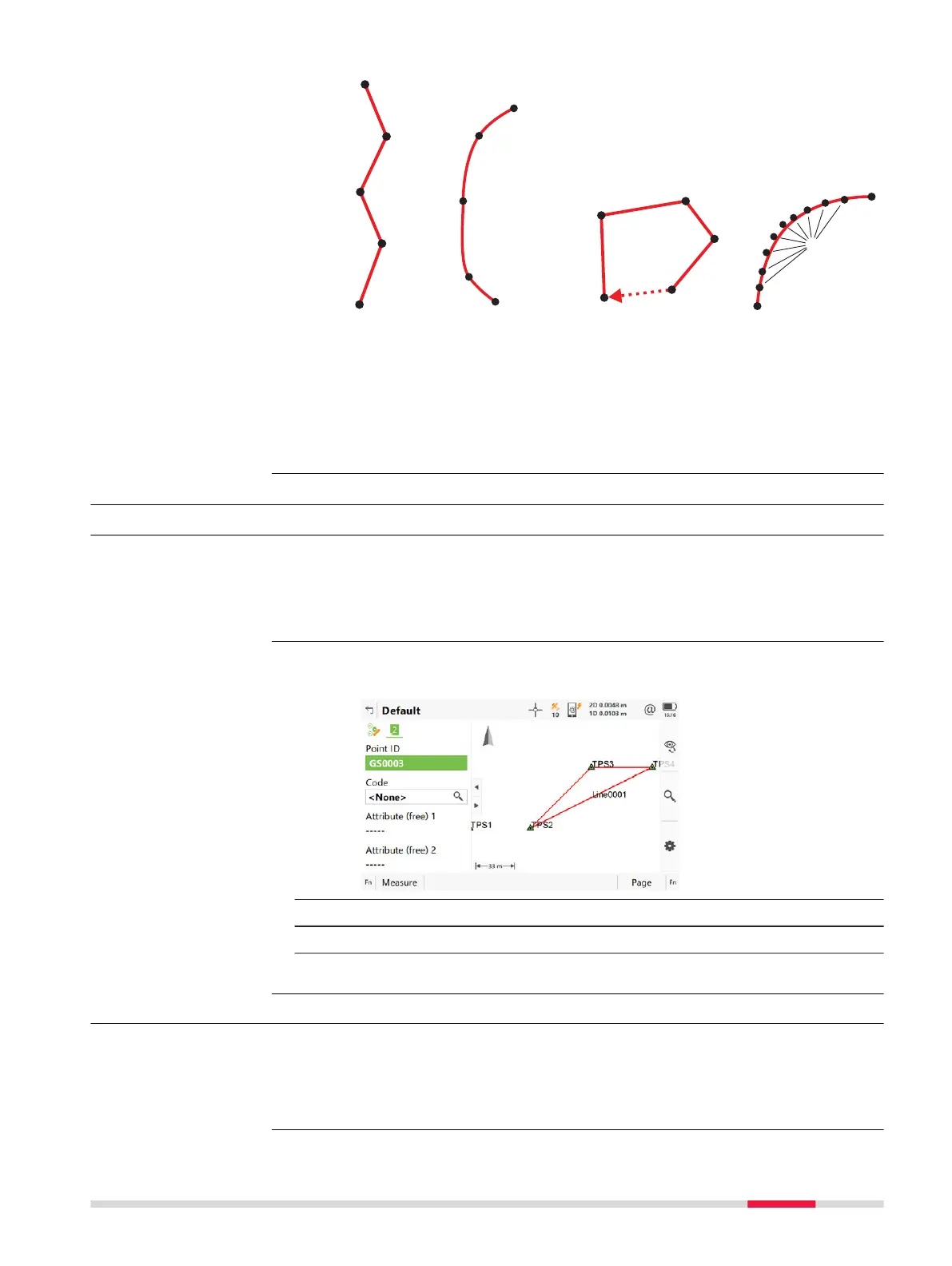
a Begin line
b Continue
line
c End line
a Begin
spline
b Continue
line
c End spline
a Begin line
b Continue
line
c Close line
a Begin best
fit arc
b Continue
line
c End best
fit arc
27.3 Coding functionality: Only code pts (no linework)
27.3.1 Point Coding with Dynamic List
•
Coding fun
ctionality: Only code pts (no linework) is selected in Cod-
ing.
•
Allow new codes to be created is checked in Coding.
•
The user-defined page with a field for codes must be configured.
1. Click in the field Code or Code (auto) in a user-defined page in an
app.
2. Type in a point code or select a code from the list.
3. Type in attribute if defined.
4. Press Measure.
27.3.2 Point Coding without Dynamic List
•
Coding fun
ctionality: Only code pts (no linework) is selected in Cod-
ing.
•
Allow new codes to be created is not checked in Coding.
•
The user-defined page with a field for codes must be configured.
Requirements
Coding
Requirements
Coding 331













 To Next Page