4-44 Service Manual
5062
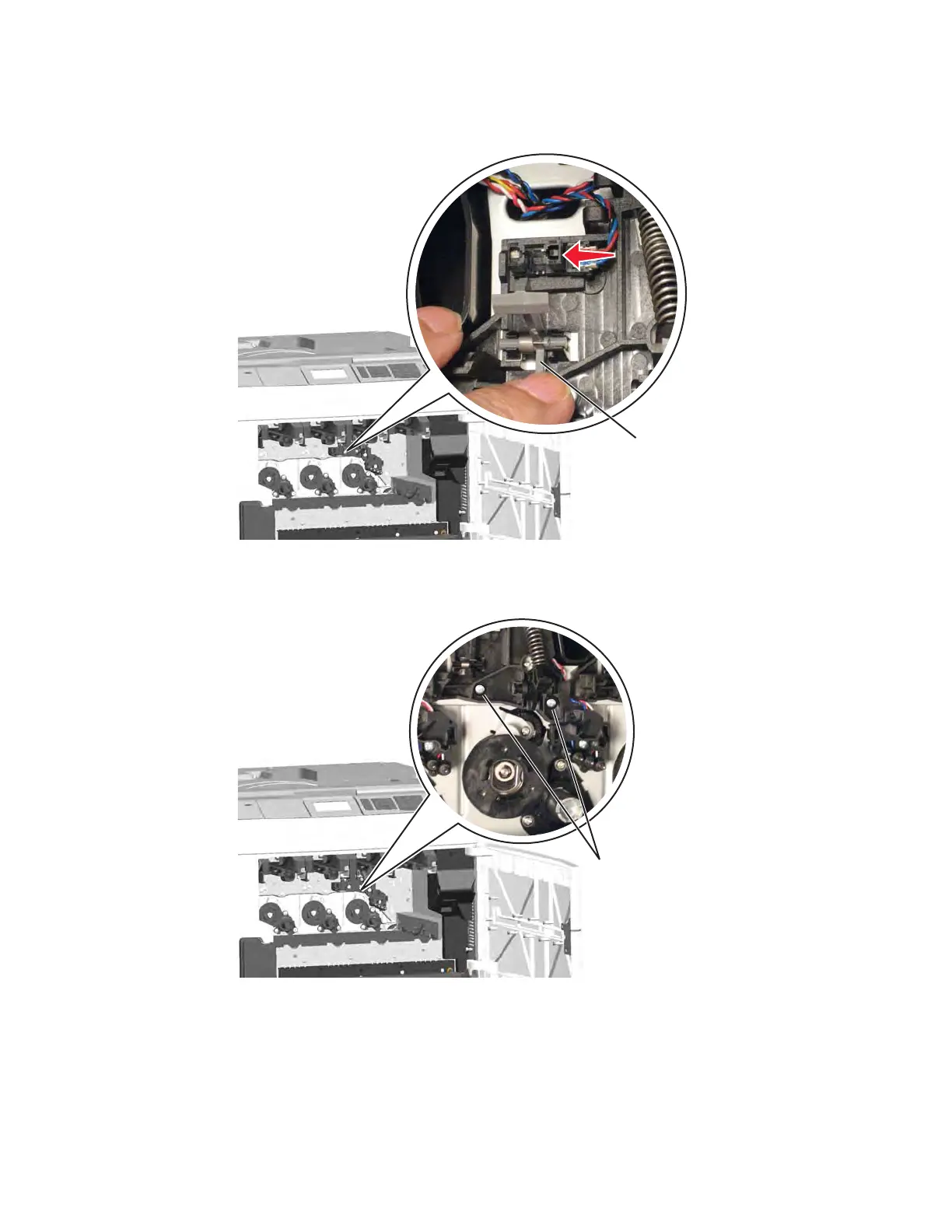
4. From the memory block you are removing, press the lever (E) to access the sensor, push the right side of
the sensor to remove it, and then disconnect the cable from the sensor.
5. Remove the two screws (F), and pull to remove the memory block. As you pull the cable through, be sure to
leave the string in the path from the memory block to the system board.



 To Next Page