Page 54
Alterations reserved Stand 12/2002
Operating Manual T 700 / T 800 - R ENG
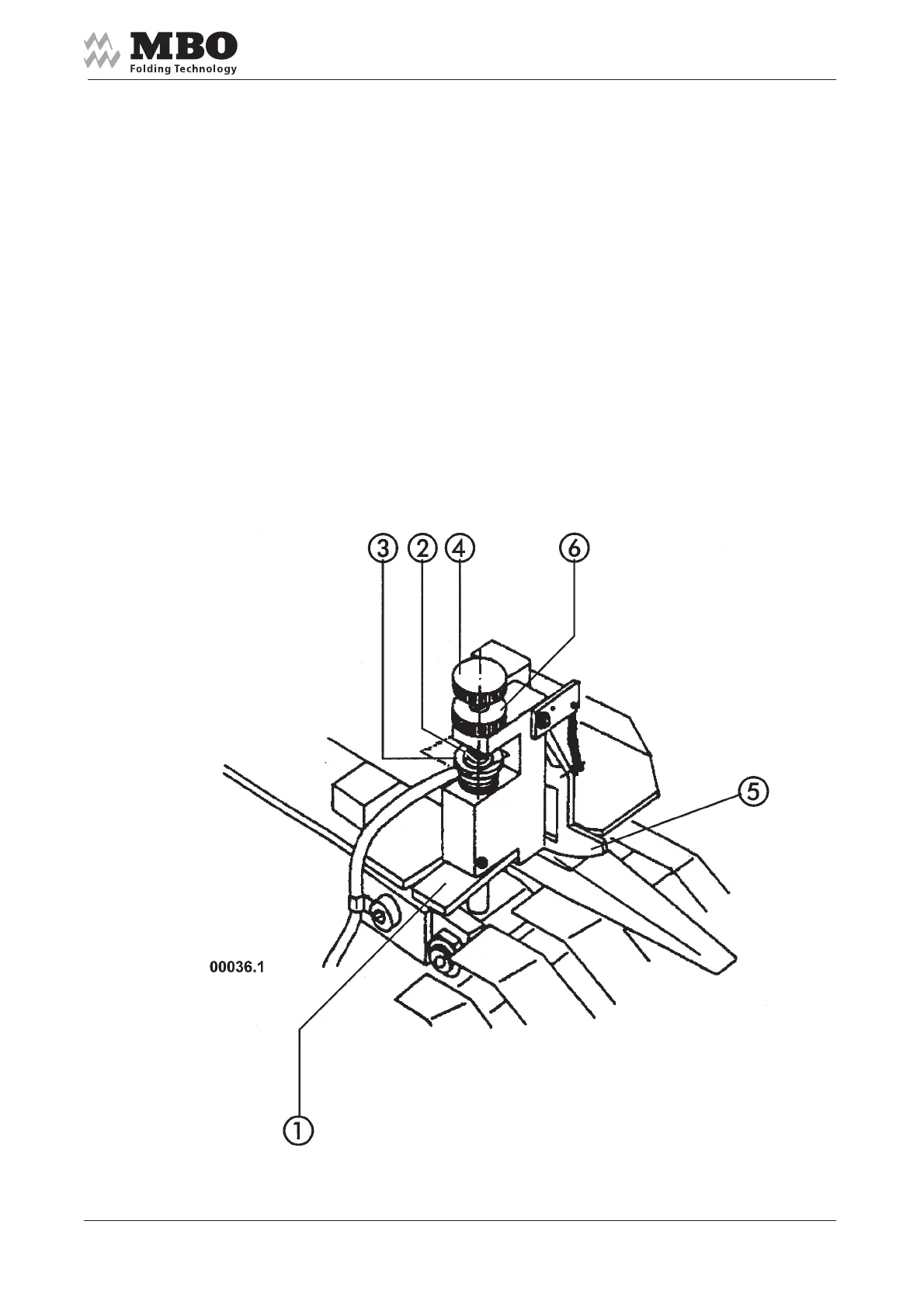
5.3.2 Double sheet control
Press the lever 1 and insert a paper strip (which you are running) into the gap 2 between the bolt 3
and the knurled screw 4.
Insert a double paper strip under the segment 5. Turn the knurled screw 4 until the segment 5 has
switched and tighten the knurled nut 6 after the adjustment of the double sheet control has been
completed.
If you check with a single paper strip the machine must continue to run.Re-adjust, if necessary!
Please note that the double sheet control stops the sheet infeed at first. The machine will
stop if no sheets are in the machine!


 To Next Page