Page 58
Alterations reserved Stand 12/2002
Operating Manual T 700 / T 800.1 - R ENG
5.5 Parallel folding unit
5.5.1 Setting of foldrollers and slitter shafts
>DANGER< Never carry out foldroller
settings while machine is still running!
Machine must be turned OFF!
Use EMERGENCY-STOP switch!
Even manual foldroller settings
by the handwheel may cause
injuries by the foldrollers.
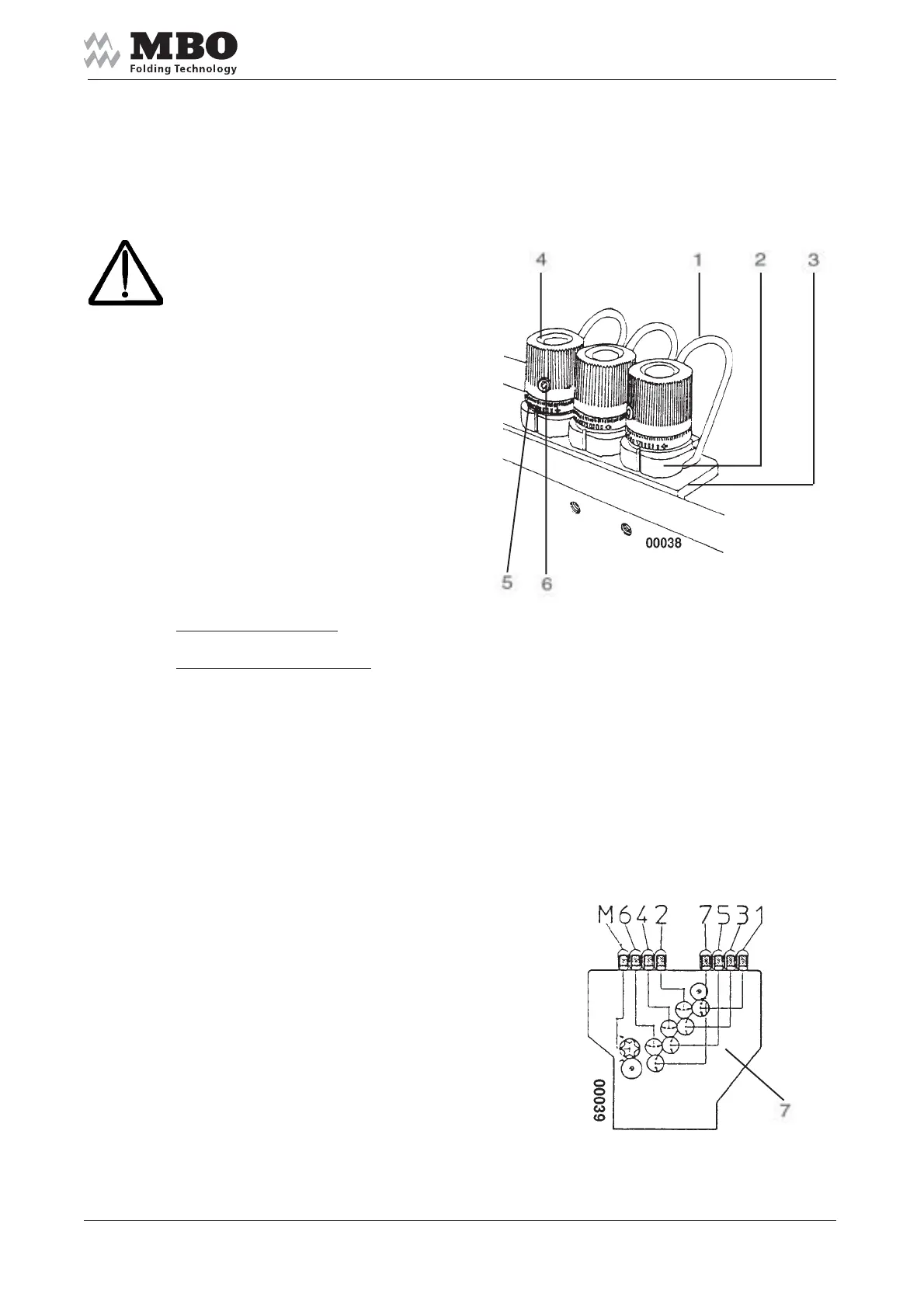
Press the lever 1 and insert
a paper strip (of the running paper)
between the pressure plate 2
and the counter pressure plate 3.
Check with a paper strip whether
it goes through the foldrollers.
Turn the handwheel and adjust the
pressure at both sides of the foldroller
through the adjustment knob 4,i.e.
if you turn clockwise (+)
= pressure on foldrollers becomes less
if you turn counter-clockwise (-)
= pressure on foldrollers has increased
Set the adjusting ring 5 into 0-position
in order to enable a quick readjustment
of the foldrollers into their original
position. Secure with screw 6 to prevent
ditsortion; do not over-tighten the nut!
Depending on the type of fold, thickness
and quantity of sheets, insert paper strip
between pressure plate 2 and angle 3.
Read para. 6.0 for setting instructions
of the most important parallel folds.
The scheme of foldrollers at
machines side panel shows you
foldrollers with the setting elements
pertaining thereto.


 To Next Page