Page 60
Alterations reserved Stand 12/2002
Operating Manual T 700 / T 800.1 - FP ENG
5.5.2 Buckle plates
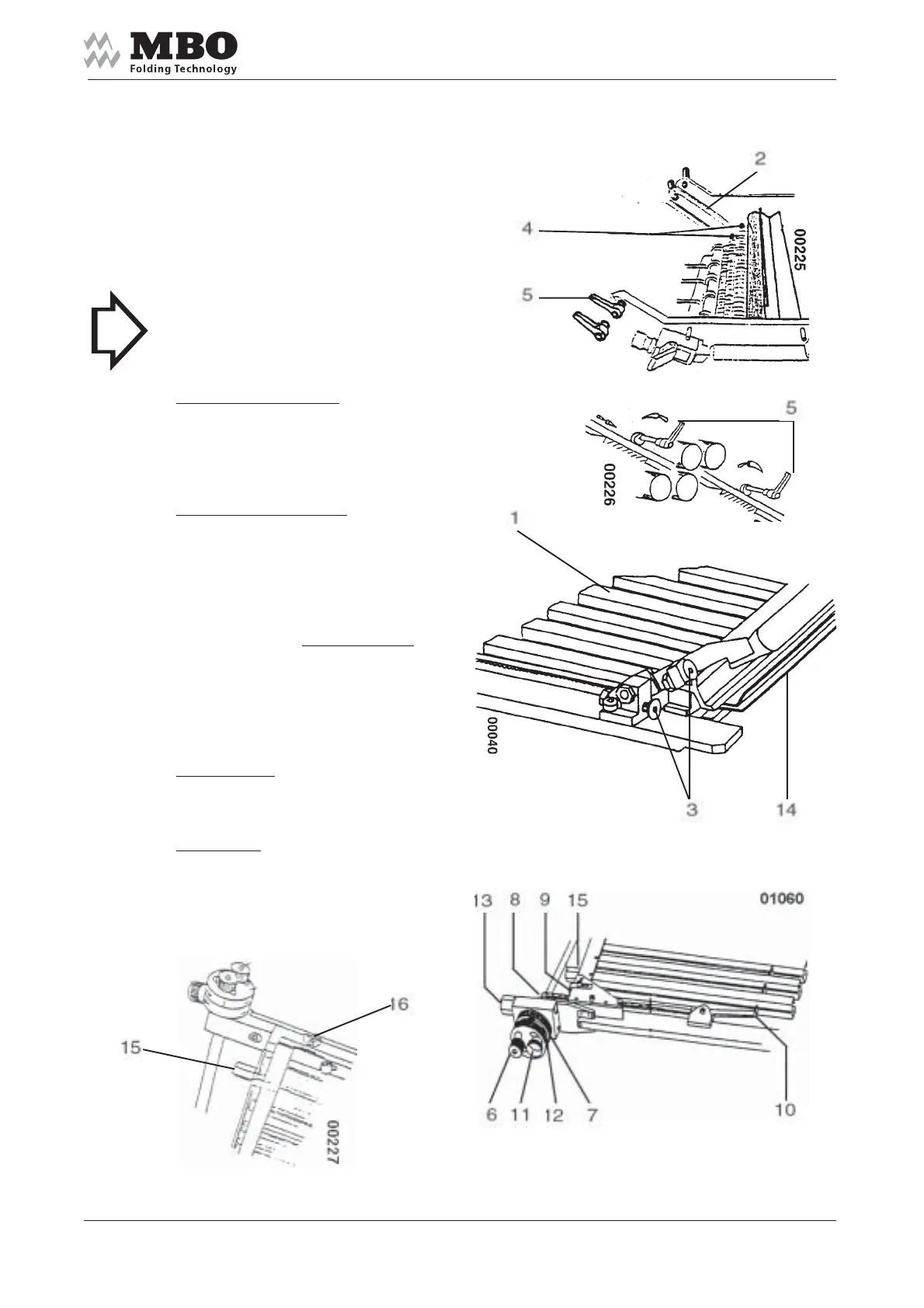
Insert the buckle plates 1
into the lateral support rails 2.
The buckle plate (or deflector)
will bump with their stop screw 3 against
the stop bolt 4 in its deepest (basic)
position. Lock buckle plates on both
sides with clamping lever 5.
>NOTICE< Make sure that
the buckle plates are pushed against the
foldrollers and rest on the stop bolts 4.
Setting of folding length: Loosen metal
knurled screw 6 and adjust with
adjustment ring 7. The necessary size
can be read-off at toothed belt with
mm-indicator 8 and red indicator 9.
Change of stop angle 10:
When folding out-of-square
sheetsloosen plastic knurled screw 11
and turn the frontal adjustment ring 12.
The O-position is shown by two marks
on the adjustment rings.
Twits screw 13 for
fine adjustments.
How to change the lower plate lip 14 :
Turn hexagon nuts 15 simultaneously
at both sides: Basic adjustment =
consider 0-markings 16.
Heavy papers:
remove the lower plate lip 14
off the foldrollers.
Thin papers:
move the lower plate lip 14
to the foldrollers.
Continuation


 To Next Page