Page 55Alterations reserved Stand 12/2002
Operating Manual
T 700 / T 800.1 - R ENG
5.4 Sheet infeed control
5.4.1 Automatic learning of suction length and sheet gap
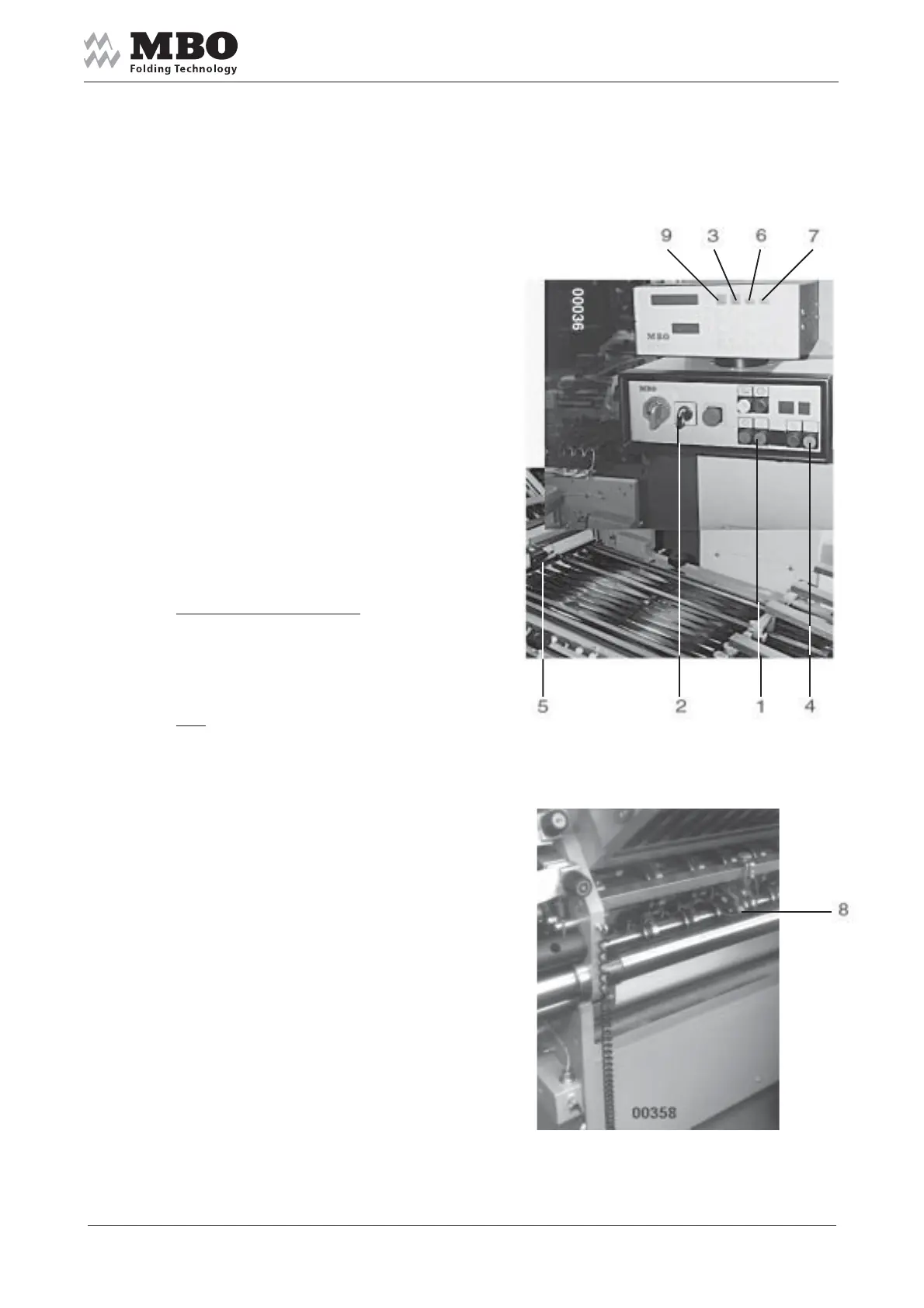
START the machine 1
and turn ON the pump 2.
Keep the button SUCTION LENGTH 3
pushed and activate the SINGLE
SHEET 4 button. A „ learning „ sheet
is entered with a basic suction length.
It is measured by the photocell 5
whereby required suction length
is automatically determined.
If necessary, you may increase
or decrease the suction length
by pushing the buttons 3 and 6 (+)
or 3 and 7 (-) simultaneously.
Adjust the machine.
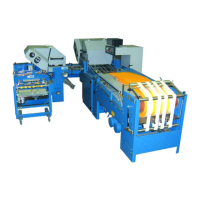
Set photocell 8 above the sheet exit.
Calibrate sheet monitoring:
Keep the button SHEET GAP 9
pushed and activate
the SINGLE SHEET 4 button.
All photocells are calibrated by
one „learning“ sheet. The (minimum)
sheet gap is determined for 2 cm.
If necessary, increase as follows:
Push buttons SHEET GAP 9 and 6 (+).
Sheet gaps of more than 2 cm may
be reduced with buttons 9 and 7 (-).
Please also consider the attached
Operating Manual „MC“.


 To Next Page