Seite 73Alterations reserved Stand 05/2008
Operating manual T700/T800.1 - en
5.7.6 Set-up mode of buckle folding machines
The function ” set-up mode ” simplifies the set-up of individual buckle folding units. In
addition thereto, it improves the safety. For this function all folding units used must be
connected with eachother through power and control cables.
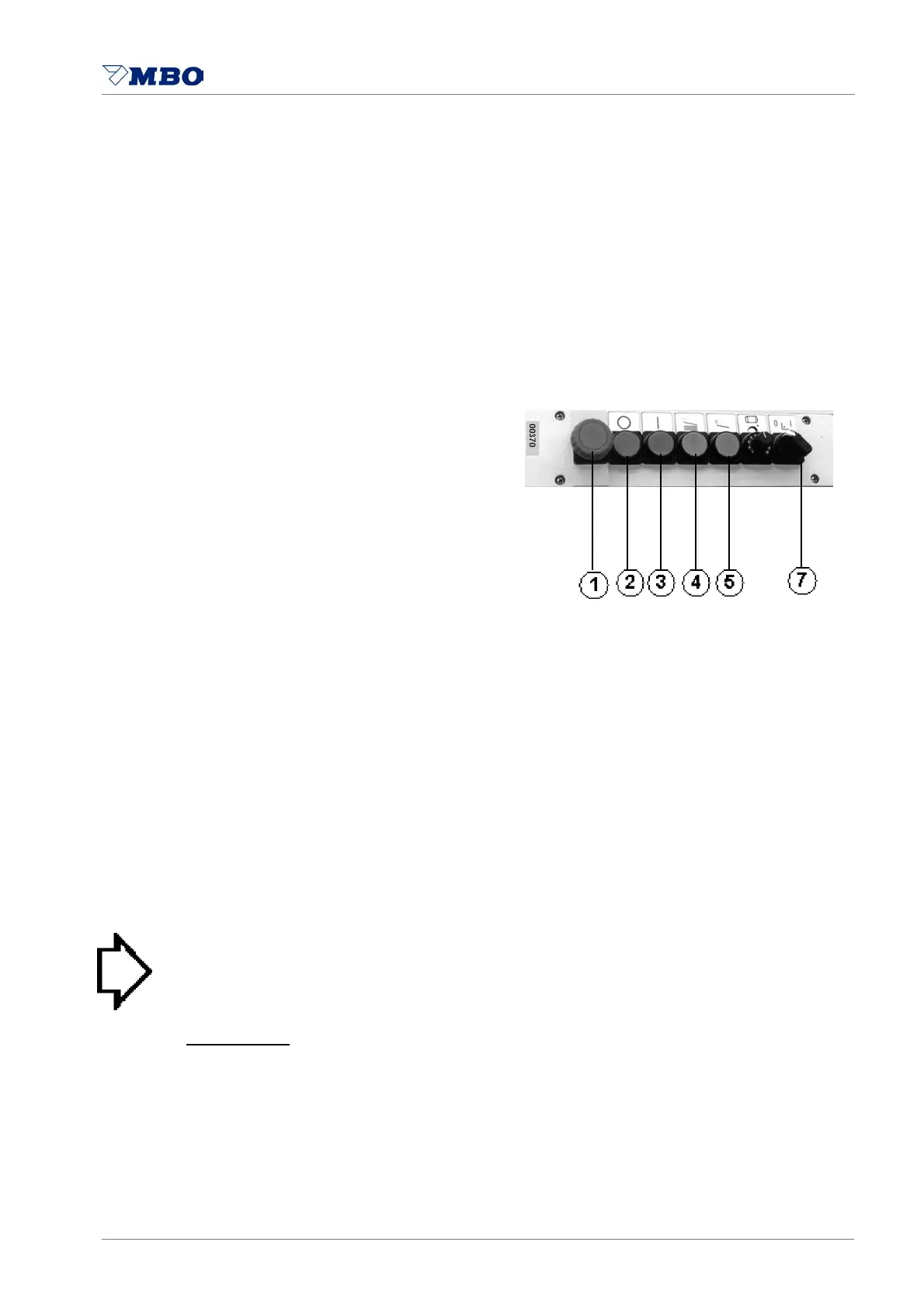
Main control panel of folding unit I: No switch for SET-UP MODE available.
Control cabinet at mobile
buckle folding units
Selector switch 7 for set-up mode:
Position I: Set-up mode
Position 0: Position of switch
during production
Production:
At production mode turn
all selector switches 7 to 0.
If guard above the slitter shaft is open:
machine will stop immediately.
Set-up mode:
Only 8- thru 32-page units
are equipped with switch 7.
Switch position I at 8-page unit:
parallel unit is running,
but not 8- thru 32-page units.
Switch position I at 16-page unit:
parallel- and 8-page units are running,
but not 16- and 32-page units.
Switch position I at 32-page unit:
parallel- thru 16-page units are running,
but not 32-page unit.
Folding units with switch position I
cannot be started
through push button 3.
> NOTICE < For safety reasons you
cannot start the folding units by turning
off the set-up mode 0 after set-up.
Switch over from I to 0 during set-up:
All folding units
are turned off.
To start them push button 2 and then 3.
All EMERGENCY 1 and
STOP switches 2 are
in working order during set-up.
All buttons 4 and 5 for SHEET INFEED
are in working order during set-up.


 To Next Page