Page 26
Alterations reserved Stand 12/2002
Operating Manual T 700 / T 800.1 - R ENG
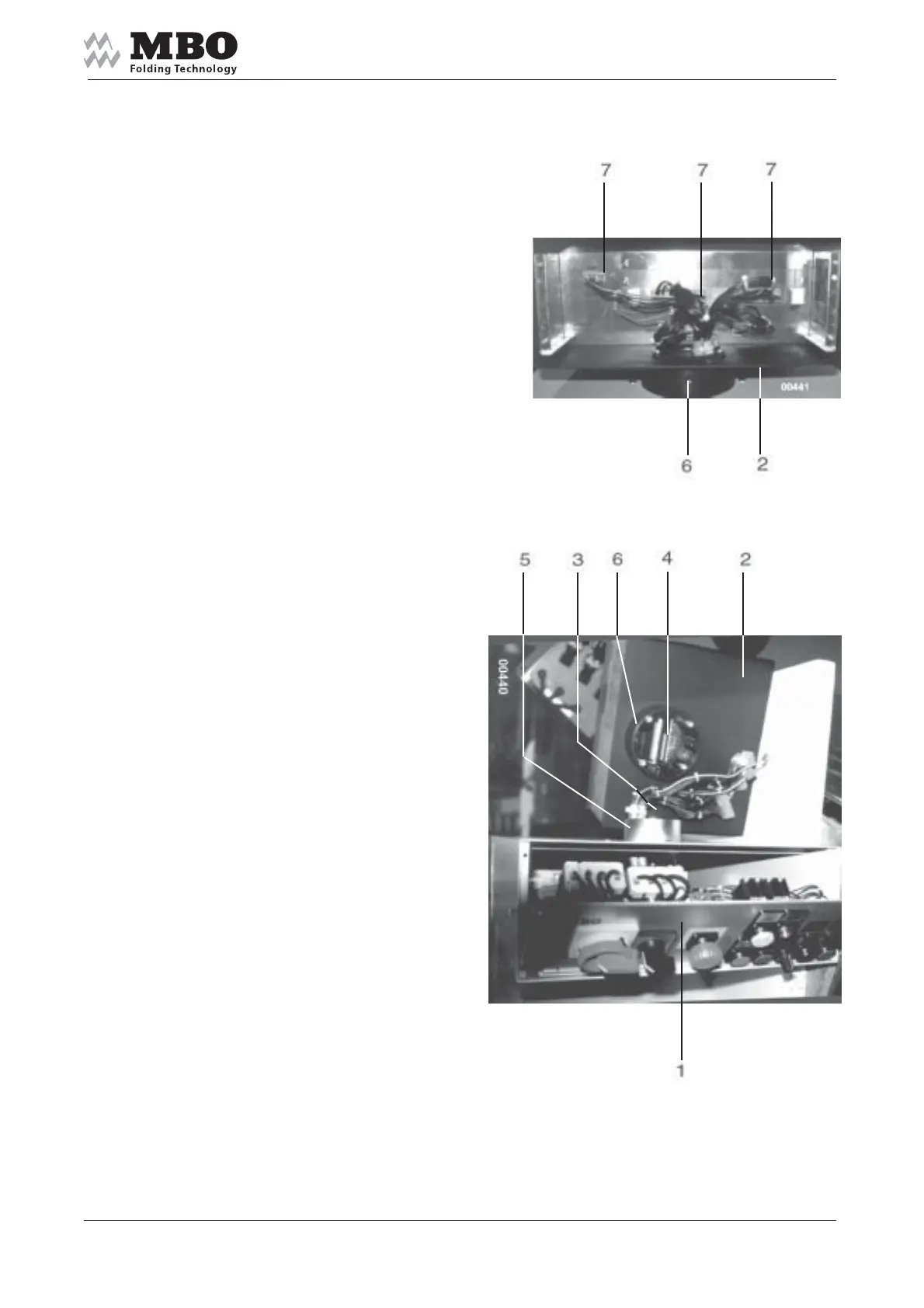
3.3.2 MCC Counter
Open the front plate 1
and remove cover plate
at rear side of counter 2.
Pull the cable out of opening 3
and push it through
the opening 4 into 2.
Place 2 onto the adapter 5.
Fasten the screw 6 to such an extent
so that counter 2 still can be turned.
Insert numbered
cable connectors 7.
Close the front plate 1
and replace cover plate 2.


 To Next Page