MaintenanceInstructions
BatteryCables
CAUTION
Topreventpropertydamage,whenworking
aroundtheterminalsandbattery,useextracare
topreventshorting.Agoodpracticeistoinsulate
pliersandscrewdrivers.Donotcheckbattery
conditionbyshorting(ashing)acrossterminals.
Batterycableterminalsmustbecleanandtight.Useamixture
ofhotwaterandcommonbakingsodaforremovingterminal
corrosionandforcleaningthetopofthebattery.Brightenthe
contactsurfaceswithsteelwool,applyalightcoatoflubricant
sealinggrease,suchasFleetrite
®
472141-C1orequivalentor
asprayprotectant,andreassemble.Besuretheterminalsare
clampedtightly.
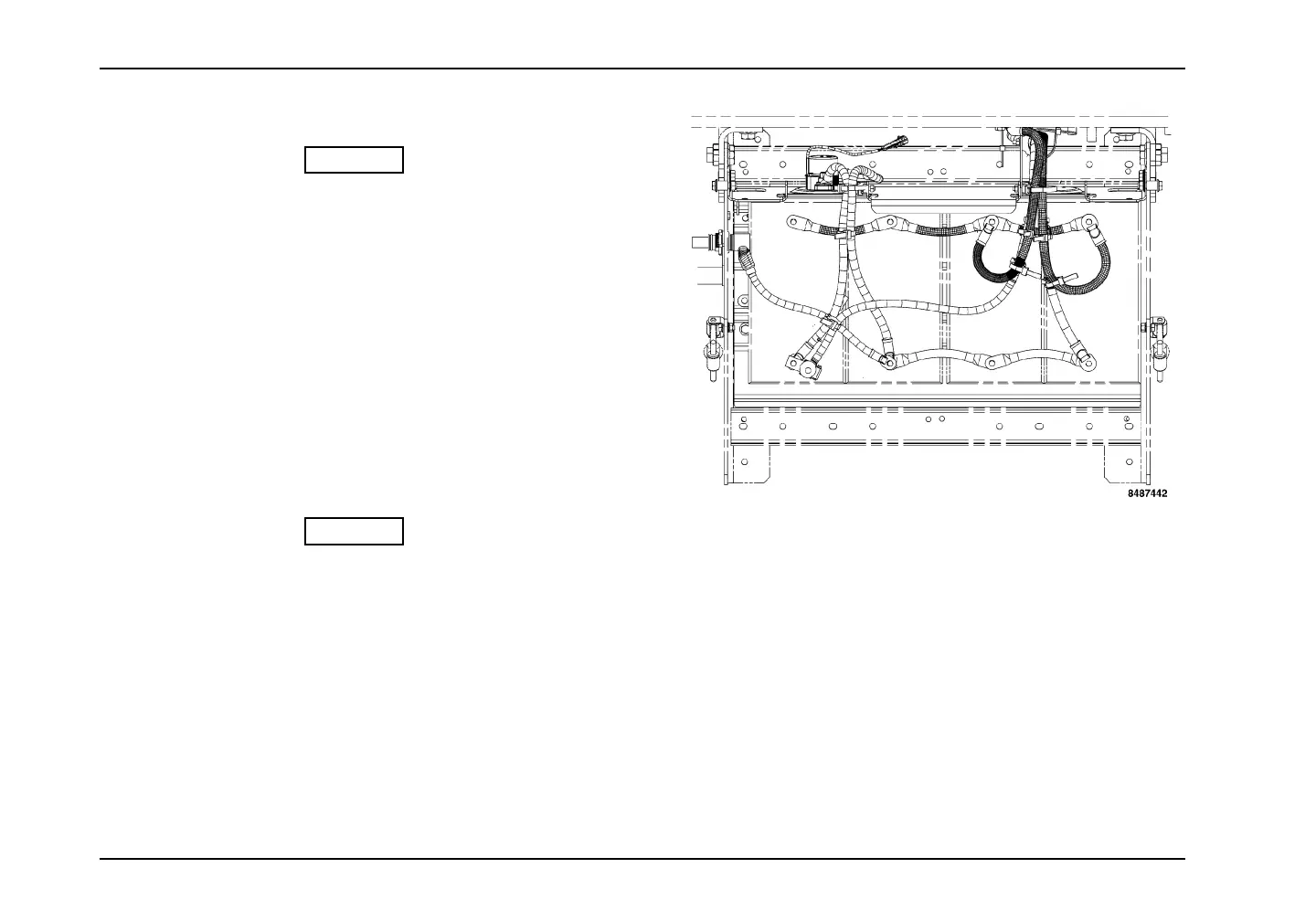
AutoStart/StopSystemBatteryCables
CAUTION
Topreventpropertydamage,ifequippedwiththe
autostart/stopfeature,thebatteriesmustbe
hookedupexactlyasshownintheillustration
below.
Whenequippedwiththeautostart/stopfeature,thebattery
cablesrequireaspeciccongurationforhookingupthebattery.
216



 To Next Page