• Make sure that the finisher is disconnected from the main machine and that the machine is switched
off and unplugged before starting the following procedure.
1. If the finisher is connected to the machine, disconnect it.
2. Remove all tape and retainers from the cover interposer tray [A].
3. Remove the tape and cardboard [B] from the ground connector.
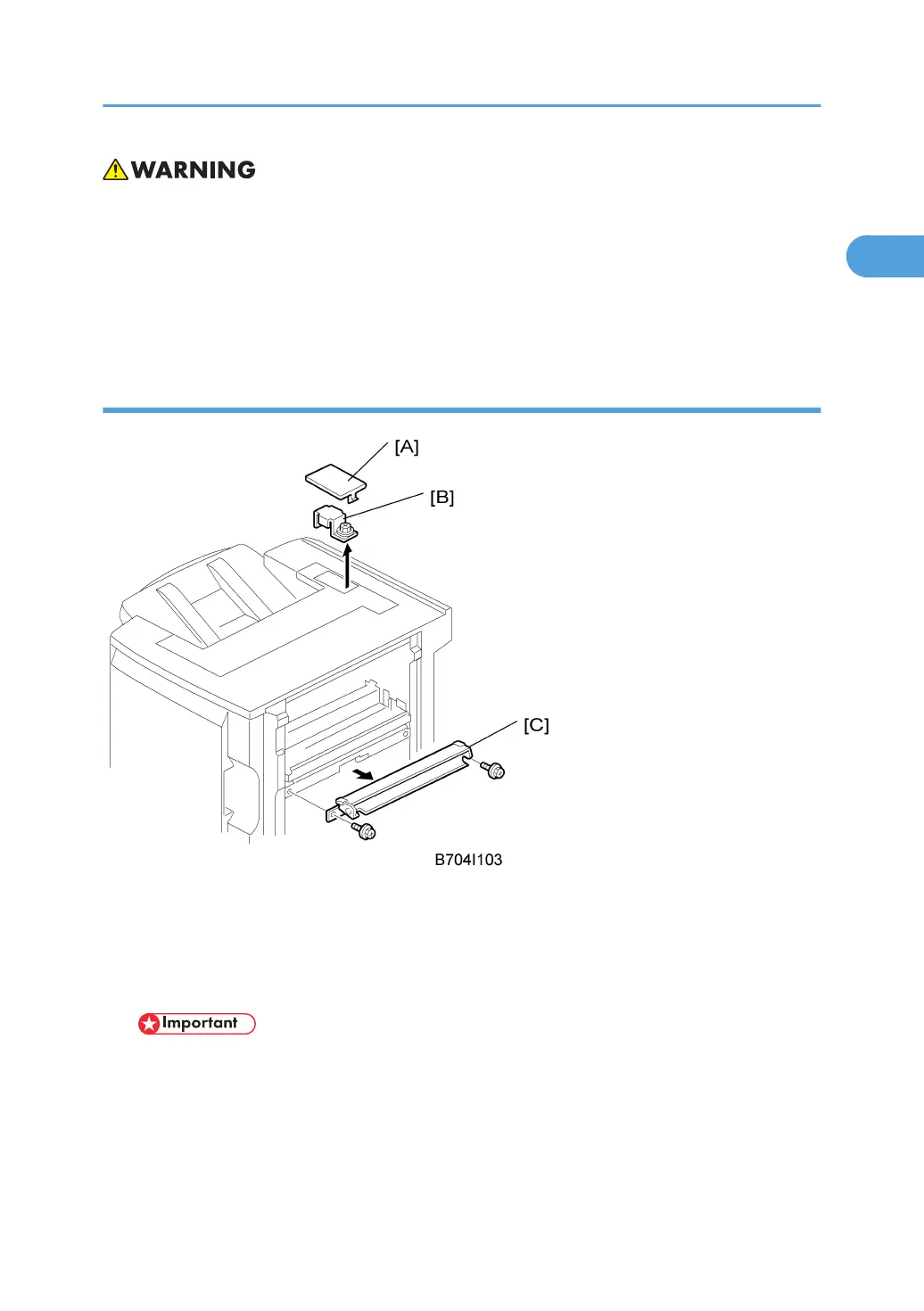
Preparing the Finisher (B700/B706)
1. Remove the cover [A] of the relay connector.
2. Loosen the screw of the bracket [B] ( x 1) then remove the bracket.
3. Remove the guide plate [C]. (This guide plate will be attached to the cover interposer; do
not discard it.)
• Important: If you are installing the cover interposer tray with a previously installed finisher B700/
B706, remove the sponge strip from the finisher and keep it for re-attachment to the interposer
tray.
4. If you are installing the B700, attach the extensions to the finisher without modification. See
"Attaching the Extensions for the B700".
Cover Interposer Tray (B704)
99



 To Next Page